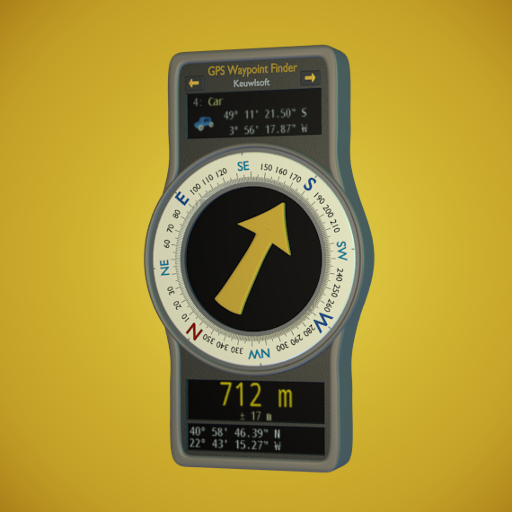
GPS Waypoint Finder
Diupdate
Versi Saat Ini
1.14
Ditawarkan Oleh

Hentilah khawatir tentang biaya berlebihan saat menggunakan GPS Waypoint Finder di ponsel Anda, bebaskan diri Anda dari layar kecil dan nikmati menggunakan aplikasi pada tampilan yang lebih besar. Mulai sekarang, dapatkan pengalaman full-screen di aplikasi Anda dengan keyboard dan mouse. MEmu menyediakan semua fitur mengejutkan yang Anda harapkan: cepat menginstal dan mudah menggunakan, kontrol intuitif, tidak ada lagi batasan baterai, data seluler dan panggilan yang mengganggu. MEmu 9 yang baru adalah pilihan terbaik untuk menggunakan GPS Waypoint Finder di komputer Anda. Bersandi dengan absorpsi kami, manajer multi-instance memungkinkan pembukaan 2 akun atau lebih pada saat yang bersamaan. Dan yang paling penting, mesin emulasi eksklusif kami dapat melepaskan potensi penuh PC Anda, menjadikan semuanya lancar dan menyenangkan.
Tampilkan Lebih banyak
Unduh GPS Waypoint Finder di PC dengan Emulator Android MEmu. Nikmati permainan pada layar yang besar. Uses the GPS sensor, Magnetic Field Sensor and Accelerometer to determine the distance and direction to a GPS waypoint.
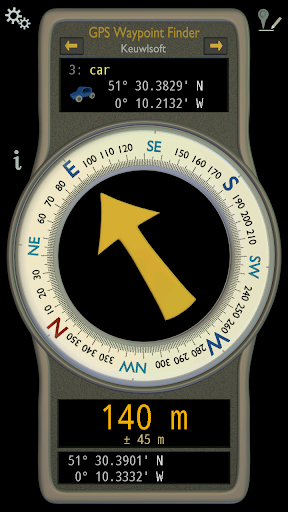
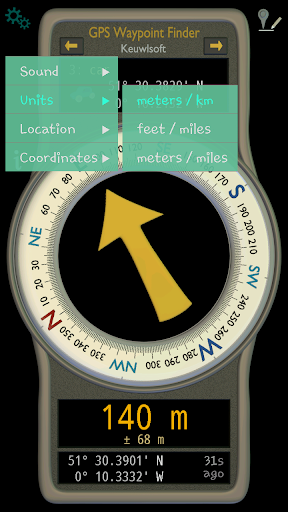
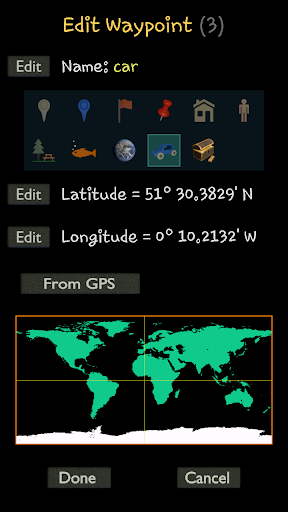
Uses the GPS sensor, Magnetic Field Sensor and Accelerometer to determine the distance and direction to a GPS waypoint. Does not need to be held level.
Normally a compass needs to be level to get the correct reading, but this app uses the accelerometer reading to convert the magnetic field reading back to the horizontal plane.
In addition to the direction and distance to the waypoint, a compass ring shows the current heading. North points to True North (i.e. The direction is corrected for the magnetic declination - the difference between magnetic north and true north).
The GPS reading and the time since that reading is shown at the bottom of the screen.
Use for geocaching, finding your car, hotel, or other locations.
• Store up to 500 waypoints.
• Imperial or Metric units.
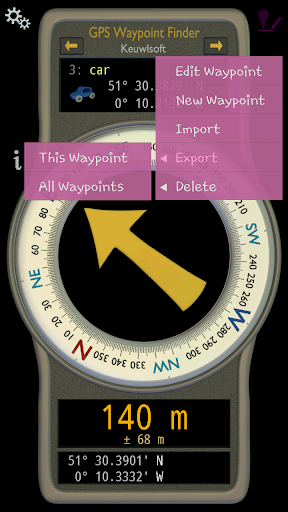
• Import and Export waypoints as GPX files.
Arrow colour changes to green at less than 30m and blue at less than 10m to make it easier for littler ones to identify that they've reached the waypoint.
Whilst walking, look where your going, not at the app or you might trip! The app tells you the direction of your destination, not how to get there.
Only as good as the sensors in your device. Use for Indication Only.
Tampilkan Lebih banyak

1. Unduh dan instal MEmu APP

2. Menjalankan MEmu lalu buka Google Play di halaman

3. Cari GPS Waypoint Finder di Google Play
Install
4. Unduh dan instal GPS Waypoint Finder
5. Setelah insatl APP selesai,klik ikon untuk mulai

6. Nikmati bermain GPS Waypoint Finder di PC dengan MEmu
MEmu Play adalah emulator Android gratis terbaik dan 50 Juta orang sudah menikmati pengalaman luar biasa dalam Aplikasi Android. Teknologi virtualisasi MEmu memberi kekuasaan untuk memainkan ribuan Aplikasi Android dengan lancar di PC anda, bahkan Aplikasi dengan grafis yang paling tinggi.
Layar lebih besar dengan grafis yang lebih baik; durasi panjang, tanpa batasan baterai atau data seluler.
Didukung penuh oleh Pemetaan tombol yang lengkap untuk keakuratan kontrol keyboard dan mouse maupun gamepad.
Membuka beberapa akun game atau tugas di waktu yang sama hanya pada satu PC, dengan Multi-Instance manager.
Use GPS Waypoint Finder on PC by following steps: