
Laku6 Inspector
Diupdate
Versi Saat Ini
0.3.0
Ditawarkan Oleh

Hentilah khawatir tentang biaya berlebihan saat menggunakan Laku6 Inspector di ponsel Anda, bebaskan diri Anda dari layar kecil dan nikmati menggunakan aplikasi pada tampilan yang lebih besar. Mulai sekarang, dapatkan pengalaman full-screen di aplikasi Anda dengan keyboard dan mouse. MEmu menyediakan semua fitur mengejutkan yang Anda harapkan: cepat menginstal dan mudah menggunakan, kontrol intuitif, tidak ada lagi batasan baterai, data seluler dan panggilan yang mengganggu. MEmu 9 yang baru adalah pilihan terbaik untuk menggunakan Laku6 Inspector di komputer Anda. Bersandi dengan absorpsi kami, manajer multi-instance memungkinkan pembukaan 2 akun atau lebih pada saat yang bersamaan. Dan yang paling penting, mesin emulasi eksklusif kami dapat melepaskan potensi penuh PC Anda, menjadikan semuanya lancar dan menyenangkan.
Tampilkan Lebih banyak
Unduh Laku6 Inspector di PC dengan Emulator Android MEmu. Nikmati permainan pada layar yang besar. Laku6 Inspector is your essential tool for quickly and accurately assessing your phone’s condition.
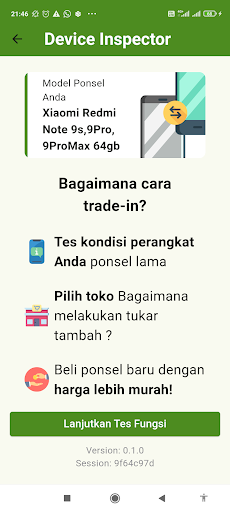
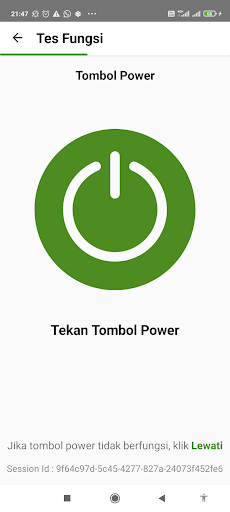
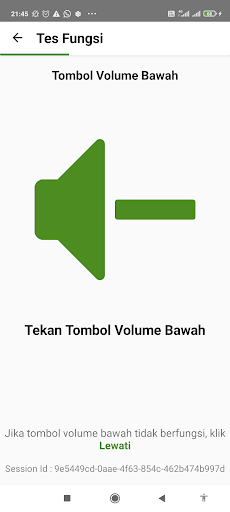
Laku6 Inspector is your essential tool for quickly and accurately assessing your phone’s condition. Whether you’re looking to sell your device or just curious about its value, our app provides comprehensive inspections through a series of functionality tests and advanced AI analysis.
Key Features:
Comprehensive Functionality Test: Assess your phone’s critical components, including Wi-Fi, SIM card, storage, model, root status, touchscreen, and more.
AI-Powered Analysis: Utilize AI to get a deeper, more accurate assessment of your phone’s condition.
Mandatory for Pricing: Use Laku6 Inspector to complete the inspection required to receive a price quote from Laku6.
Easy-to-Use Interface: The app guides you through the testing process step-by-step, making it simple and straightforward.
Detailed Reports: Receive a comprehensive report on your phone’s condition, which Laku6 will use to determine its value.
Why choose Laku6 Inspector?
Reliability: Our tests are powered by cutting-edge technology to ensure accuracy.
Simplicity: Designed for ease of use, even if you have no technical background.
Essential: This app is a must-have for anyone looking to sell their device with confidence.
Download Laku6 Inspector today and get the most accurate valuation for your phone!
Privacy & Data Security: We take your privacy seriously. Laku6 Inspector only collects the necessary data to perform the tests, and we strictly adhere to data protection regulations.
Tampilkan Lebih banyak

1. Unduh dan instal MEmu APP

2. Menjalankan MEmu lalu buka Google Play di halaman

3. Cari Laku6 Inspector di Google Play
Install
4. Unduh dan instal Laku6 Inspector
5. Setelah insatl APP selesai,klik ikon untuk mulai

6. Nikmati bermain Laku6 Inspector di PC dengan MEmu
MEmu Play adalah emulator Android gratis terbaik dan 50 Juta orang sudah menikmati pengalaman luar biasa dalam Aplikasi Android. Teknologi virtualisasi MEmu memberi kekuasaan untuk memainkan ribuan Aplikasi Android dengan lancar di PC anda, bahkan Aplikasi dengan grafis yang paling tinggi.
Layar lebih besar dengan grafis yang lebih baik; durasi panjang, tanpa batasan baterai atau data seluler.
Didukung penuh oleh Pemetaan tombol yang lengkap untuk keakuratan kontrol keyboard dan mouse maupun gamepad.
Membuka beberapa akun game atau tugas di waktu yang sama hanya pada satu PC, dengan Multi-Instance manager.
Use Laku6 Inspector on PC by following steps: