Open Source News & Trends
Diupdate
Versi Saat Ini
4.3.6
Ditawarkan Oleh

Hentilah khawatir tentang biaya berlebihan saat menggunakan Open Source News & Trends di ponsel Anda, bebaskan diri Anda dari layar kecil dan nikmati menggunakan aplikasi pada tampilan yang lebih besar. Mulai sekarang, dapatkan pengalaman full-screen di aplikasi Anda dengan keyboard dan mouse. MEmu menyediakan semua fitur mengejutkan yang Anda harapkan: cepat menginstal dan mudah menggunakan, kontrol intuitif, tidak ada lagi batasan baterai, data seluler dan panggilan yang mengganggu. MEmu 9 yang baru adalah pilihan terbaik untuk menggunakan Open Source News & Trends di komputer Anda. Bersandi dengan absorpsi kami, manajer multi-instance memungkinkan pembukaan 2 akun atau lebih pada saat yang bersamaan. Dan yang paling penting, mesin emulasi eksklusif kami dapat melepaskan potensi penuh PC Anda, menjadikan semuanya lancar dan menyenangkan.
Tampilkan Lebih banyak
Unduh Open Source News & Trends di PC dengan Emulator Android MEmu. Nikmati permainan pada layar yang besar. Smart feed app for Software content from top news, review, event, video, podcast and blog sources - see Linux and open source stories, headlines, events and features.
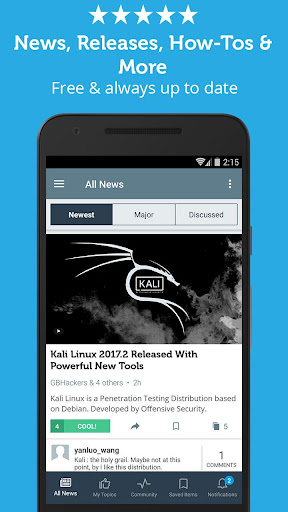
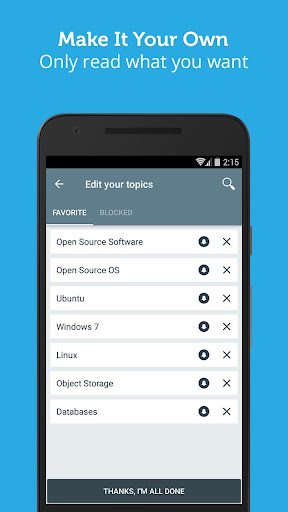
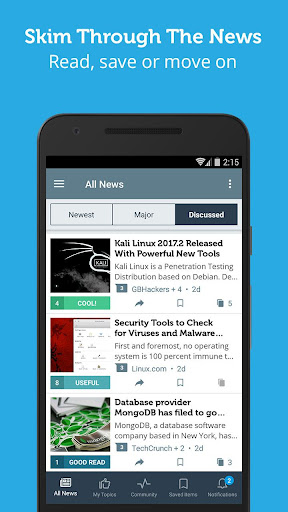
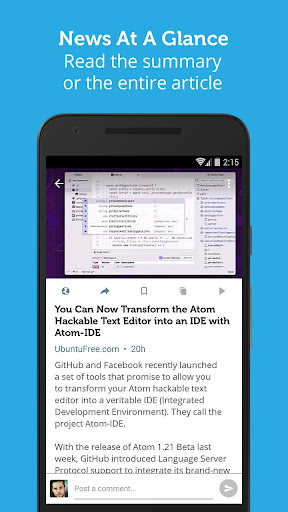
Smart feed app for Software content from top news, review, event, video, podcast and blog sources - see Linux and open source stories, headlines, events and features
See all the latest news about Linux (Ubuntu, Fedora), Containers (Docker, CoreOS), Web development platforms and frameworks (node.js, Bootstrap), Databases (MySQL, PostgreSQL, MongoDB) and many others aggregated across dozens of news outlets, sites and blogs.
Skim quickly over the recent news and save specific items for review later.
Save hours weekly by seeing all news items from the most popular websites in one place, without compromising on content quality.
Features:
- Full coverage from top software news sources in one app - a clean, prioritized feed and no repeat stories
- Push notifications - specific topics that interest you, or prominent events
- Topics management - choose your favorite topics (like "Debian" or "SQLite"), block certain topics and choose the topics you want to get notifications about
- Save articles inside the app for later reading
- Join the community and post polls, comment on stories, tag articles and earn Points & Badges!
- Block source and it's articles won't show again
- Collapsed mode for super fast reading
Enjoying the app? Not satisfied? Whatever it is - we’re waiting to hear from you. Please write us what’s on your mind to support@newsfusion.com
Use of the Newsfusion Application is governed by the Newsfusion Terms of Use (https://www.loyalfoundry.com/privacy-policy).
Tampilkan Lebih banyak

1. Unduh dan instal MEmu APP

2. Menjalankan MEmu lalu buka Google Play di halaman

3. Cari Open Source News & Trends di Google Play
Install
4. Unduh dan instal Open Source News & Trends
5. Setelah insatl APP selesai,klik ikon untuk mulai

6. Nikmati bermain Open Source News & Trends di PC dengan MEmu
MEmu Play adalah emulator Android gratis terbaik dan 50 Juta orang sudah menikmati pengalaman luar biasa dalam Aplikasi Android. Teknologi virtualisasi MEmu memberi kekuasaan untuk memainkan ribuan Aplikasi Android dengan lancar di PC anda, bahkan Aplikasi dengan grafis yang paling tinggi.
Layar lebih besar dengan grafis yang lebih baik; durasi panjang, tanpa batasan baterai atau data seluler.
Didukung penuh oleh Pemetaan tombol yang lengkap untuk keakuratan kontrol keyboard dan mouse maupun gamepad.
Membuka beberapa akun game atau tugas di waktu yang sama hanya pada satu PC, dengan Multi-Instance manager.
Use Open Source News & Trends on PC by following steps: