Parallel Space Pro - app clone
Diupdate
Versi Saat Ini
4.0.9074
Ditawarkan Oleh

Hentilah khawatir tentang biaya berlebihan saat menggunakan Parallel Space Pro - app clone di ponsel Anda, bebaskan diri Anda dari layar kecil dan nikmati menggunakan aplikasi pada tampilan yang lebih besar. Mulai sekarang, dapatkan pengalaman full-screen di aplikasi Anda dengan keyboard dan mouse. MEmu menyediakan semua fitur mengejutkan yang Anda harapkan: cepat menginstal dan mudah menggunakan, kontrol intuitif, tidak ada lagi batasan baterai, data seluler dan panggilan yang mengganggu. MEmu 9 yang baru adalah pilihan terbaik untuk menggunakan Parallel Space Pro - app clone di komputer Anda. Bersandi dengan absorpsi kami, manajer multi-instance memungkinkan pembukaan 2 akun atau lebih pada saat yang bersamaan. Dan yang paling penting, mesin emulasi eksklusif kami dapat melepaskan potensi penuh PC Anda, menjadikan semuanya lancar dan menyenangkan.
Tampilkan Lebih banyak
Unduh Parallel Space Pro - app clone di PC dengan Emulator Android MEmu. Nikmati permainan pada layar yang besar. Clone and run two accounts of the same app simultaneously with Parallel Space Pro!
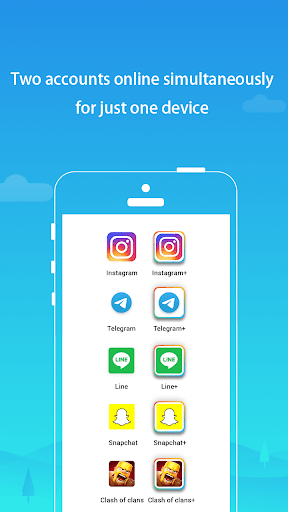
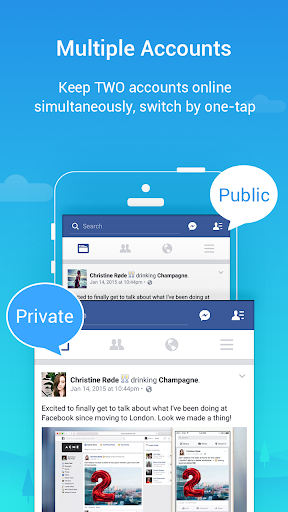
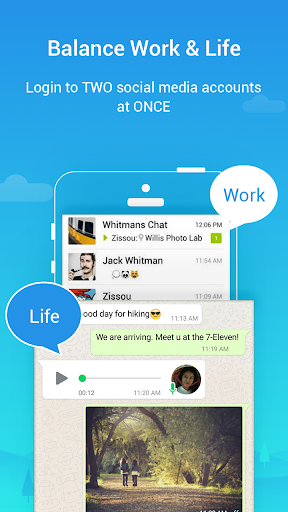
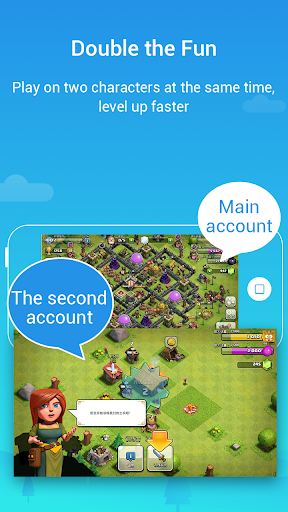
Clone and run two accounts of the same app simultaneously with Parallel Space Pro!
As one of the top-ranked tools on Android, Parallel Space Pro has helped more than 200 million users manage two accounts of the same app on their devices. Parallel Space Pro supports 24 languages, and is compatible with most Android apps. Get Parallel Space Pro now, so you can also log in two accounts.
★Two social networking or game accounts at the same time on one device
• Balance between your life and work
• Enjoyed doubled fun in gaming and social contacts
• Log in a second account on various apps and keep your data separated
★Easy switch between two accounts
• Run two accounts simultaneously and switch between them with just one-tap
• Manage different accounts effectively
Highlights:
• Powerful, stable & easy-to-use.
• Unique: Parallel Space Pro is based on multiDroid, the first application virtualization engine on Android.
Notes:
• Limitation: Due to policy or technical limitations, some apps are not supported in Parallel Space Pro, such as apps that declare the REQUIRE_SECURE_ENV flag.
• Permissions: Parallel Space Pro will need to ask for your permission to use the information required by the apps you add in it for the cloned apps to function normally. Specifically, if required by the cloned app, Parallel Space Pro will need to access and process your location data to enable a normal usage of the cloned app even when Parallel Space Pro is running in background.
• Consumptions: Parallel Space Pro itself doesn't take up too much memory, battery, and data, but it is likely that the apps running in Parallel Space Pro do. You can check ‘Settings’ in Parallel Space Pro for more information.
• Notifications: In order to receive notifications from cloned apps, especially social networking apps, you will need to add Parallel Space Pro to the whitelist in third-party boost apps and such.
• Conflict: Some social networking apps may not allow you to run two accounts using the same mobile number. In that case, please use a different mobile number for your second account in the cloned app, and make sure that number is active and can be used to receive verification messages.
Copyright Notice:
• This app includes software developed by the microG Project.
Copyright © 2017 microG Team
Licensed under the Apache License, Version 2.0.
• Link to the Apache License 2.0: http://www.apache.org/licenses/LICENSE-2.0
Tampilkan Lebih banyak

1. Unduh dan instal MEmu APP

2. Menjalankan MEmu lalu buka Google Play di halaman

3. Cari Parallel Space Pro - app clone di Google Play
Install
4. Unduh dan instal Parallel Space Pro - app clone
5. Setelah insatl APP selesai,klik ikon untuk mulai

6. Nikmati bermain Parallel Space Pro - app clone di PC dengan MEmu
MEmu Play adalah emulator Android gratis terbaik dan 50 Juta orang sudah menikmati pengalaman luar biasa dalam Aplikasi Android. Teknologi virtualisasi MEmu memberi kekuasaan untuk memainkan ribuan Aplikasi Android dengan lancar di PC anda, bahkan Aplikasi dengan grafis yang paling tinggi.
Layar lebih besar dengan grafis yang lebih baik; durasi panjang, tanpa batasan baterai atau data seluler.
Didukung penuh oleh Pemetaan tombol yang lengkap untuk keakuratan kontrol keyboard dan mouse maupun gamepad.
Membuka beberapa akun game atau tugas di waktu yang sama hanya pada satu PC, dengan Multi-Instance manager.
Use Parallel Space Pro - app clone on PC by following steps: