Peek Acuity
Diupdate
Versi Saat Ini
3.7.0
Ditawarkan Oleh

Hentilah khawatir tentang biaya berlebihan saat menggunakan Peek Acuity di ponsel Anda, bebaskan diri Anda dari layar kecil dan nikmati menggunakan aplikasi pada tampilan yang lebih besar. Mulai sekarang, dapatkan pengalaman full-screen di aplikasi Anda dengan keyboard dan mouse. MEmu menyediakan semua fitur mengejutkan yang Anda harapkan: cepat menginstal dan mudah menggunakan, kontrol intuitif, tidak ada lagi batasan baterai, data seluler dan panggilan yang mengganggu. MEmu 9 yang baru adalah pilihan terbaik untuk menggunakan Peek Acuity di komputer Anda. Bersandi dengan absorpsi kami, manajer multi-instance memungkinkan pembukaan 2 akun atau lebih pada saat yang bersamaan. Dan yang paling penting, mesin emulasi eksklusif kami dapat melepaskan potensi penuh PC Anda, menjadikan semuanya lancar dan menyenangkan.
Tampilkan Lebih banyak
Unduh Peek Acuity di PC dengan Emulator Android MEmu. Nikmati permainan pada layar yang besar. Peek Acuity allows anyone to measure visual acuity, which is one of the components of vision.
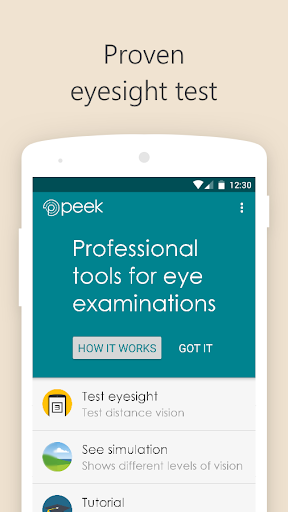
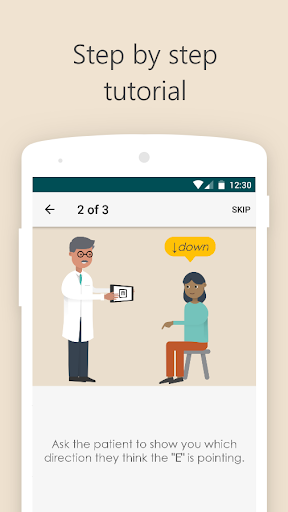
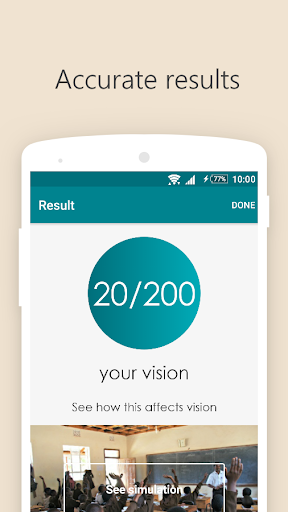
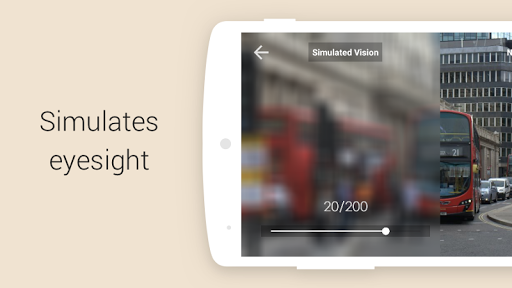
Peek Acuity allows anyone to measure visual acuity, which is one of the components of vision. It is designed by eye care professionals to be used to help identify people who need further examination by, for example, an optometrist or ophthalmologist. It is not intended to replace detailed examinations from a qualified eye health professional.
Peek Acuity:
Generates visual acuity scores accurately, rapidly and reliably. Scores are provided in standard units of Snellen (both metric (6/6) and imperial (20/20) values) and LogMAR (0.0);
Includes a new simulated representation that helps explain those scores to patients;
Includes equivalents of “count fingers”, “hand movement” and “light perception”;
Does NOT collect any personally identifiable data about you, or anyone else - it is not a medical device
It is important to keep the application up to date at all times so that you receive the latest technical updates. Older versions of the app may not function correctly on the latest operating systems.
Please ensure you perform the enforced manual calibration check, as described here, before using the application to measure visual acuity.
Peek Acuity is a standalone app which provides a measure of visual acuity and a visual representation of the result. Peek Solutions is a complete software and service package with support, data analysis, SMS reminder functionality and other features, currently only available to Peek partners.
For more on Peek Vision and full T&Cs please visit www.peekvision.org
Tampilkan Lebih banyak

1. Unduh dan instal MEmu APP

2. Menjalankan MEmu lalu buka Google Play di halaman

3. Cari Peek Acuity di Google Play
Install
4. Unduh dan instal Peek Acuity
5. Setelah insatl APP selesai,klik ikon untuk mulai

6. Nikmati bermain Peek Acuity di PC dengan MEmu
MEmu Play adalah emulator Android gratis terbaik dan 50 Juta orang sudah menikmati pengalaman luar biasa dalam Aplikasi Android. Teknologi virtualisasi MEmu memberi kekuasaan untuk memainkan ribuan Aplikasi Android dengan lancar di PC anda, bahkan Aplikasi dengan grafis yang paling tinggi.
Layar lebih besar dengan grafis yang lebih baik; durasi panjang, tanpa batasan baterai atau data seluler.
Didukung penuh oleh Pemetaan tombol yang lengkap untuk keakuratan kontrol keyboard dan mouse maupun gamepad.
Membuka beberapa akun game atau tugas di waktu yang sama hanya pada satu PC, dengan Multi-Instance manager.
Use Peek Acuity on PC by following steps: