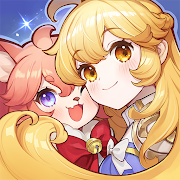
Plotta: Chat in Comics
Diupdate
Versi Saat Ini
1.0.3
Ditawarkan Oleh

Hentilah khawatir tentang biaya berlebihan saat menggunakan Plotta: Chat in Comics di ponsel Anda, bebaskan diri Anda dari layar kecil dan nikmati menggunakan aplikasi pada tampilan yang lebih besar. Mulai sekarang, dapatkan pengalaman full-screen di aplikasi Anda dengan keyboard dan mouse. MEmu menyediakan semua fitur mengejutkan yang Anda harapkan: cepat menginstal dan mudah menggunakan, kontrol intuitif, tidak ada lagi batasan baterai, data seluler dan panggilan yang mengganggu. MEmu 9 yang baru adalah pilihan terbaik untuk menggunakan Plotta: Chat in Comics di komputer Anda. Bersandi dengan absorpsi kami, manajer multi-instance memungkinkan pembukaan 2 akun atau lebih pada saat yang bersamaan. Dan yang paling penting, mesin emulasi eksklusif kami dapat melepaskan potensi penuh PC Anda, menjadikan semuanya lancar dan menyenangkan.
Tampilkan Lebih banyak
Nikmati pengalaman luar biasa menggunakan Plotta: Chat in Comics di PC dengan MEmu Play. Emulator Android gratis dan canggih ini menyediakan ribuan aplikasi Android untuk versi desktop. Nikmati koneksi yang lancar bersama teman dan tingkatkan pekerjaan Anda dengan efisiensi yang lebih tinggi! Plotta is an interactive AI comics app where character chat happens inside real story scenes.
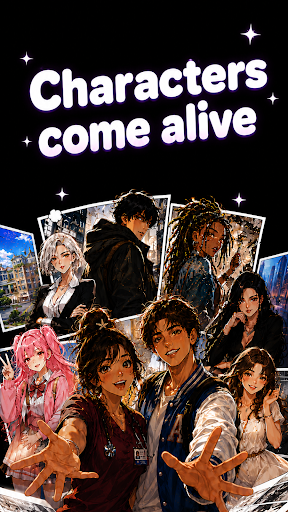
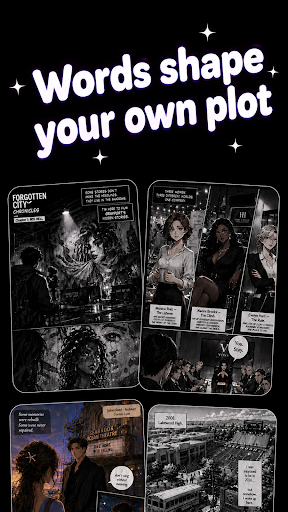
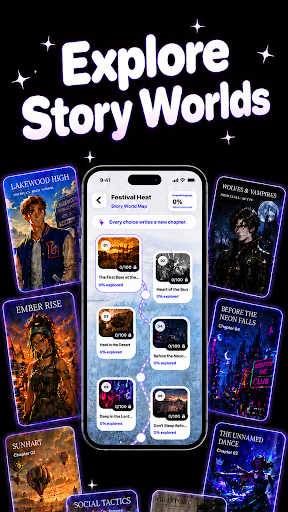
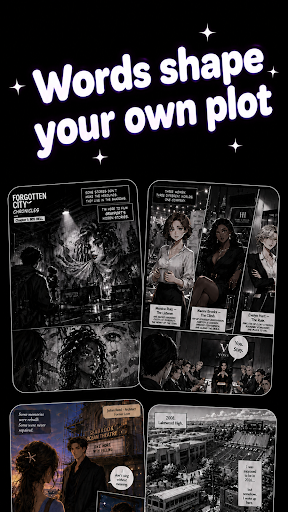
Plotta is an interactive AI comics app where character chat happens inside real story scenes.
Instead of chatting with characters in an empty room, you step into comic worlds, meet characters in specific places, and talk through cinematic story moments. A coffee shop encounter, a rainy city street, a rooftop confession, a fantasy tavern, a late-night mission, or a tense face-to-face choice — every chat has a scene, a mood, and a reason to continue.
In Plotta, your conversations can shape what happens next. Talk, flirt, comfort, joke, argue, investigate, or make a choice, then watch the story move forward through comic-style scenes.
1. Chat inside story scenes
Meet characters in immersive settings, not generic chat windows. Every conversation is connected to a place, a moment, and a story situation.
2. Build relationships through dialogue
Get closer to characters through natural AI chat. Your tone, choices, and messages can change the emotional direction of the scene.
3. Turn conversations into AI comics
Your chat can become part of a visual story. Watch character reactions, emotional beats, and key moments unfold like comic panels.
4. Choose your story path
Make decisions that influence the scene and unlock different story moments. Every choice can lead to a new reaction, a new chapter, or a new connection.
5. Explore different comic worlds
Discover romance, urban drama, anime-inspired stories, fantasy adventures, and visual novel-style roleplay experiences.
Plotta blends AI character chat, interactive comics, roleplay, manga-inspired storytelling, visual novels, and chat-based fiction into one immersive story experience.
For fans of AI comics, character chat, AI roleplay, interactive stories, manga, webtoons, anime stories, visual novels, romance stories, fantasy roleplay, and story games.
Your words shape the comic world, start chatting inside the story with Plotta.
Privacy & Security:
We care about your privacy and your chat experience. Personal information and conversation data are securely managed.
Terms of Use: https://plotta.ai/terms
Privacy Policy: https://plotta.ai/privacy
Contact us for support or feedback: hello@plotta.ai
Tampilkan Lebih banyak

1. Unduh dan instal MEmu APP

2. Menjalankan MEmu lalu buka Google Play di halaman

3. Cari Plotta: Chat in Comics di Google Play
Install
4. Unduh dan instal Plotta: Chat in Comics
5. Setelah insatl APP selesai,klik ikon untuk mulai

6. Nikmati bermain Plotta: Chat in Comics di PC dengan MEmu
MEmu Play adalah emulator Android gratis terbaik dan 50 Juta orang sudah menikmati pengalaman luar biasa dalam Aplikasi Android. Teknologi virtualisasi MEmu memberi kekuasaan untuk memainkan ribuan Aplikasi Android dengan lancar di PC anda, bahkan Aplikasi dengan grafis yang paling tinggi.
Layar lebih besar dengan grafis yang lebih baik; durasi panjang, tanpa batasan baterai atau data seluler.
Didukung penuh oleh Pemetaan tombol yang lengkap untuk keakuratan kontrol keyboard dan mouse maupun gamepad.
Membuka beberapa akun game atau tugas di waktu yang sama hanya pada satu PC, dengan Multi-Instance manager.
Use Plotta: Chat in Comics on PC by following steps: