
Silver Wolf Projects
Diupdate
Versi Saat Ini
1.4.1
Ditawarkan Oleh

Hentilah khawatir tentang biaya berlebihan saat menggunakan Silver Wolf Projects di ponsel Anda, bebaskan diri Anda dari layar kecil dan nikmati menggunakan aplikasi pada tampilan yang lebih besar. Mulai sekarang, dapatkan pengalaman full-screen di aplikasi Anda dengan keyboard dan mouse. MEmu menyediakan semua fitur mengejutkan yang Anda harapkan: cepat menginstal dan mudah menggunakan, kontrol intuitif, tidak ada lagi batasan baterai, data seluler dan panggilan yang mengganggu. MEmu 9 yang baru adalah pilihan terbaik untuk menggunakan Silver Wolf Projects di komputer Anda. Bersandi dengan absorpsi kami, manajer multi-instance memungkinkan pembukaan 2 akun atau lebih pada saat yang bersamaan. Dan yang paling penting, mesin emulasi eksklusif kami dapat melepaskan potensi penuh PC Anda, menjadikan semuanya lancar dan menyenangkan.
Tampilkan Lebih banyak
Unduh Silver Wolf Projects di PC dengan Emulator Android MEmu. Nikmati permainan pada layar yang besar. Silver Wolf Projects app provides you with necessary features with ease of access from multiple platforms from mobile phone to your computer including but not limited to:.
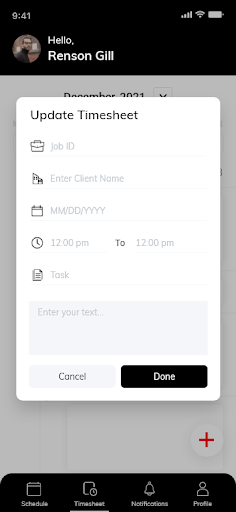
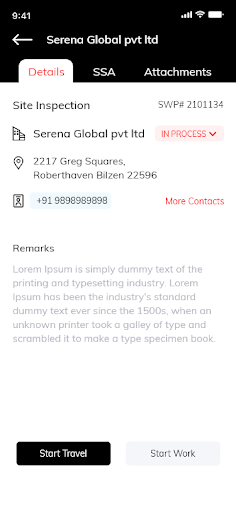
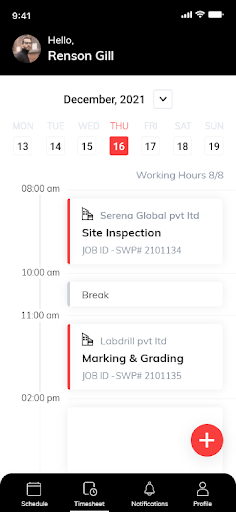
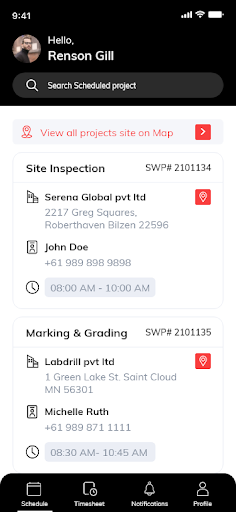
Silver Wolf Projects app provides you with necessary features with ease of access from multiple platforms from mobile phone to your computer including but not limited to:
Request our service onsite using mobile app or through the web platform when in office.
Share the documents, photos and information without limitation of file size when using emails.
See all the communication emails in one place.
See live status of the jobs from when your request is acknowledged across through the lifecycle of the job till delivery.
Accessing progress update along the way, from when inspections are booked, who is attending and looking after your project, what is ETA on deliverable with dynamic updates as it progresses through the project lifecycle so you can update the stakeholders at every stage of the project.
Ability to view all documents and invoices specific to any job.
See the portfolio of previous and current jobs with historical information and documents.
Export reports with filter options to create reports suitable to your needs.
Share the reports with stakeholders to provide update on ETAs as well as financial summary report with aggregated invoices for any projects or in overall.
Tampilkan Lebih banyak

1. Unduh dan instal MEmu APP

2. Menjalankan MEmu lalu buka Google Play di halaman

3. Cari Silver Wolf Projects di Google Play
Install
4. Unduh dan instal Silver Wolf Projects
5. Setelah insatl APP selesai,klik ikon untuk mulai

6. Nikmati bermain Silver Wolf Projects di PC dengan MEmu
MEmu Play adalah emulator Android gratis terbaik dan 50 Juta orang sudah menikmati pengalaman luar biasa dalam Aplikasi Android. Teknologi virtualisasi MEmu memberi kekuasaan untuk memainkan ribuan Aplikasi Android dengan lancar di PC anda, bahkan Aplikasi dengan grafis yang paling tinggi.
Layar lebih besar dengan grafis yang lebih baik; durasi panjang, tanpa batasan baterai atau data seluler.
Didukung penuh oleh Pemetaan tombol yang lengkap untuk keakuratan kontrol keyboard dan mouse maupun gamepad.
Membuka beberapa akun game atau tugas di waktu yang sama hanya pada satu PC, dengan Multi-Instance manager.
Use Silver Wolf Projects on PC by following steps: