Vert
Diupdate
Versi Saat Ini
2.1.0
Ditawarkan Oleh

Hentilah khawatir tentang biaya berlebihan saat menggunakan Vert di ponsel Anda, bebaskan diri Anda dari layar kecil dan nikmati menggunakan aplikasi pada tampilan yang lebih besar. Mulai sekarang, dapatkan pengalaman full-screen di aplikasi Anda dengan keyboard dan mouse. MEmu menyediakan semua fitur mengejutkan yang Anda harapkan: cepat menginstal dan mudah menggunakan, kontrol intuitif, tidak ada lagi batasan baterai, data seluler dan panggilan yang mengganggu. MEmu 9 yang baru adalah pilihan terbaik untuk menggunakan Vert di komputer Anda. Bersandi dengan absorpsi kami, manajer multi-instance memungkinkan pembukaan 2 akun atau lebih pada saat yang bersamaan. Dan yang paling penting, mesin emulasi eksklusif kami dapat melepaskan potensi penuh PC Anda, menjadikan semuanya lancar dan menyenangkan.
Tampilkan Lebih banyak
Unduh Vert di PC dengan Emulator Android MEmu. Nikmati permainan pada layar yang besar. We are very proud to offer you the ultimate green Chauffeur service while helping reducing carbon emission.
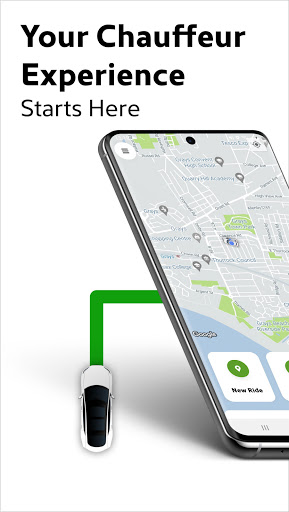
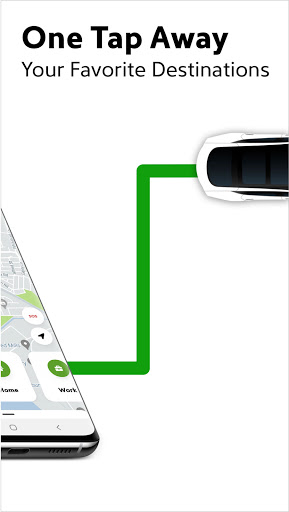
We are very proud to offer you the ultimate green Chauffeur service while helping reducing carbon emission.
OUR CARS
For any type of booking, we are proud to offer you 100% green service through a range of new electric vehicles.
Let’s all contribute and help our wonderful planet.
OUR CHAUFFEURS
So we can offer you the best experience, we are continuously investing and supporting our Vert Chauffeurs. All our Chauffeurs will be provided with a Safety as a Standard programme before starting to drive with Vert. After successfully completing the programme every Chauffeur will become an Affiliate Member (ASaaS) of SaaS and will include certification for:
Level 2 Code of Conduct of the Professional Taxi and Private Hire Drivers
Sexual Harassment
Mental Health Awareness
CPD Level 2 Health and Safety in the Workplace
Adult Basic Life Support with Automated External Defibrillation (BLS-AED)
SAFETY
Vert is all about safety - Panic Button directly integrated with the emergency services, safety rating and review process to constantly improve our services, trained chauffeurs for emergency situations
ADDITIONAL SAFETY MEASURES
We are continuously working to make your journeys as safe as possible. We have introduced some measures to help to protect our customers and chauffeurs.
Face Covering - we provide complimentary face masks if you don’t have one. Rest assure, our chauffeurs are always wearing their masks.
Cleaning and Sanitisation – our cars are kept in in pristine conditions and they are sanitised after each ride.
HOW IT WORKS
ON DEMAND service is now available in Thurrock, other areas will follow.
PRE-BOOK for airport transfers, business trips, corporate events, roadshows, weddings, shopping trips or simply for any A to B.
PRICING
With different services, we will have different prices but you will get to know your estimate price before any booking!
PROFILES
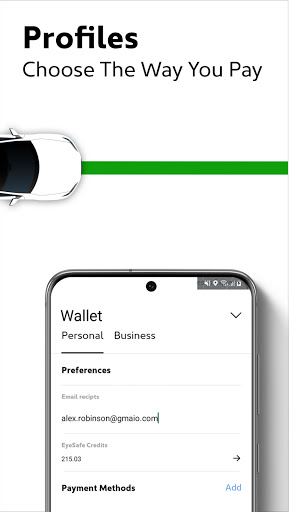
One of the most adaptable and versatile travelling module on the market. Personal, Family or Business, you have multiple choices on how to set up your profiles. Invite, manage or allocate travelling credit, create departments or simply send a gift. These are only few examples on how to manage your daily commute as per your needs.
COMMUNICATION
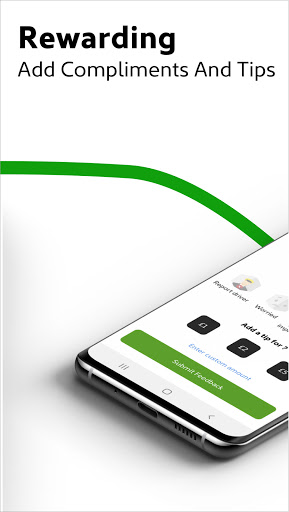
Always stay connected! Additional communication or instruction, last minute information or preference we want to make sure that you will always stay in touch with your Chauffeur through messaging and telephone services.
TRIP ISSUES
We are ALWAYS here to help! We are all humans so at times we might experience some issues. For that we have implemented tools to try to resolve any issue ASAP and as best as we can. If you have lost or forgot something, experienced an incident or there is an issue with the fare, get in touch. Use "Trip Issue" in the App and describe what issue you have experienced. You will always be updated with the resolution.
APP ISSUES
We are continuously work to provide you with the best experience so we are appreciate every
JOIN THE GREEN REVOLUTION AND LET’S HELP OUR WONDERFUL PLANET, SAY NO TO POLLUTION. EVERY VERT MILE IS A BREATH OF FRESH AIR!
#GoGreenGoVert
Tampilkan Lebih banyak

1. Unduh dan instal MEmu APP

2. Menjalankan MEmu lalu buka Google Play di halaman

3. Cari Vert di Google Play
Install
4. Unduh dan instal Vert
5. Setelah insatl APP selesai,klik ikon untuk mulai

6. Nikmati bermain Vert di PC dengan MEmu
MEmu Play adalah emulator Android gratis terbaik dan 50 Juta orang sudah menikmati pengalaman luar biasa dalam Aplikasi Android. Teknologi virtualisasi MEmu memberi kekuasaan untuk memainkan ribuan Aplikasi Android dengan lancar di PC anda, bahkan Aplikasi dengan grafis yang paling tinggi.
Layar lebih besar dengan grafis yang lebih baik; durasi panjang, tanpa batasan baterai atau data seluler.
Didukung penuh oleh Pemetaan tombol yang lengkap untuk keakuratan kontrol keyboard dan mouse maupun gamepad.
Membuka beberapa akun game atau tugas di waktu yang sama hanya pada satu PC, dengan Multi-Instance manager.
Use Vert on PC by following steps: