VPN Browser
Diupdate
Versi Saat Ini
2.4
Ditawarkan Oleh

Hentilah khawatir tentang biaya berlebihan saat menggunakan VPN Browser di ponsel Anda, bebaskan diri Anda dari layar kecil dan nikmati menggunakan aplikasi pada tampilan yang lebih besar. Mulai sekarang, dapatkan pengalaman full-screen di aplikasi Anda dengan keyboard dan mouse. MEmu menyediakan semua fitur mengejutkan yang Anda harapkan: cepat menginstal dan mudah menggunakan, kontrol intuitif, tidak ada lagi batasan baterai, data seluler dan panggilan yang mengganggu. MEmu 9 yang baru adalah pilihan terbaik untuk menggunakan VPN Browser di komputer Anda. Bersandi dengan absorpsi kami, manajer multi-instance memungkinkan pembukaan 2 akun atau lebih pada saat yang bersamaan. Dan yang paling penting, mesin emulasi eksklusif kami dapat melepaskan potensi penuh PC Anda, menjadikan semuanya lancar dan menyenangkan.
Tampilkan Lebih banyak
Unduh VPN Browser di PC dengan Emulator Android MEmu. Nikmati permainan pada layar yang besar. VPN Browser is Fast Web Browser with Free VPN proxy servers to browse websites and internet.
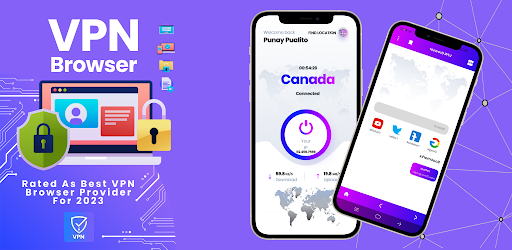
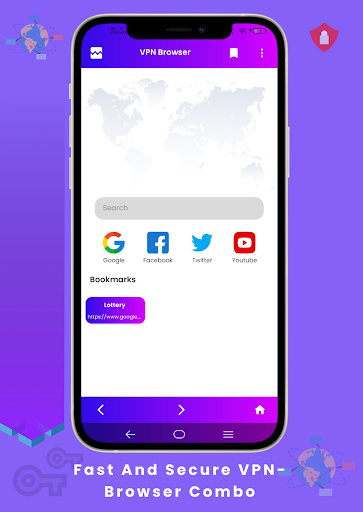
VPN Browser is Fast Web Browser with Free VPN proxy servers to browse websites and internet.
VPN Browser is a fast, private and secure web browser for android users with VPN. If you are looking for a secure, fast, and private internet browsing experience, then VPN Browser is the ultimate internet browser and explore you need to install in your android phone.
VPN Browser comes with all the options that android users look for in a browser. Here are the features VPN Browser entails:
Free Built-In VPN
The foremost and excellent feature of VPN Browser is that it comes with a Built In VPN for free that allows you to explore the website with enhanced security. VPN Browser’s integrated virtual private network (VPN) protects your privacy and minimizes the tracking. Here are key benefits of using the VPN in VPN Browser:
- You can browse and explore internet privately. Browse with the virtual IP address that will hide your IP address and location. In short, it lets your explore internet with enhanced privacy.
- With VPN proxy in VPN Browser, your internet browsing is secure and private as it blocks many cookies and data that track you online.
- With the VPN proxy feature on, you can unblock all websites and access any restricted websites
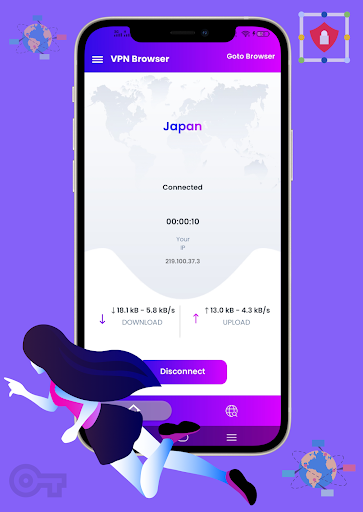
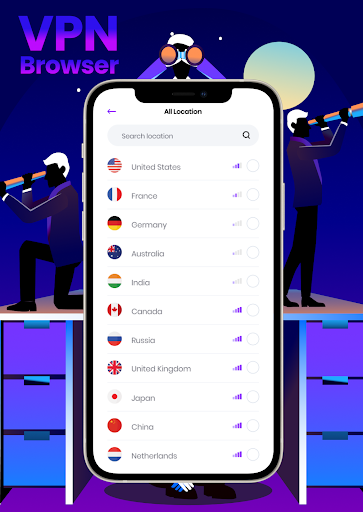
- You can connect to VPN using the Proxy servers of Argentina, China, Japan, Canada, England, USA, and other countries.
In order to turn on the VPN feature, just tap on VPN icon and it will navigate you to VPN feature.
Fast, Secure & Reliable Browser
VPN Browser provides you the most secure and fast web and internet browsing experience. You do not need external plugins or add-ons to improve browser experience. It has everything built in to give you to best web browsing experience.
Home Page Top Sites
The Main page of VPN browser directly lets user to navigate to top visited sites including Facebook, Dailymotion, Youtube, Twitter, Instagram, and Google.
Other Features:
Besides above mentioned features, VPN browser offers the following
- Easy to Use Interface
- Private Mode – The private mode offers you to use internet browser privately and does not store any of your data.
- Bookmark –You can Bookmark your favorite websites and pages
- Capture- You can capture any webpage and full screen using the VPN Browser app
- Find In Page – The find in page feature enables you to search anything on the web page
- Multi Browsing – You can open multi websites at a time and enjoy internet browsing
- Downloads – All your downloads are saved in the downloads section
- VPN - Quick access to the VPN Proxy right from your home screen.
- History- You can revisit your internet browsing history through history section
- Settings – Through settings you can clear all your browsing data
In short, VPN Browser is a smart internet browser to access websites with free VPN proxy. Install it, if you need private and secure browsing while hiding your IP address and accessing blocked and restricted websites.
Tampilkan Lebih banyak

1. Unduh dan instal MEmu APP

2. Menjalankan MEmu lalu buka Google Play di halaman

3. Cari VPN Browser di Google Play
Install
4. Unduh dan instal VPN Browser
5. Setelah insatl APP selesai,klik ikon untuk mulai

6. Nikmati bermain VPN Browser di PC dengan MEmu
MEmu Play adalah emulator Android gratis terbaik dan 50 Juta orang sudah menikmati pengalaman luar biasa dalam Aplikasi Android. Teknologi virtualisasi MEmu memberi kekuasaan untuk memainkan ribuan Aplikasi Android dengan lancar di PC anda, bahkan Aplikasi dengan grafis yang paling tinggi.
Layar lebih besar dengan grafis yang lebih baik; durasi panjang, tanpa batasan baterai atau data seluler.
Didukung penuh oleh Pemetaan tombol yang lengkap untuk keakuratan kontrol keyboard dan mouse maupun gamepad.
Membuka beberapa akun game atau tugas di waktu yang sama hanya pada satu PC, dengan Multi-Instance manager.
Use VPN Browser on PC by following steps: