
BeaterCore
Aggiornata
Versione corrente
Offerta da

Vista tutta la passione dimostrata nel giocare a BeaterCore, le tue mani non dovrebbero essere limitate al minuscolo schermo di un telefono. Gioca come un professionista e ottieni il pieno controllo del gioco con tastiera e mouse. MEmu ti offre tutto ciò che ti aspetti. Scarica e gioca a BeaterCore su PC. Gioca quanto vuoi, niente più limitazioni di batteria, dati mobili e chiamate inquietanti. Il nuovissimo MEmu 9 è la scelta migliore per giocare a BeaterCore su PC. Realizzato sulla base della nostra esperienza, lo squisito sistema di mappatura dei tasti preimpostati rende BeaterCore un vero e proprio gioco per PC. MEmu è un gestore multi-instanza che permette di giocare con 2 o più account sullo stesso dispositivo. E la cosa più importante, il nostro esclusivo motore di emulazione può liberare tutto il potenziale del tuo PC, rendendo tutto fluido.
Mostra altro
Scarica BeaterCore su PC con MEmu Android Emulator. Divertiti giocando sul grande schermo. beaterCore is an arcade racing game for those who prefer cheap rusty beaters over specialized sports cars.
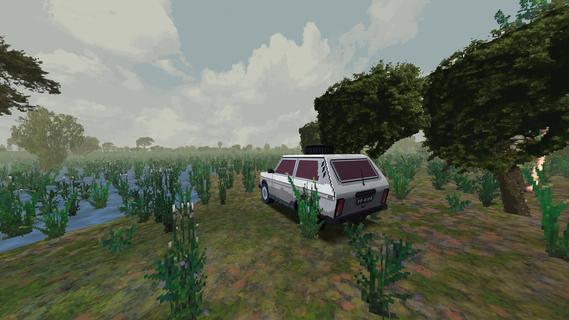
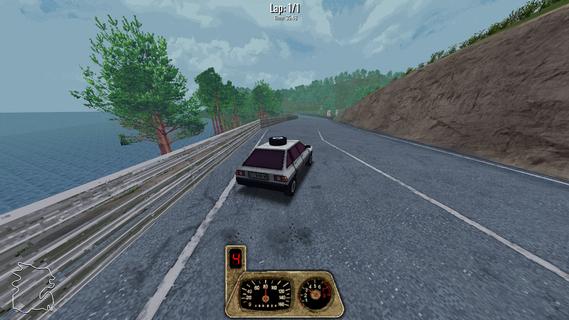
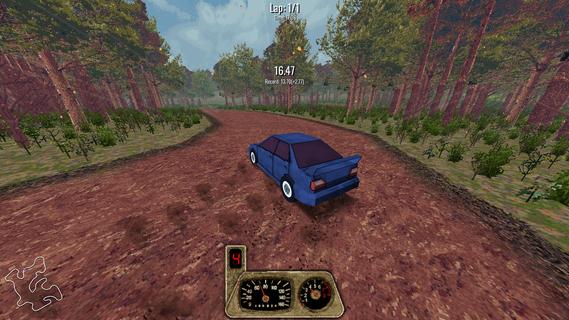
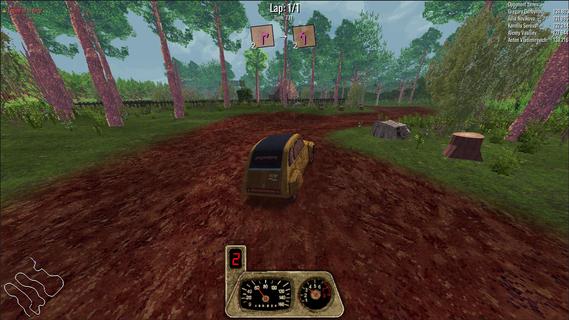
beaterCore is an arcade racing game for those who prefer cheap rusty beaters over specialized sports cars. Buy, repair, restore, and race your dream project carTake part in racing events and work your way through the career mode.GarageRepair your car in first person mode. Purchase furniture and stockpile as many spare parts as you can - you're going to need them.Field repairIn beaterCore you'll have to make quick repairs in-between races. Everything can go wrong, and you must be prepared for it! Store items in your car's trunk, but be wise with what you bring with you - space is limited.Split screenPlay locally with up to four players on the same screen. Keyboard controls are fully supported!MultiplayerIf career mode is not enough - you can always compete against your friends in online races. You're still going to need your resource management skills - multiplayer races affect your cars the same way as in career mode! Show off your pristine ride, or surprise your friends with track-specific tuning.Different times of yearExperience tracks across different times of year. Prepare your car for icy winter conditions or enjoy the warm, vibrant colors of autumn.
Mostra altro

1. Scarica il programma di installazione di MEmu e completa l'installazione

2. Avvia il Memu e apri il Google Play sulla homepage

3. Cerca BeaterCore in Google Play
Install
4. Scarica e installa BeaterCore
5. Al termine dell'installazione, fai clic sull'icona per avviar

6. Divertiti giocando a BeaterCore su PC con MEmu
MEmu App Player è il miglior emulatore Android gratuito, utilizzato da 50 milioni di persone per ottenere un'esperienza di gioco Android superba. La tecnilogia di virtualizzazione MEmu ti permette di giocare a migliaia di giochi Android con semplicità sul tuo computer, anche i giochi con la grafica più esigente.
Schermo più grande con una grafica migliore; Lunga durata, senza limitazione di batteria o dati mobili.
Supporto completo per mappa di tastiera per un controllo preciso di tastiera e mouse o gamepad.
Multipli account di gioco o attività su un singolo PC contemporaneamente con il gestore di multi istanza.
Play BeaterCore on PC by following steps: