BeaterCore
अपडेट किया गया
वर्तमान वर्शन
संसाधन

अपने सेलफोन पर BeaterCore का उपयोग करते समय ओवरचार्ज के बारे में चिंता करना बंद करें, अपने आप को छोटी स्क्रीन से मुक्त करें और बहुत बड़े डिस्प्ले पर ऐप का उपयोग करने का आनंद लें। अब से, कीबोर्ड और माउस के साथ अपने ऐप का पूर्ण-स्क्रीन अनुभव प्राप्त करें। एमईएमयू आपको उन सभी आश्चर्यजनक सुविधाओं की पेशकश करता है जिनकी आपको उम्मीद थी: त्वरित इंस्टॉल और आसान सेटअप, सहज नियंत्रण, बैटरी की कोई सीमा नहीं, मोबाइल डेटा और परेशान कॉल। आपके कंप्यूटर पर BeaterCore का उपयोग करने का सबसे अच्छा विकल्प नया MEmu 9 है। हमारे अवशोषण के साथ कोडित, बहु-उदाहरण प्रबंधक एक ही समय में 2 या अधिक खाते खोलना संभव बनाता है। और सबसे महत्वपूर्ण, हमारा अनन्य उत्सर्जन इंजन आपके पीसी की पूरी क्षमता को जारी कर सकता है, सब कुछ सुचारू और सुखद बना सकता है।
और दिखाएं
डाउनलोड करें BeaterCore पीसी पर MEmu एंड्रॉयड एमुलेटर के साथ बड़े पर्दे पर खेलने का आनंद लें। beaterCore is an arcade racing game for those who prefer cheap rusty beaters over specialized sports cars.
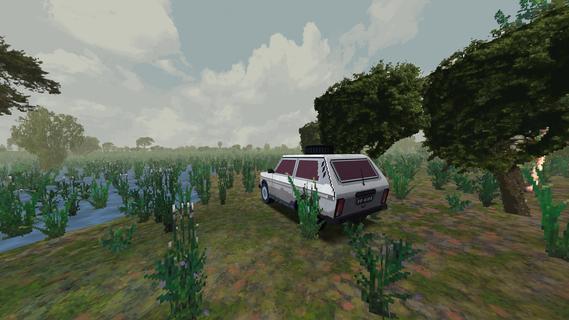
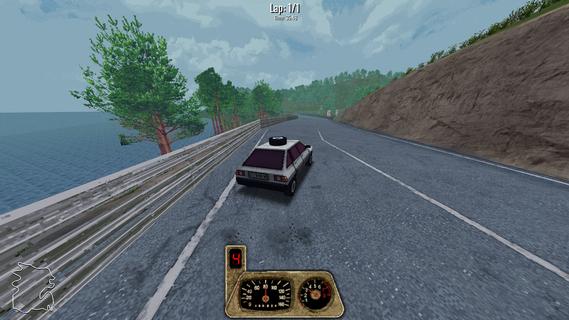
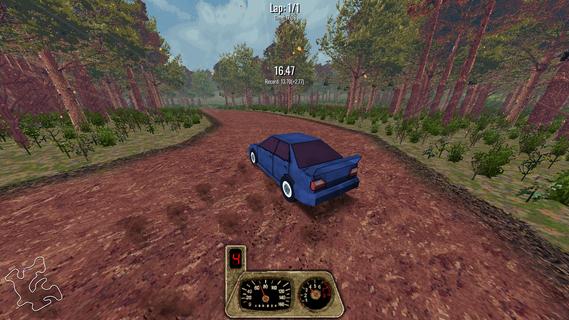
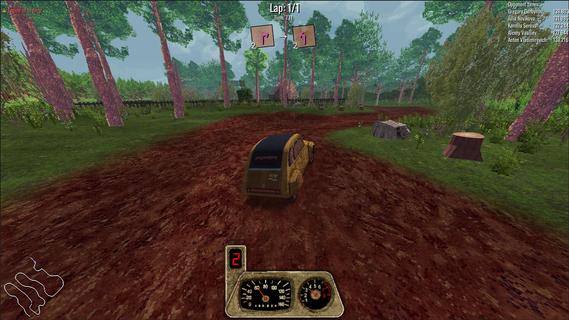
beaterCore is an arcade racing game for those who prefer cheap rusty beaters over specialized sports cars. Buy, repair, restore, and race your dream project carTake part in racing events and work your way through the career mode.GarageRepair your car in first person mode. Purchase furniture and stockpile as many spare parts as you can - you're going to need them.Field repairIn beaterCore you'll have to make quick repairs in-between races. Everything can go wrong, and you must be prepared for it! Store items in your car's trunk, but be wise with what you bring with you - space is limited.Split screenPlay locally with up to four players on the same screen. Keyboard controls are fully supported!MultiplayerIf career mode is not enough - you can always compete against your friends in online races. You're still going to need your resource management skills - multiplayer races affect your cars the same way as in career mode! Show off your pristine ride, or surprise your friends with track-specific tuning.Different times of yearExperience tracks across different times of year. Prepare your car for icy winter conditions or enjoy the warm, vibrant colors of autumn.
और दिखाएं

1. MEmu इंस्टॉलर को डाउनलोड करें और इंस्टॉलेशन को पूरा करें

2. MEmu शुरू करें फिर होमपेज पर Google Play खोलें

3. Google Play में BeaterCore खोजें
Install
4. BeaterCore डाउनलोड कर इंस्टॉल करें
5. इंस्टॉल पूरा होने पर आइकन दबाएं

6. MEmu से पीसी पर BeaterCore खेलने का आनंद लें
MEmu Play सबसे बेहतरीन मुफ़्त Android एमुलेटर है और 5 करोड़ लोग पहले ही इसके शानदार Android गेमिंग अनुभव का आनंद ले चुके हैं। MEmu 9 वर्चुअलाइज़ेशन तकनीक आपको अपने PC पर हज़ारों Android गेम, यहाँ तक कि सबसे ज़्यादा ग्राफ़िक्स वाले गेम भी, आसानी से खेलने की सुविधा देती है।
असीमित बैटरी या मोबाइल डेटा के साथ बेहतर ग्राफिक्स के साथ बड़ी स्क्रीन; लंबी अवधि।
कीबोर्ड और माउस या गेमपैड के उत्तम नियंत्रण के लिए संपूर्ण कीमैपिंग का समर्थन करता हैं।
एक ही पीसी पर मल्टी-इंस्टेंस मैनेजर के साथ एक समय में कई गेम खाते या कार्य कर सकते हैं।
Play BeaterCore on PC by following steps: