BeatX: Rhythm Game
Aggiornata
Versione corrente
2.5.20
Offerta da

Vista tutta la passione dimostrata nel giocare a BeatX: Rhythm Game, le tue mani non dovrebbero essere limitate al minuscolo schermo di un telefono. Gioca come un professionista e ottieni il pieno controllo del gioco con tastiera e mouse. MEmu ti offre tutto ciò che ti aspetti. Scarica e gioca a BeatX: Rhythm Game su PC. Gioca quanto vuoi, niente più limitazioni di batteria, dati mobili e chiamate inquietanti. Il nuovissimo MEmu 9 è la scelta migliore per giocare a BeatX: Rhythm Game su PC. Realizzato sulla base della nostra esperienza, lo squisito sistema di mappatura dei tasti preimpostati rende BeatX: Rhythm Game un vero e proprio gioco per PC. MEmu è un gestore multi-instanza che permette di giocare con 2 o più account sullo stesso dispositivo. E la cosa più importante, il nostro esclusivo motore di emulazione può liberare tutto il potenziale del tuo PC, rendendo tutto fluido.
Mostra altro
Scarica BeatX: Rhythm Game su PC con MEmu Android Emulator. Divertiti giocando sul grande schermo. Hit the arrows in the rhythm of the music to achieve the best score!



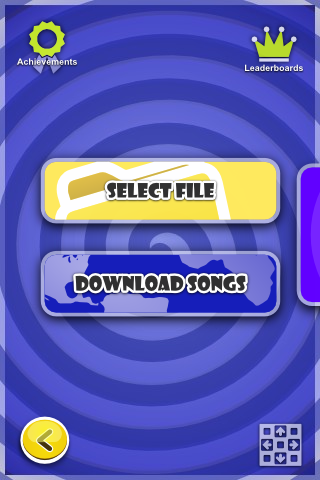
Hit the arrows in the rhythm of the music to achieve the best score!
☆ Game features ☆
- More than 100.000 FREE levels/songs in download section
- Loads all (.sm), (.smzip) and(.dwi) files supporting Stops, BPM Changes, Mines, Fakes and negative BPM gimmicks!
- Single, Double and Versus mode (Splitscreen multiplayer - dance mat / game pad recomended)
- Compete with your friends on 11 Leader boards and get 22 Achievements!
- Supports DDRMax3 and ITG % Scoring
- Play on touch screen or using your dance mat, keyboard or joystick via USB OTG cable or Bluetooth
- Full HD support in Landscape and Portrait orientation
- Supports announcer packs and background videos and custom note skins!
- Runs Great on Android TV (Nexus Player or the ADT-1) and NVIDIA Shield
Friday Night Funkin for everyone :)
About the permissions
- Primary purpose of this game is to load your own SM/DWI/SMZIP files so you can play your favorite Stepmania/DDR songs on the go.
- "Read from external storage" permission is required to read Stepmania chart data and songs (user defined levels) from user folder outside of games default folder as this are previously downloaded by user from external sites (similar to Movies read by Movie player).
- "Write to external storage" - because song packs are often downloaded in form of "smzip" files - this permission is required so that BeatX can unzip this song packs to user storage device to be used by the game without external "zip" capable application
Fan page
https://www.facebook.com/BeatXGame/
FAQ
http://beatmania.uservoice.com/knowledgebase/topics/48920-faq
Known issues
http://beatmania.uservoice.com/knowledgebase/topics/116562-known-issues
Do you have any Questions,Suggestions or file that is not working?
Feel free to send an email to beatx@maniacs.sk
Mostra altro

1. Scarica il programma di installazione di MEmu e completa l'installazione

2. Avvia il Memu e apri il Google Play sulla homepage

3. Cerca BeatX: Rhythm Game in Google Play
Install
4. Scarica e installa BeatX: Rhythm Game
5. Al termine dell'installazione, fai clic sull'icona per avviar

6. Divertiti giocando a BeatX: Rhythm Game su PC con MEmu
MEmu App Player è il miglior emulatore Android gratuito, utilizzato da 50 milioni di persone per ottenere un'esperienza di gioco Android superba. La tecnilogia di virtualizzazione MEmu ti permette di giocare a migliaia di giochi Android con semplicità sul tuo computer, anche i giochi con la grafica più esigente.
Schermo più grande con una grafica migliore; Lunga durata, senza limitazione di batteria o dati mobili.
Supporto completo per mappa di tastiera per un controllo preciso di tastiera e mouse o gamepad.
Multipli account di gioco o attività su un singolo PC contemporaneamente con il gestore di multi istanza.
Play BeatX: Rhythm Game on PC by following steps: