Complete Music Reading Trainer
Aggiornata
Versione corrente
1.6.7-110 (121110)
Offerta da

Vista tutta la passione dimostrata nel giocare a Complete Music Reading Trainer, le tue mani non dovrebbero essere limitate al minuscolo schermo di un telefono. Gioca come un professionista e ottieni il pieno controllo del gioco con tastiera e mouse. MEmu ti offre tutto ciò che ti aspetti. Scarica e gioca a Complete Music Reading Trainer su PC. Gioca quanto vuoi, niente più limitazioni di batteria, dati mobili e chiamate inquietanti. Il nuovissimo MEmu 9 è la scelta migliore per giocare a Complete Music Reading Trainer su PC. Realizzato sulla base della nostra esperienza, lo squisito sistema di mappatura dei tasti preimpostati rende Complete Music Reading Trainer un vero e proprio gioco per PC. MEmu è un gestore multi-instanza che permette di giocare con 2 o più account sullo stesso dispositivo. E la cosa più importante, il nostro esclusivo motore di emulazione può liberare tutto il potenziale del tuo PC, rendendo tutto fluido.
Mostra altro
Scarica Complete Music Reading Trainer su PC con MEmu Android Emulator. Divertiti giocando sul grande schermo. The ultimate music reading training app.
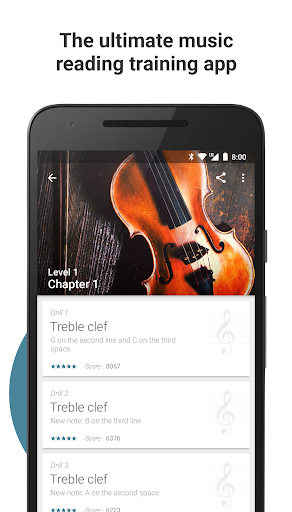
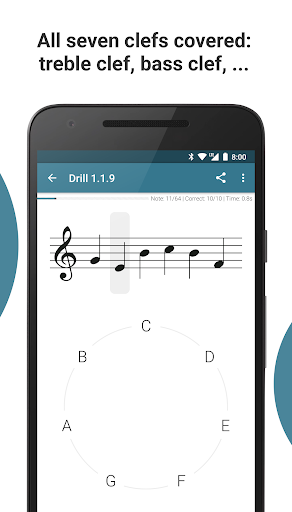
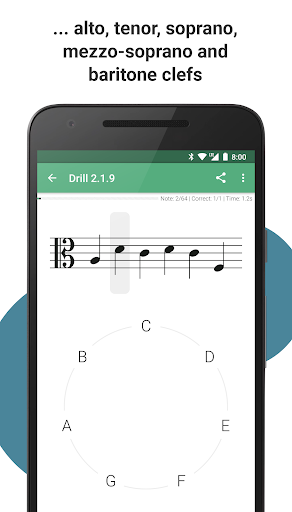
The ultimate music reading training app. Designed like a video game and with strong pedagogical concepts in mind, Complete Music Reading Trainer is the fastest way to learn to read sheet music and improve your sight-reading skills. Whichever clef you want to learn and whatever your instrument is, the app will make you master any chosen clef or clef combination while rendering the learning process enjoyable.
Features
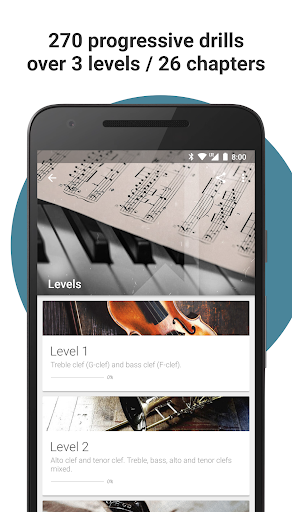
• 270 progressive drills covering all seven clefs (treble, bass, alto, tenor, soprano, mezzo-soprano and baritone clefs) over 3 levels / 26 chapters
• Content is organized in such a way that you can choose which levels or chapters are relevant to your instrument and focus on these, whether you play the guitar and only need treble clef, piano and need treble and bass clef, cello and need a mix of bass and tenor clefs, etc.: all instruments are covered
• Practice key signatures up to 6 sharps/flats in progressive key signature drills
• Practice common clef combinations in mixed clef drills
• Play a selection of 19 drills in arcade mode
• 5 octaves of actual recorded grand piano sounds
• 6 additional sound banks are available, all with actual recorded sounds: vintage piano, Rhodes piano, electric guitar, harpsichord, concert harp and pizzicato strings
• 4 ways to input notes: note circle, virtual piano keyboard, by connecting a MIDI controller, or by playing an instrument near your device's microphone
• 4 sheet music display styles: modern, classic, handwritten and jazz
• Designed like a video game: earn 3 stars in each drill of a chapter to complete it. Or will you be able to obtain perfect 5-star scores?
• Don't want to follow the preestablished path of progression? Create and save your own custom drills and rehearse them at your own convenience
• Create full custom training programs and invite friends or students to join them. If for example you're a teacher you can create custom programs for your students, add drills every week and view their scores on private leaderboards
• Never lose any progress: cloud sync across your various devices
• Google Play Games: 35 achievements to unlock
• Google Play Games: leaderboards to compare arcade mode scores with other players worldwide
• Global statistics to track your progress
• Nice and clean material design user interface with 2 display themes: light and dark
• Designed by a musician and music teacher with a Royal Conservatory master's degree
Full Version
• Download the app and try out the first chapter of each clef for free
• One-time in-app purchase of $4.99 to unlock the full version on all your Android devices
Having a problem? Got a suggestion? You can reach us at hello@completemusicreadingtrainer.com
Mostra altro

1. Scarica il programma di installazione di MEmu e completa l'installazione

2. Avvia il Memu e apri il Google Play sulla homepage

3. Cerca Complete Music Reading Trainer in Google Play
Install
4. Scarica e installa Complete Music Reading Trainer
5. Al termine dell'installazione, fai clic sull'icona per avviar

6. Divertiti giocando a Complete Music Reading Trainer su PC con MEmu
MEmu App Player è il miglior emulatore Android gratuito, utilizzato da 50 milioni di persone per ottenere un'esperienza di gioco Android superba. La tecnilogia di virtualizzazione MEmu ti permette di giocare a migliaia di giochi Android con semplicità sul tuo computer, anche i giochi con la grafica più esigente.
Schermo più grande con una grafica migliore; Lunga durata, senza limitazione di batteria o dati mobili.
Supporto completo per mappa di tastiera per un controllo preciso di tastiera e mouse o gamepad.
Multipli account di gioco o attività su un singolo PC contemporaneamente con il gestore di multi istanza.
Play Complete Music Reading Trainer on PC by following steps: