
Dumb Ways to Build
Aggiornata
Versione corrente
Offerta da

Vista tutta la passione dimostrata nel giocare a Dumb Ways to Build, le tue mani non dovrebbero essere limitate al minuscolo schermo di un telefono. Gioca come un professionista e ottieni il pieno controllo del gioco con tastiera e mouse. MEmu ti offre tutto ciò che ti aspetti. Scarica e gioca a Dumb Ways to Build su PC. Gioca quanto vuoi, niente più limitazioni di batteria, dati mobili e chiamate inquietanti. Il nuovissimo MEmu 9 è la scelta migliore per giocare a Dumb Ways to Build su PC. Realizzato sulla base della nostra esperienza, lo squisito sistema di mappatura dei tasti preimpostati rende Dumb Ways to Build un vero e proprio gioco per PC. MEmu è un gestore multi-instanza che permette di giocare con 2 o più account sullo stesso dispositivo. E la cosa più importante, il nostro esclusivo motore di emulazione può liberare tutto il potenziale del tuo PC, rendendo tutto fluido.
Mostra altro
Scarica Dumb Ways to Build su PC con MEmu Android Emulator. Divertiti giocando sul grande schermo. Welcome to Dumbville's least reputable construction company!
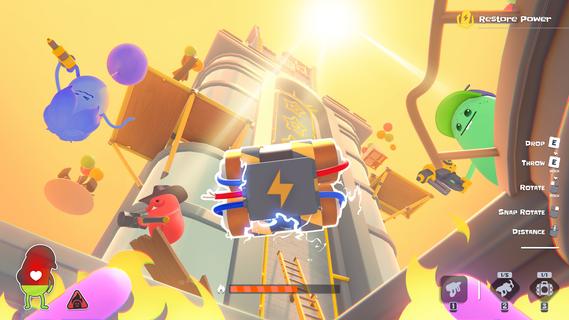
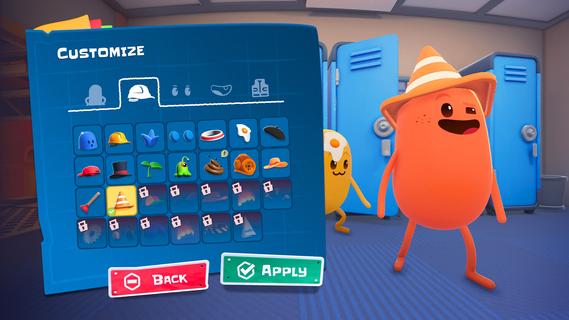
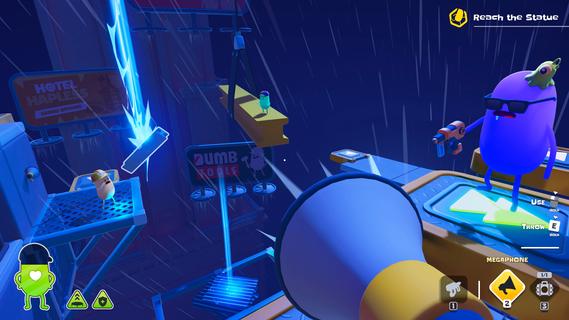
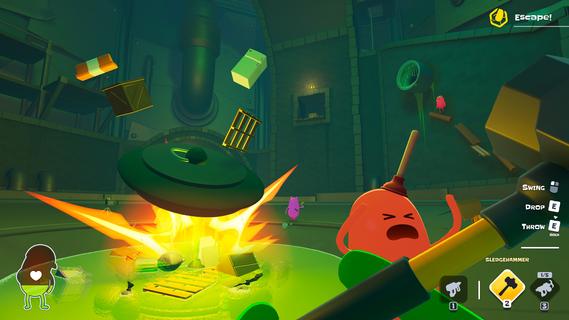
Welcome to Dumbville's least reputable construction company! Dumb Ways to Build is a physics-based co-op game filled with deadly construction jobs that no sane crew would touch. Safety violations are likely, survival is optional, and your co-workers are the real occupational hazard. It is time to rally your crew and put your building skills (and friendships) to the ultimate test!Grab, rotate, and throw anything not bolted down to use as makeshift building materials. Fire your trusty nail gun to staple together sketchy bridges, ramps, and structures. You and your crew must work together to build your own platforms, solve deadly challenges and escape the jobsite.Teamwork makes the dream work... but in Dumbville, it usually just gets everyone killed. Gather a team of up to four friends to build together or face the chaos alone in Solo Play! Utilize a tool belt full of physics-based hardware that can either help or derail your crew. Will you take a sledgehammer to that steel beam, or âaccidentallyâ launch your buddy off a roof? The choice is yours!Take on distinctly dangerous Crisis Jobs, each requiring teamwork and inventive tool usage! Dive headfirst into hazard-filled maps, each one filled with unique secrets and challenges, rewarding dedicated builders with unlockable cosmetics and extra challenge modes.Customize your own Bean character and jump into the living world of Dumb Ways to Die, where workplace accidents, bad decisions and hilarious consequences are just another day on the job.1 - 4 Player Online Co-Op: Build with your friends, or brave the hazardous worksite in Solo Play.Chaotic Crisis Jobs: Tackle deadly jobs, each packed with unique challenges & hazards.Proximity Chat: Coordinate your crew's efforts or just listen to the ensuing carnage as you all discover Dumb Ways to Die.Physics-Based Arsenal: Experiment with an inventory of construction tools, wacky consumables, and makeshift building materials.Bean Customization: Stand out on the job site with a truckload of unique, unlockable cosmetics to personalize your Bean.So many Dumb Ways to Die!
Mostra altro

1. Scarica il programma di installazione di MEmu e completa l'installazione

2. Avvia il Memu e apri il Google Play sulla homepage

3. Cerca Dumb Ways to Build in Google Play
Install
4. Scarica e installa Dumb Ways to Build
5. Al termine dell'installazione, fai clic sull'icona per avviar

6. Divertiti giocando a Dumb Ways to Build su PC con MEmu
MEmu App Player è il miglior emulatore Android gratuito, utilizzato da 50 milioni di persone per ottenere un'esperienza di gioco Android superba. La tecnilogia di virtualizzazione MEmu ti permette di giocare a migliaia di giochi Android con semplicità sul tuo computer, anche i giochi con la grafica più esigente.
Schermo più grande con una grafica migliore; Lunga durata, senza limitazione di batteria o dati mobili.
Supporto completo per mappa di tastiera per un controllo preciso di tastiera e mouse o gamepad.
Multipli account di gioco o attività su un singolo PC contemporaneamente con il gestore di multi istanza.
Play Dumb Ways to Build on PC by following steps: