
Dumb Ways to Build
Aktualisiert
Aktuelle Version
Angeboten von

Bei all Ihrer Leidenschaft für das Spielen von Dumb Ways to Build sollten Ihre Hände nicht auf einen winzigen Bildschirm Ihres Telefons beschränkt sein. Spielen Sie wie ein Profi und übernehmen Sie die volle Kontrolle über Ihr Spiel mit Tastatur und Maus. MEmu bietet Ihnen all die Dinge, die Sie erwarten. Laden Sie Dumb Ways to Build herunter und spielen Sie es auf dem PC. Spielen Sie so lange, wie Sie wollen, ohne Grenzwerte für Akku, mobile Daten und störende Anrufe. Das brandneue MEmu 9 ist die beste Wahl, um Dumb Ways to Build auf dem PC zu spielen. Das exquisite voreingestellte Tastaturbelegungssystem, das mit unserem Fachwissen vorbereitet wurde, macht Dumb Ways to Build zu einem echten PC-Spiel. Der MEmu Multi-Instanz-Manager ermöglicht das Spielen von 2 oder mehr Konten auf demselben Gerät. Und das Wichtigste: Unsere exklusive Emulations-Engine kann das volle Potenzial Ihres PCs freisetzen und für reibungslose Abläufe sorgen.
Mehr anzeigen
Laden Sie Play Dumb Ways to Build auf dem PC mit MEmu Android Emulator. Viel Spaß beim Spielen auf großmundieren. Welcome to Dumbville's least reputable construction company!
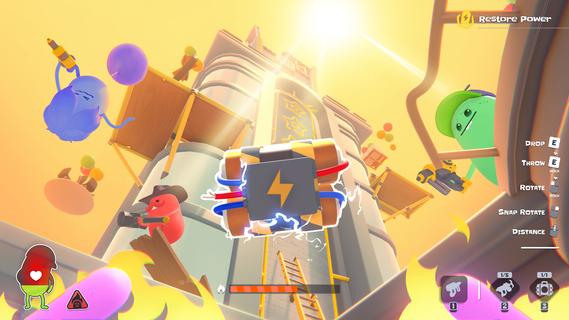
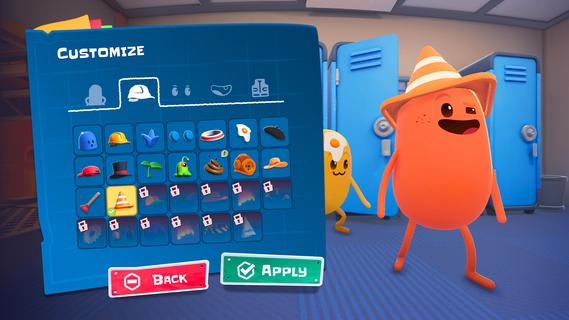
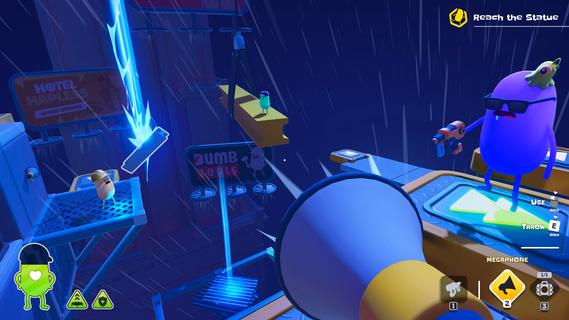
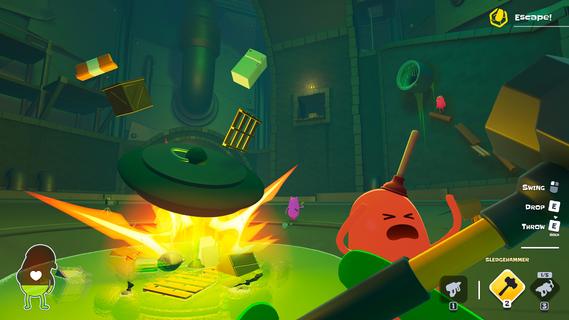
Welcome to Dumbville's least reputable construction company! Dumb Ways to Build is a physics-based co-op game filled with deadly construction jobs that no sane crew would touch. Safety violations are likely, survival is optional, and your co-workers are the real occupational hazard. It is time to rally your crew and put your building skills (and friendships) to the ultimate test!Grab, rotate, and throw anything not bolted down to use as makeshift building materials. Fire your trusty nail gun to staple together sketchy bridges, ramps, and structures. You and your crew must work together to build your own platforms, solve deadly challenges and escape the jobsite.Teamwork makes the dream work... but in Dumbville, it usually just gets everyone killed. Gather a team of up to four friends to build together or face the chaos alone in Solo Play! Utilize a tool belt full of physics-based hardware that can either help or derail your crew. Will you take a sledgehammer to that steel beam, or âaccidentallyâ launch your buddy off a roof? The choice is yours!Take on distinctly dangerous Crisis Jobs, each requiring teamwork and inventive tool usage! Dive headfirst into hazard-filled maps, each one filled with unique secrets and challenges, rewarding dedicated builders with unlockable cosmetics and extra challenge modes.Customize your own Bean character and jump into the living world of Dumb Ways to Die, where workplace accidents, bad decisions and hilarious consequences are just another day on the job.1 - 4 Player Online Co-Op: Build with your friends, or brave the hazardous worksite in Solo Play.Chaotic Crisis Jobs: Tackle deadly jobs, each packed with unique challenges & hazards.Proximity Chat: Coordinate your crew's efforts or just listen to the ensuing carnage as you all discover Dumb Ways to Die.Physics-Based Arsenal: Experiment with an inventory of construction tools, wacky consumables, and makeshift building materials.Bean Customization: Stand out on the job site with a truckload of unique, unlockable cosmetics to personalize your Bean.So many Dumb Ways to Die!
Mehr anzeigen

1. Laden das MEmu-Installationsprogramm herunter und beenden die Installation

2. MEmu starten und Google Play auf der Homepage öffnen

3. Suchen Dumb Ways to Build in Google Play
Install
4. Herunterladen und Installieren Dumb Ways to Build
5. Klicken nach Abschluss der Installation auf das Symbol, um es zu starten

6. Viel Spaß beim Spielen von Dumb Ways to Build auf dem PC mit MEmu
MEmu App Player ist der beste kostenlose Android-Emulator und 50 Millionen Menschen genießen bereits seine hervorragende Android-Gaming-Erfahrung. Mit der MEmu-Virtualisierungstechnologie können Sie Tausende von Android-Spielen problemlos auf Ihrem PC spielen, selbst bei grafikintensiven Spielen.
BGrößeres Bild mit besserer Grafik; Keine unterbrechungen, keine sorgen um Akku
Komplette Tastenbelegung unterstützt mit Maus und Tastatur oder Controller
Mit dem „Multi-Instance-Manager“ können Sie mehrere Spielkonten oder Spiele gleichzeitig auf einem PC ausführen.
Play Dumb Ways to Build on PC by following steps: