Pixel Slash: Endless Adventure
Aggiornata
Versione corrente
Offerta da

Vista tutta la passione dimostrata nel giocare a Pixel Slash: Endless Adventure, le tue mani non dovrebbero essere limitate al minuscolo schermo di un telefono. Gioca come un professionista e ottieni il pieno controllo del gioco con tastiera e mouse. MEmu ti offre tutto ciò che ti aspetti. Scarica e gioca a Pixel Slash: Endless Adventure su PC. Gioca quanto vuoi, niente più limitazioni di batteria, dati mobili e chiamate inquietanti. Il nuovissimo MEmu 9 è la scelta migliore per giocare a Pixel Slash: Endless Adventure su PC. Realizzato sulla base della nostra esperienza, lo squisito sistema di mappatura dei tasti preimpostati rende Pixel Slash: Endless Adventure un vero e proprio gioco per PC. MEmu è un gestore multi-instanza che permette di giocare con 2 o più account sullo stesso dispositivo. E la cosa più importante, il nostro esclusivo motore di emulazione può liberare tutto il potenziale del tuo PC, rendendo tutto fluido.
Mostra altro
Scarica Pixel Slash: Endless Adventure su PC con MEmu Android Emulator. Divertiti giocando sul grande schermo. Become the hero trapped in a pixel world and begin an endless adventure!
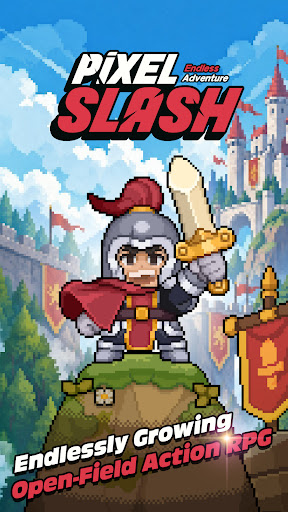
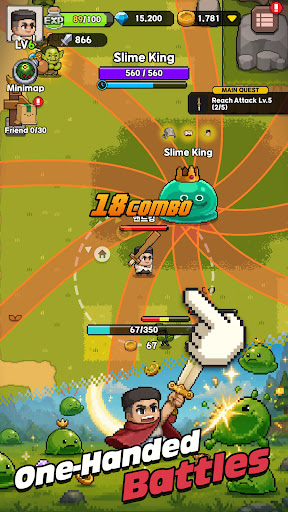
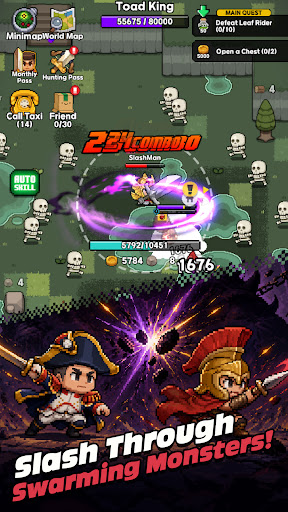
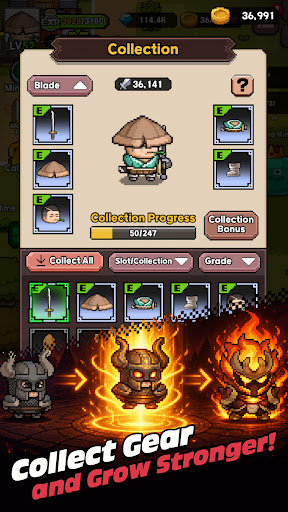
Become the hero trapped in a pixel world and begin an endless adventure!
One day, an ordinary hero suddenly falls into a mysterious pixel world.
Endless waves of monsters, repeated battles, and enemies that grow stronger over time.
To survive, you must fight. To fight, you must grow stronger and push forward into wider fields and dangerous dungeons.
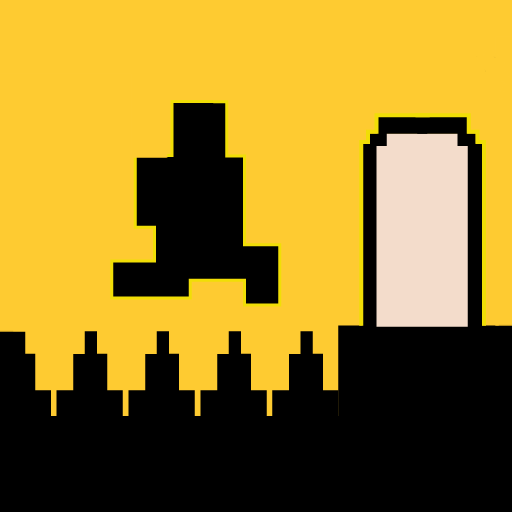
Pixel Slash is an open-field pixel action RPG that you can easily enjoy with one hand.
With auto attacks and joystick movement, anyone can jump right in, while equipment collection, skill builds, character growth, and resource gathering deliver a deeper sense of progression.
The battles are fast and intuitive, but your growth choices go much deeper.
Create your own combat style and growth path through weapon-specific skill trees, active and passive skill combinations, equipment enhancement and refinement, monster collection, and promotion systems.
Go beyond solo field hunting and dungeon battles.
Meet other players in town, form parties, challenge co-op dungeons, and continue your endless adventure through powerful bosses and various contents.
Game Features
1. An open-field pixel action RPG you can play with one hand
2. Hack-and-slash battles with auto attacks and fast combat tempo
3. Create your own build with weapon skill trees and skill combinations
4. Deep growth systems through equipment collection, enhancement, and refinement
5. A growth loop of field hunting, resource gathering, and altar building
6. RPG content expanded through monster collection, promotion, and boss challenges
7. Online town system where you can chat with players and recruit parties
8. 4-player co-op dungeons and various reward contents
9. Familiar yet vivid visuals with charming pixel art
10. Growth-focused action RPG fun that makes you stronger with every play
What awaits at the end of the pixel world?
Start your endless adventure with Pixel Slash now!
For any inquiries about the game, please contact us at the email address below.
[rawhandgames@gmail.com](mailto:rawhandgames@gmail.com)
[Information]
This game offers optional in-app purchases.
Additional charges may apply when purchasing paid items, and refunds may be restricted depending on the item type.
[Optional App Access Permissions]
1. Storage (device photos/media/files): Required for saving game files and videos, and for uploading and sharing photos or videos in the community.
2. Camera: Required for taking photos and videos for saving and uploading.
Mostra altro

1. Scarica il programma di installazione di MEmu e completa l'installazione

2. Avvia il Memu e apri il Google Play sulla homepage

3. Cerca Pixel Slash: Endless Adventure in Google Play
Install
4. Scarica e installa Pixel Slash: Endless Adventure
5. Al termine dell'installazione, fai clic sull'icona per avviar

6. Divertiti giocando a Pixel Slash: Endless Adventure su PC con MEmu
MEmu App Player è il miglior emulatore Android gratuito, utilizzato da 50 milioni di persone per ottenere un'esperienza di gioco Android superba. La tecnilogia di virtualizzazione MEmu ti permette di giocare a migliaia di giochi Android con semplicità sul tuo computer, anche i giochi con la grafica più esigente.
Schermo più grande con una grafica migliore; Lunga durata, senza limitazione di batteria o dati mobili.
Supporto completo per mappa di tastiera per un controllo preciso di tastiera e mouse o gamepad.
Multipli account di gioco o attività su un singolo PC contemporaneamente con il gestore di multi istanza.
Play Pixel Slash: Endless Adventure on PC by following steps: