Pixel Slash: Endless Adventure
Updated
Current Version
Offered By

With your passion for Pixel Slash: Endless Adventure, you shouldn’t have to limit yourself to the small screen of a phone. Play like a pro and take full control of the game using a keyboard and mouse. MEmu gives you everything you’re looking for. Download and play Pixel Slash: Endless Adventure on PC. Play as long as you want — no more worries about battery life, mobile data, or unexpected calls. The all-new MEmu 9 is the best way to play Pixel Slash: Endless Adventure on PC. With our expertly designed keymapping system, Pixel Slash: Endless Adventure feels just like a real PC game. The MEmu multi-instance manager lets you run two or more accounts on the same device at the same time. Most importantly, our exclusive emulation engine unlocks your PC’s full potential, delivering smooth and seamless performance.
Show more
Download Pixel Slash: Endless Adventure on PC with MEmu Android Emulator. Enjoy playing on big screen. Become the hero trapped in a pixel world and begin an endless adventure!
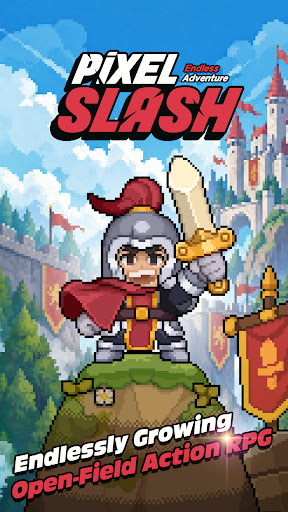
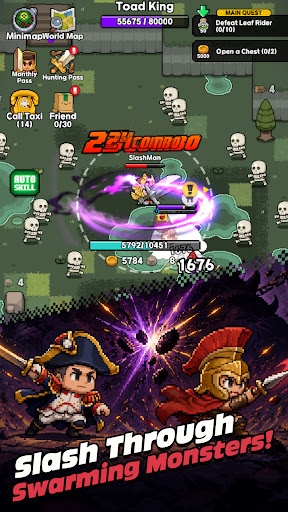
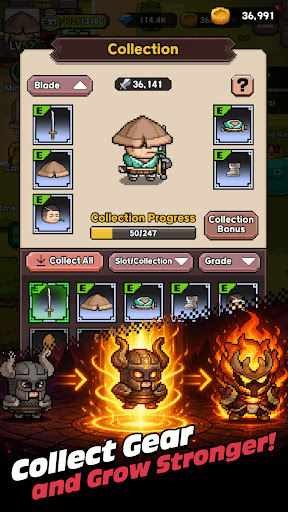
Become the hero trapped in a pixel world and begin an endless adventure!
One day, an ordinary hero suddenly falls into a mysterious pixel world.
Endless waves of monsters, repeated battles, and enemies that grow stronger over time.
To survive, you must fight. To fight, you must grow stronger and push forward into wider fields and dangerous dungeons.
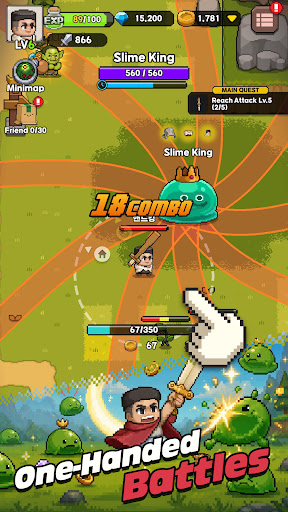
Pixel Slash is an open-field pixel action RPG that you can easily enjoy with one hand.
With auto attacks and joystick movement, anyone can jump right in, while equipment collection, skill builds, character growth, and resource gathering deliver a deeper sense of progression.
The battles are fast and intuitive, but your growth choices go much deeper.
Create your own combat style and growth path through weapon-specific skill trees, active and passive skill combinations, equipment enhancement and refinement, monster collection, and promotion systems.
Go beyond solo field hunting and dungeon battles.
Meet other players in town, form parties, challenge co-op dungeons, and continue your endless adventure through powerful bosses and various contents.
Game Features
1. An open-field pixel action RPG you can play with one hand
2. Hack-and-slash battles with auto attacks and fast combat tempo
3. Create your own build with weapon skill trees and skill combinations
4. Deep growth systems through equipment collection, enhancement, and refinement
5. A growth loop of field hunting, resource gathering, and altar building
6. RPG content expanded through monster collection, promotion, and boss challenges
7. Online town system where you can chat with players and recruit parties
8. 4-player co-op dungeons and various reward contents
9. Familiar yet vivid visuals with charming pixel art
10. Growth-focused action RPG fun that makes you stronger with every play
What awaits at the end of the pixel world?
Start your endless adventure with Pixel Slash now!
For any inquiries about the game, please contact us at the email address below.
[rawhandgames@gmail.com](mailto:rawhandgames@gmail.com)
[Information]
This game offers optional in-app purchases.
Additional charges may apply when purchasing paid items, and refunds may be restricted depending on the item type.
[Optional App Access Permissions]
1. Storage (device photos/media/files): Required for saving game files and videos, and for uploading and sharing photos or videos in the community.
2. Camera: Required for taking photos and videos for saving and uploading.
Show more

1. Download MEmu installer and finish the setup

2. Start MEmu then open Google Play on the desktop

3. Search Pixel Slash: Endless Adventure in Google Play
Install
4. Download and Install Pixel Slash: Endless Adventure
5. On install completion click the icon to start

6. Enjoy playing Pixel Slash: Endless Adventure on PC with MEmu
MEmu Play is the best Android emulator and 100 million people already enjoy its superb Android gaming experience. The MEmu virtualization technology empowers you to play thousands of Android games smoothly on your PC, even the most graphic-intensive ones.
Bigger screen with better graphics; Long duration, without limitation of battery or mobile data.
Full Keymapping support for precise control of keyboard and mouse or gamepad.
Multiple game accounts or tasks on single PC at one time with Multi-Instance manager.
Play Pixel Slash: Endless Adventure on PC by following steps: