
Stupid Never Dies
Aggiornata
Versione corrente
Offerta da

Vista tutta la passione dimostrata nel giocare a Stupid Never Dies, le tue mani non dovrebbero essere limitate al minuscolo schermo di un telefono. Gioca come un professionista e ottieni il pieno controllo del gioco con tastiera e mouse. MEmu ti offre tutto ciò che ti aspetti. Scarica e gioca a Stupid Never Dies su PC. Gioca quanto vuoi, niente più limitazioni di batteria, dati mobili e chiamate inquietanti. Il nuovissimo MEmu 9 è la scelta migliore per giocare a Stupid Never Dies su PC. Realizzato sulla base della nostra esperienza, lo squisito sistema di mappatura dei tasti preimpostati rende Stupid Never Dies un vero e proprio gioco per PC. MEmu è un gestore multi-instanza che permette di giocare con 2 o più account sullo stesso dispositivo. E la cosa più importante, il nostro esclusivo motore di emulazione può liberare tutto il potenziale del tuo PC, rendendo tutto fluido.
Mostra altro
Scarica Stupid Never Dies su PC con MEmu Android Emulator. Divertiti giocando sul grande schermo. What Is Stupid Never Dies?

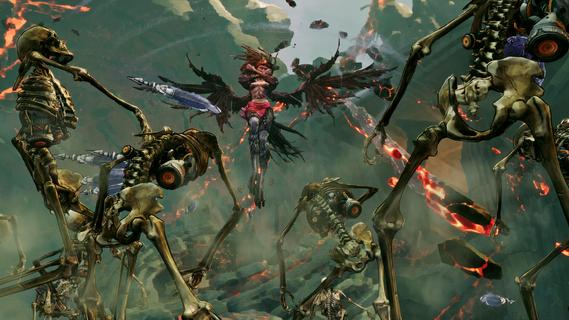
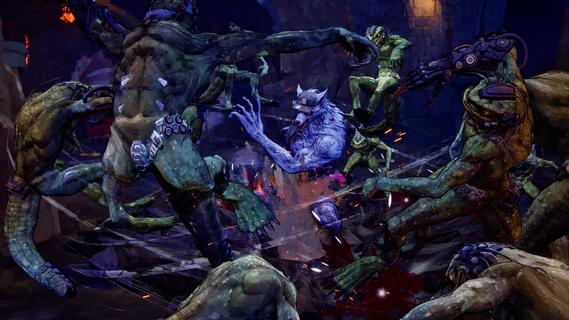
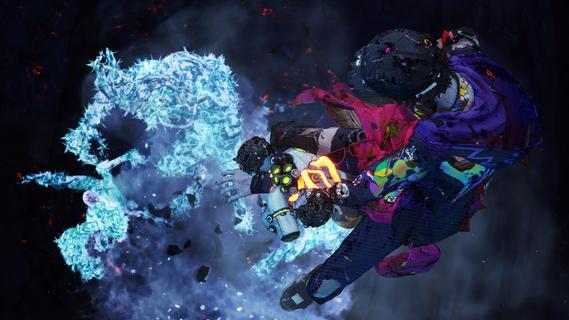
What Is Stupid Never Dies?Bite, Rip, Rise!Control Davy, the weakest zombie imaginable, and battle through a mysterious dungeon to defeat KOM, the King of Monsters.Every dive makes Davy grow stronger faster. Customize his body, devour powerful monsters, steal their abilities, and race against time to conquer the dungeon.Created by GPTRACK50, a studio founded by veteran action game developers, Stupid Never Dies is a unique single-player 3D action RPG combining fast-paced growth, bizarre humor, and stylish action.A bizarre tale of love and ruinDavy, a timid zombie, falls in love at first sight with Julia, a college girl frozen to death during the Great War.To bring her back to life, he must defeat KOM, recover humanityâs lost knowledge, and survive the dungeonâs deadly depths.Can the weakest zombie save the girl he lovesâand maybe the world?Funky zombie actionStyle EatDefeat elite monsters, consume their cores, and steal their powers. Transform into 11 unique Styles, including Werewolf, Harpy, Golem, Vampire, and more.Body HackReplace Davyâs body parts with powerful Overtech gear to boost stats and unlock new Active and Passive Skills. Fight your way with endless build combinations.Davy BurstUnleash Davyâs imagination to temporarily transform reality and dramatically boost all of his abilities.Overtech monstersBattle classic monsters enhanced by Overtech, including werewolves, vampires, harpies, lizardmen, and more.Different weapons, armor, and abilities make every encounter fresh and unpredictable.Main CharactersDavyThe weakest zombie in existence. Mocked by monsters and humans alike, he enters the dungeon to save Julia and prove himself.JuliaA college student who died inside a shopping mall freezer during the Great War. Davy falls in love the moment he finds her.Dr. FrankA brilliant but obsessive scientist who guides Davyâs journey while pursuing his own ambitions.
Mostra altro

1. Scarica il programma di installazione di MEmu e completa l'installazione

2. Avvia il Memu e apri il Google Play sulla homepage

3. Cerca Stupid Never Dies in Google Play
Install
4. Scarica e installa Stupid Never Dies
5. Al termine dell'installazione, fai clic sull'icona per avviar

6. Divertiti giocando a Stupid Never Dies su PC con MEmu
MEmu App Player è il miglior emulatore Android gratuito, utilizzato da 50 milioni di persone per ottenere un'esperienza di gioco Android superba. La tecnilogia di virtualizzazione MEmu ti permette di giocare a migliaia di giochi Android con semplicità sul tuo computer, anche i giochi con la grafica più esigente.
Schermo più grande con una grafica migliore; Lunga durata, senza limitazione di batteria o dati mobili.
Supporto completo per mappa di tastiera per un controllo preciso di tastiera e mouse o gamepad.
Multipli account di gioco o attività su un singolo PC contemporaneamente con il gestore di multi istanza.
Play Stupid Never Dies on PC by following steps: