
Stupid Never Dies
Zaktualizowano
Aktualna wersja
Sprzedawca

Przy całej swojej pasji do grania w Stupid Never Dies, twoje ręce nie powinny być ograniczone na małym ekranie telefonu. Graj jak zawodowiec i uzyskaj pełną kontrolę nad grą za pomocą klawiatury i myszy. MEmu oferuje ci wszystko, czego oczekujesz. Pobierz i graj Stupid Never Dies na PC. Graj tak długo, jak chcesz, bez ograniczeń baterii, danych komórkowych i niepokojących połączeń. Zupełnie nowy MEmu 9 to najlepszy wybór do grania w Stupid Never Dies na PC. Przygotowany dzięki naszej wiedzy, znakomity, wstępnie ustawiony system mapowania klawiszy sprawia, że Stupid Never Dies jest prawdziwą grą na PC. Zakodowany naszą absorpcją, menedżer wielu instancji umożliwia granie na 2 lub więcej kontach na tym samym urządzeniu. A co najważniejsze, nasz emulator może uwolnić pełny potencjał twojego komputera, sprawić, że wszystko będzie płynne. Dbamy nie tylko o to, jak grasz, ale także o cały proces czerpania radości z grania.
Pokaż więcej
Ciesz się wspaniałym doświadczeniem podczas grania w Stupid Never Dies na komputerze z aplikacją MEMU App Player. Jest to potężny darmowy emulator Androida pozwalający grać w tysiące gier na Androida. What Is Stupid Never Dies?

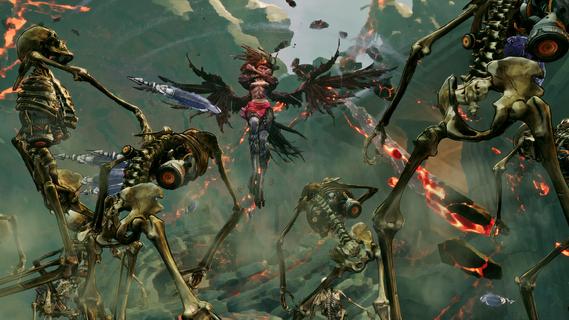
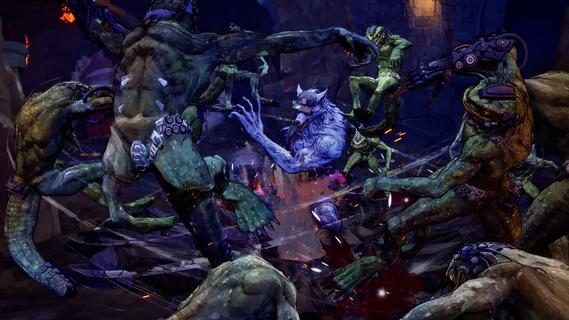
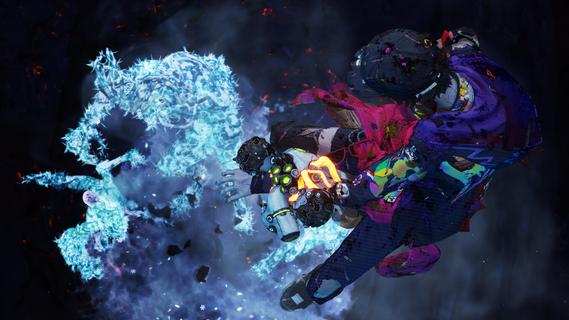
What Is Stupid Never Dies?Bite, Rip, Rise!Control Davy, the weakest zombie imaginable, and battle through a mysterious dungeon to defeat KOM, the King of Monsters.Every dive makes Davy grow stronger faster. Customize his body, devour powerful monsters, steal their abilities, and race against time to conquer the dungeon.Created by GPTRACK50, a studio founded by veteran action game developers, Stupid Never Dies is a unique single-player 3D action RPG combining fast-paced growth, bizarre humor, and stylish action.A bizarre tale of love and ruinDavy, a timid zombie, falls in love at first sight with Julia, a college girl frozen to death during the Great War.To bring her back to life, he must defeat KOM, recover humanityâs lost knowledge, and survive the dungeonâs deadly depths.Can the weakest zombie save the girl he lovesâand maybe the world?Funky zombie actionStyle EatDefeat elite monsters, consume their cores, and steal their powers. Transform into 11 unique Styles, including Werewolf, Harpy, Golem, Vampire, and more.Body HackReplace Davyâs body parts with powerful Overtech gear to boost stats and unlock new Active and Passive Skills. Fight your way with endless build combinations.Davy BurstUnleash Davyâs imagination to temporarily transform reality and dramatically boost all of his abilities.Overtech monstersBattle classic monsters enhanced by Overtech, including werewolves, vampires, harpies, lizardmen, and more.Different weapons, armor, and abilities make every encounter fresh and unpredictable.Main CharactersDavyThe weakest zombie in existence. Mocked by monsters and humans alike, he enters the dungeon to save Julia and prove himself.JuliaA college student who died inside a shopping mall freezer during the Great War. Davy falls in love the moment he finds her.Dr. FrankA brilliant but obsessive scientist who guides Davyâs journey while pursuing his own ambitions.
Pokaż więcej

1. Pobierz instalator MEmu i zakończ instalację

2. Uruchom MEmu, a następnie otwórz Google Play na pulpicie

3. Wyszukaj Stupid Never Dies w Google Play
Install
4. Pobierz i zainstaluj Stupid Never Dies
5. Po zakończeniu instalacji kliknij ikonę, aby rozpocząć

6. Ciesz się grą Stupid Never Dies na PC z MEmu
MEmu Play to najlepszy emulator Androida, a 100 milionów ludzi już korzysta z jego i dosta doskonałe wrażenia z gier na Androida. Technologia wirtualizacji MEmu umożliwia płynne granie w tysiące gier Androida na komputerze, nawet tych najbardziej wymagających grafiki.
Większy ekran z lepszą grafiką; Długi czas, bez ograniczeń baterii lub danych mobilnych.
Pełna obsługa mapowania klawiszy dla precyzyjnego sterowania klawiaturą i myszą lub gamepadem.
Wiele kont gier lub zadań na jednym komputerze jednocześnie z menedżerem wielu instancji.
Play Stupid Never Dies on PC by following steps: