AI Art Generator - PhotoArts
Aggiornata
Versione corrente
1.0.47
Offerta da

Non devi più preoccuparti dei sovraccarichi durante l'utilizzo di AI Art Generator - PhotoArts sul tuo cellulare, liberati dal piccolo schermo e goditi dell'App su uno schermo molto più grande. D'ora in poi, sperimenta la tua App a schermo intero con tastiera e mouse. MEmu ti offre tutte le sorprendenti funzioni che ti aspettavi: installazione rapida e impostazione semplice, controlli intuitivi, niente più limitazioni di batteria, dati mobili e chiamate fastidiose. Il MEmu 9 nuovo di zecca è la prima scelta per utilizzare AI Art Generator - PhotoArts sul tuo computer. Codificato con il nostro assorbimento, il gestore multi-istanza consente di aprire 2 o più account contemporaneamente. E soprattutto, il nostro esclusivo motore di emulazione può sbloccare il pieno potenziale del tuo PC, rendendo tutto liscio e piacevole.
Mostra altro
Scarica AI Art Generator - PhotoArts su PC con MEmu Android Emulator. Divertiti giocando sul grande schermo. AI Art Generator turn words into some awesome digital art powered by GPT-4.
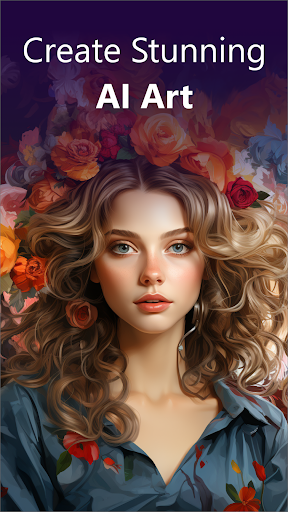
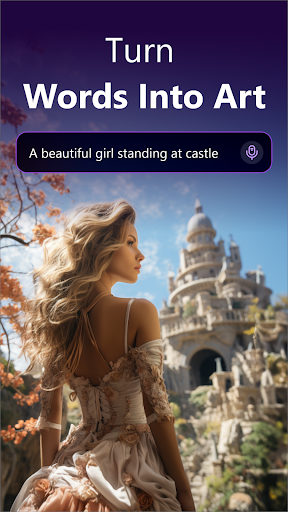
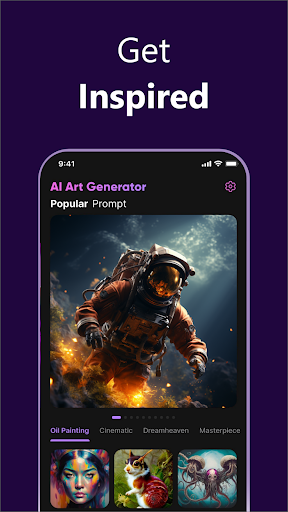
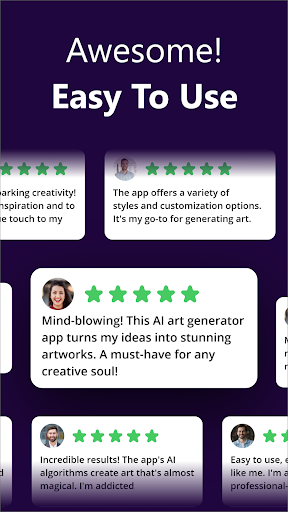
AI Art Generator turn words into some awesome digital art powered by GPT-4. Bring your imagination to reality by entering a prompt, chose an art style - and get the mesmerising output.
NOW, you can user AI-Generated to create some really awesome ART.
【 AI ART GENERATOR 】
Here are some cool things you can ask AI Art Generator to build for you:
- AI Avatar
- Pet Avatar
- Photo Cartoonizer
- Movie characters
- Star signs
- Monuments
- App Icons
and many more!
【 AI ART GENERATOR FROM PROMPT】
AI art generator is converting your text to the art in seconds. Some amazing AI art styles to choose from, such as Oil Painting, Playtoon, Perfume, Cinematic, Masterpiece, etc, helps you create the dream AI photos precisely.
【 SAVE & SHARE IT】
Once you have your completely unique, original artwork; feel free to share it with friends to WOW them.
【 GET INSPIRED 】
You can choose the pre-defined Arts of Artists to generate your own unique art.
【 NFT ART MAKER 】
Create your own NFT Art using our AI Art Generator. With just a few taps, you can turn your photos into unique NFT art and trade them in the NFT market.
Ready to rock the world with your mind-boggling powers of AI?
---
Privacy Policy: https://ai-art.thecloudtutorialusers.com/main/articles/1676635659160
Terms of Use: https://ai-art.thecloudtutorialusers.com/main/articles/1676635659186
Mostra altro

1. Scarica il programma di installazione di MEmu e completa l'installazione

2. Avvia il Memu e apri il Google Play sulla homepage

3. Cerca AI Art Generator - PhotoArts in Google Play
Install
4. Scarica e installa AI Art Generator - PhotoArts
5. Al termine dell'installazione, fai clic sull'icona per avviar

6. Divertiti giocando a AI Art Generator - PhotoArts su PC con MEmu
MEmu App Player è il miglior emulatore Android gratuito, utilizzato da 50 milioni di persone per ottenere un'esperienza di gioco Android superba. La tecnilogia di virtualizzazione MEmu ti permette di giocare a migliaia di giochi Android con semplicità sul tuo computer, anche i giochi con la grafica più esigente.
Schermo più grande con una grafica migliore; Lunga durata, senza limitazione di batteria o dati mobili.
Supporto completo per mappa di tastiera per un controllo preciso di tastiera e mouse o gamepad.
Multipli account di gioco o attività su un singolo PC contemporaneamente con il gestore di multi istanza.
Use AI Art Generator - PhotoArts on PC by following steps: