Paint
Aggiornata
Versione corrente
3.6.1.0
Offerta da

Non devi più preoccuparti dei sovraccarichi durante l'utilizzo di Paint sul tuo cellulare, liberati dal piccolo schermo e goditi dell'App su uno schermo molto più grande. D'ora in poi, sperimenta la tua App a schermo intero con tastiera e mouse. MEmu ti offre tutte le sorprendenti funzioni che ti aspettavi: installazione rapida e impostazione semplice, controlli intuitivi, niente più limitazioni di batteria, dati mobili e chiamate fastidiose. Il MEmu 9 nuovo di zecca è la prima scelta per utilizzare Paint sul tuo computer. Codificato con il nostro assorbimento, il gestore multi-istanza consente di aprire 2 o più account contemporaneamente. E soprattutto, il nostro esclusivo motore di emulazione può sbloccare il pieno potenziale del tuo PC, rendendo tutto liscio e piacevole.
Mostra altro
Scarica Paint su PC con MEmu Android Emulator. Divertiti giocando sul grande schermo. This app is made for creative professionals and anyone who likes to capture their ideas and creative thinking into a beautiful picture.
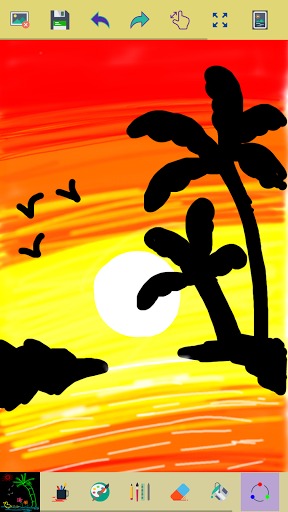
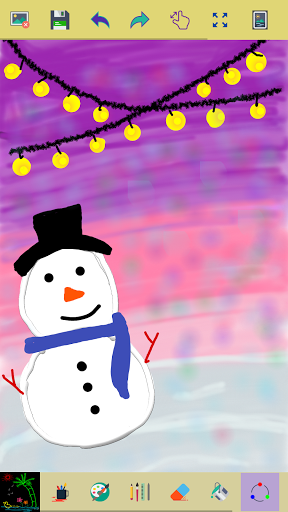
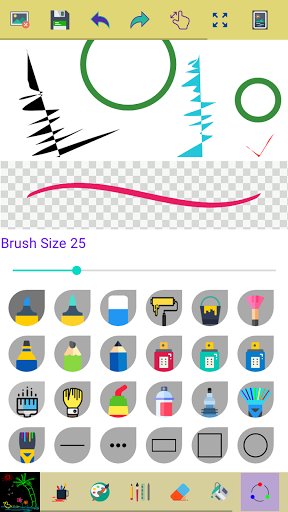
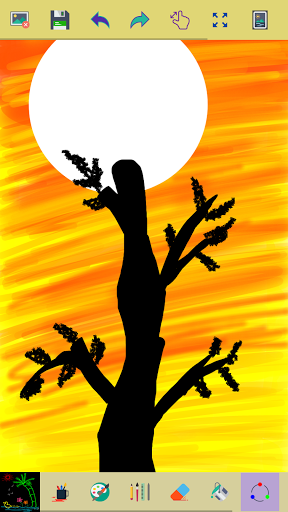
This app is made for creative professionals and anyone who likes to capture their ideas and creative thinking into a beautiful picture.
Key Features of this Application
✓ Start with a new drawing by clicking the clear button
✓ Draw creative pictures using an array of brushes and painting tools
✓ Feel the smoothness of drawing while drawing in fingers
✓ Multiple brushes, pens, and pencils are available
✓ Adjust a width for the brushes and eraser by using the slider bar
✓ Draw with finger or stylus
✓ Erase part of the drawing when needed any correction
✓ Zoom in and Zoom out to make small corrections in drawing
✓ On clicking the reset zoom button your drawing will fit into the screen
✓ All your drawings are available in My Art Gallery
✓ Activating random brush color will act each stroke and shapes with different color
✓ Undo and Redo last action and few strokes
✓ Click an area on the canvas to fill it with background-color
✓ Edit images/ photos
✓ Your drawings have been saved into the photo gallery
✓ Choose background color on easy color picker tool
✓ Using the color picker tool select brush and background-color
✓ Share your drawings with family and friends
Permissions note:
✓ Storage: Needed to allow the user to access your device storage to save your drawings into a photo gallery and display drawings into My Art Gallery.
Don't keep the "Paint" app a secret! We grow with your support, keep sharing :)
Please don't leave negative feedback! Instead, please contact us @ ng.labs108@gmail.com and we'll do our best to solve your issues.
Mostra altro

1. Scarica il programma di installazione di MEmu e completa l'installazione

2. Avvia il Memu e apri il Google Play sulla homepage

3. Cerca Paint in Google Play
Install
4. Scarica e installa Paint
5. Al termine dell'installazione, fai clic sull'icona per avviar

6. Divertiti giocando a Paint su PC con MEmu
MEmu App Player è il miglior emulatore Android gratuito, utilizzato da 50 milioni di persone per ottenere un'esperienza di gioco Android superba. La tecnilogia di virtualizzazione MEmu ti permette di giocare a migliaia di giochi Android con semplicità sul tuo computer, anche i giochi con la grafica più esigente.
Schermo più grande con una grafica migliore; Lunga durata, senza limitazione di batteria o dati mobili.
Supporto completo per mappa di tastiera per un controllo preciso di tastiera e mouse o gamepad.
Multipli account di gioco o attività su un singolo PC contemporaneamente con il gestore di multi istanza.
Use Paint on PC by following steps: