
Australia Post
Aggiornata
Versione corrente
1732846353
Offerta da

Non devi più preoccuparti dei sovraccarichi durante l'utilizzo di Australia Post sul tuo cellulare, liberati dal piccolo schermo e goditi dell'App su uno schermo molto più grande. D'ora in poi, sperimenta la tua App a schermo intero con tastiera e mouse. MEmu ti offre tutte le sorprendenti funzioni che ti aspettavi: installazione rapida e impostazione semplice, controlli intuitivi, niente più limitazioni di batteria, dati mobili e chiamate fastidiose. Il MEmu 9 nuovo di zecca è la prima scelta per utilizzare Australia Post sul tuo computer. Codificato con il nostro assorbimento, il gestore multi-istanza consente di aprire 2 o più account contemporaneamente. E soprattutto, il nostro esclusivo motore di emulazione può sbloccare il pieno potenziale del tuo PC, rendendo tutto liscio e piacevole.
Mostra altro
Scarica Australia Post su PC con MEmu Android Emulator. Divertiti giocando sul grande schermo. The AusPost app lets you safely and easily track and manage your parcels on your smart device.
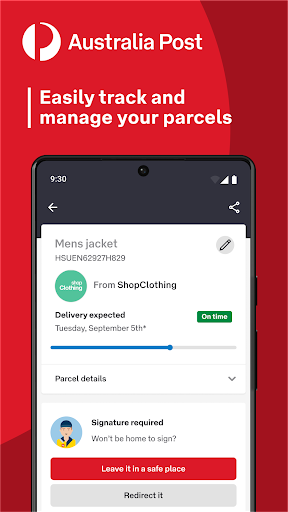
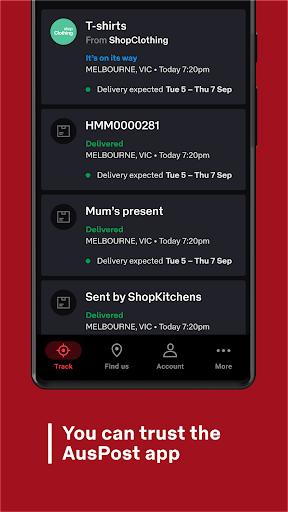
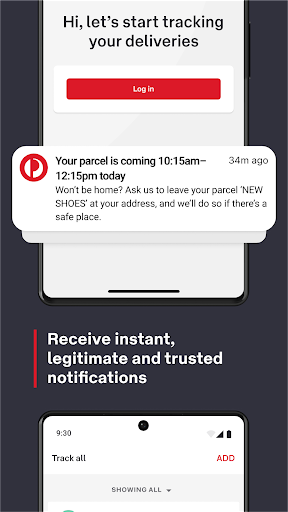
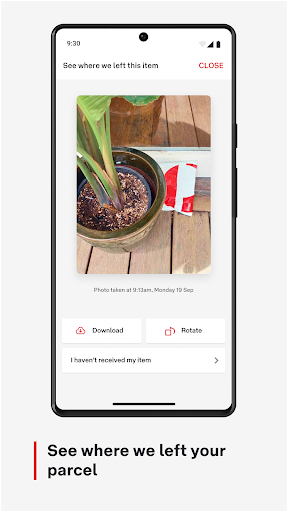
The AusPost app lets you safely and easily track and manage your parcels on your smart device.
Download the app to access these great features:
• Trusted notifications – Receive instant, legitimate and trusted
notifications.
• Automatic parcel tracking – Eligible parcels will automatically show in your track list if matched to your account - no need to add tracking numbers.
• Track and manage parcels – Easily track and manage all your parcels in one place without checking emails.
• Set delivery preferences – Request parcels be left in a safe place or redirect while in transit (if eligible).
• Proof of delivery – View photos of where your parcel is left (if eligible).
• 2-hour delivery notification – Set your preferences to receive a 2-hour delivery window where available once the parcel is on board for delivery.
• Sharing collection authority – Authorise someone else to collect a parcel for you from the Post Office.
• Collection QR code – Use the app’s collection QR code to collect missed deliveries from the Post Office (instead of a physical card).
• Convenient collection – Collect parcels from a free 24/7 Parcel Locker at a time that suits you. When you’re nearby, we’ll send a notification to give you easy access to your Parcel Locker (background location permission must be enabled).
Terms and conditions apply. For more information, visit https://auspost.com.au/about-us/about-our-site/australia-post-app
Plus, the AusPost app provides many services to help you send and receive your parcels, including:
• Manage your notification preferences
• Easy access to your MyPost and MyPost Business account
• Pay eligible bills with PostBill Pay
• Find Post Office locations, opening times and postcodes
Watch app
AusPost also provides a watch app with Wear OS, which syncs to our phone app. With the watch app, you can get tracking notifications, nickname your parcels using your voice, and easily open your Parcel Locker with a QR code – all from your wrist.
Mostra altro

1. Scarica il programma di installazione di MEmu e completa l'installazione

2. Avvia il Memu e apri il Google Play sulla homepage

3. Cerca Australia Post in Google Play
Install
4. Scarica e installa Australia Post
5. Al termine dell'installazione, fai clic sull'icona per avviar

6. Divertiti giocando a Australia Post su PC con MEmu
MEmu App Player è il miglior emulatore Android gratuito, utilizzato da 50 milioni di persone per ottenere un'esperienza di gioco Android superba. La tecnilogia di virtualizzazione MEmu ti permette di giocare a migliaia di giochi Android con semplicità sul tuo computer, anche i giochi con la grafica più esigente.
Schermo più grande con una grafica migliore; Lunga durata, senza limitazione di batteria o dati mobili.
Supporto completo per mappa di tastiera per un controllo preciso di tastiera e mouse o gamepad.
Multipli account di gioco o attività su un singolo PC contemporaneamente con il gestore di multi istanza.
Use Australia Post on PC by following steps: