GPX Track Editor
Aggiornata
Versione corrente
3.7
Offerta da

Non devi più preoccuparti dei sovraccarichi durante l'utilizzo di GPX Track Editor sul tuo cellulare, liberati dal piccolo schermo e goditi dell'App su uno schermo molto più grande. D'ora in poi, sperimenta la tua App a schermo intero con tastiera e mouse. MEmu ti offre tutte le sorprendenti funzioni che ti aspettavi: installazione rapida e impostazione semplice, controlli intuitivi, niente più limitazioni di batteria, dati mobili e chiamate fastidiose. Il MEmu 9 nuovo di zecca è la prima scelta per utilizzare GPX Track Editor sul tuo computer. Codificato con il nostro assorbimento, il gestore multi-istanza consente di aprire 2 o più account contemporaneamente. E soprattutto, il nostro esclusivo motore di emulazione può sbloccare il pieno potenziale del tuo PC, rendendo tutto liscio e piacevole.
Mostra altro
Scarica GPX Track Editor su PC con MEmu Android Emulator. Divertiti giocando sul grande schermo. Make your own trail maps, using your tablet or smartphone.
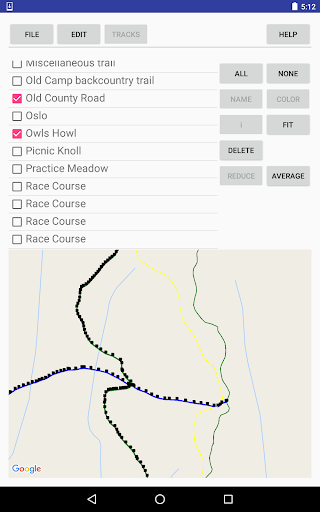
Make your own trail maps, using your tablet or smartphone.
Record tracks, or import tracks from GPX files.
Clean up your track data, manually and/or automatically.
Use your trail map for navigation, with or without an Internet connection.
Your tracks and waypoints are displayed over the (optional) background of a Google Map, either the default road map or a satellite image.
Editing features:
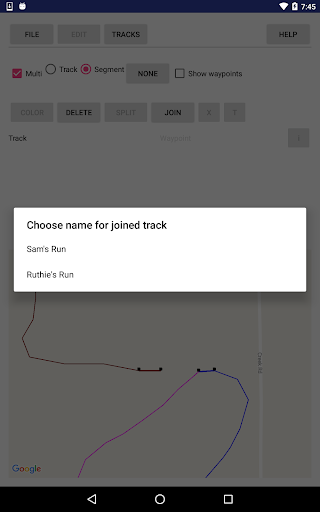
* Split and join tracks.
* Connect tracks to form 3-way and 4-way junctions, with the same coordinates in each track that meets at the junction point, to establish the topology of a network of tracks.
* Eliminate superfluous trackpoints, with the option of preserving junction points against elimination.
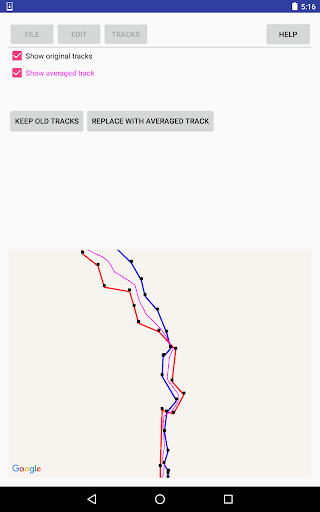
* Take the average of 2-5 tracks, to even out the errors, or, for example, to establish a street's center line from tracks for the sidewalks on either side of the street.
* View the results of averaging or reducing tracks, before accepting the results.
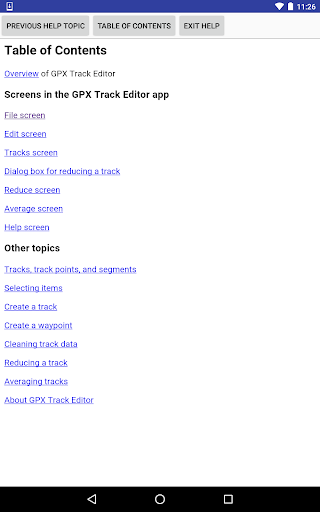
Documentation is available via the thorough help system within the app.
PRIVACY POLICY is available, within the app, from the help system; and, outside the app at the following URL: http://lewlasher.com/GpxTrackEditor/privacy-policy.html
Mostra altro

1. Scarica il programma di installazione di MEmu e completa l'installazione

2. Avvia il Memu e apri il Google Play sulla homepage

3. Cerca GPX Track Editor in Google Play
Install
4. Scarica e installa GPX Track Editor
5. Al termine dell'installazione, fai clic sull'icona per avviar

6. Divertiti giocando a GPX Track Editor su PC con MEmu
MEmu App Player è il miglior emulatore Android gratuito, utilizzato da 50 milioni di persone per ottenere un'esperienza di gioco Android superba. La tecnilogia di virtualizzazione MEmu ti permette di giocare a migliaia di giochi Android con semplicità sul tuo computer, anche i giochi con la grafica più esigente.
Schermo più grande con una grafica migliore; Lunga durata, senza limitazione di batteria o dati mobili.
Supporto completo per mappa di tastiera per un controllo preciso di tastiera e mouse o gamepad.
Multipli account di gioco o attività su un singolo PC contemporaneamente con il gestore di multi istanza.
Use GPX Track Editor on PC by following steps: