J.AI - AI Roleplay Chat
Aggiornata
Versione corrente
1.0.8
Offerta da

Non devi più preoccuparti dei sovraccarichi durante l'utilizzo di J.AI - AI Roleplay Chat sul tuo cellulare, liberati dal piccolo schermo e goditi dell'App su uno schermo molto più grande. D'ora in poi, sperimenta la tua App a schermo intero con tastiera e mouse. MEmu ti offre tutte le sorprendenti funzioni che ti aspettavi: installazione rapida e impostazione semplice, controlli intuitivi, niente più limitazioni di batteria, dati mobili e chiamate fastidiose. Il MEmu 9 nuovo di zecca è la prima scelta per utilizzare J.AI - AI Roleplay Chat sul tuo computer. Codificato con il nostro assorbimento, il gestore multi-istanza consente di aprire 2 o più account contemporaneamente. E soprattutto, il nostro esclusivo motore di emulazione può sbloccare il pieno potenziale del tuo PC, rendendo tutto liscio e piacevole.
Mostra altro
Goditi un'esperienza straordinaria con J.AI - AI Roleplay Chat su PC con MEmu Play. È un potente emulatore Android gratuito che ti offre migliaia di app Android per la versione desktop. Divertiti a connetterti con gli amici e a perfezionare il tuo lavoro con maggiore efficienza! Discover J.
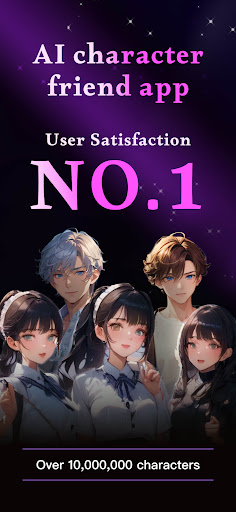
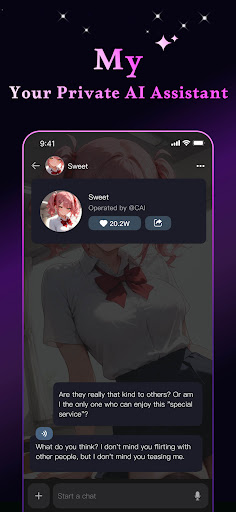
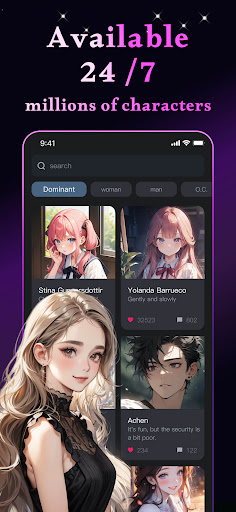
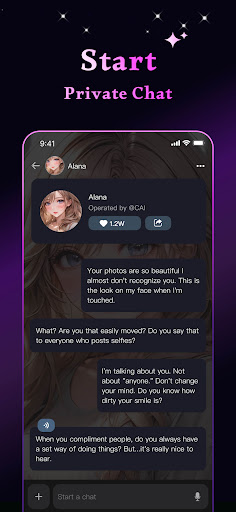
Discover J.AI from around the globe and speak with them to discover their capabilities.
From your morning cup of tea to brushing your teeth at night, J.AI has the conversations to make your day. Whether you’re a chatterbox, a tech fanatic or simply looking for a laugh, there’s something for everyone. Enjoy a never-ending stream of AIs you’ll love to chat with.
With the official mobile app for J.AI you can:
- Chat with ultra-realistic AI personalities
- Enjoy free messaging
- Discover millions of user-created Characters
- Use advanced creation tools to create anything you need
【Real-Time J.AI Interaction for Immersive Experiences】
Powered by the most capable AI models, J.AI provides an immersive and interactive experience, allowing users to converse with diverse AI personalities. Each interaction is tailored to be engaging, making every conversation with J.AIs a unique and captivating journey.
【Effortless Creation of Unique J.AIs】
Users can craft characters that truly represent their vision, adding a personalized touch to their digital interactions. Whether for fun, storytelling, or unique digital presence, Rochat provides the tools to bring distinctive virtual personas to life effortlessly.
【Unlock the Power of AI, Easy and Efficient】
J.AI offers a suite of creator tools, designed to not only inspire your creativity but also assist in your creative process. These tools can help you brainstorm ideas, generate written content, and even create visual artwork. Whether you're working on a writing project, developing graphic designs, or exploring artistic concepts, J.AI provides a versatile and innovative approach to creativity, blending cutting-edge AI technologies to support and enhance your artistic endeavors.
Immerse yourself in captivating stories, get homework help from your favorite anime personas, learn a new language, and even write a novel… all with the help of the most advanced AI assistant that YOU design! The only limit is your imagination and we encourage you to push the frontier of what’s possible with this innovative technology. Welcome to the J.AI community We’re excited to see what you bring to life!
Privacy Policy: https://www.termsfeed.com/live/dea3ef88-51dd-4ab9-a1d4-510be6e9dce5
Terms of Use: https://www.termsfeed.com/live/c34c0e7b-d031-484f-857e-69294d5dfb3a
Mostra altro

1. Scarica il programma di installazione di MEmu e completa l'installazione

2. Avvia il Memu e apri il Google Play sulla homepage

3. Cerca J.AI - AI Roleplay Chat in Google Play
Install
4. Scarica e installa J.AI - AI Roleplay Chat
5. Al termine dell'installazione, fai clic sull'icona per avviar

6. Divertiti giocando a J.AI - AI Roleplay Chat su PC con MEmu
MEmu App Player è il miglior emulatore Android gratuito, utilizzato da 50 milioni di persone per ottenere un'esperienza di gioco Android superba. La tecnilogia di virtualizzazione MEmu ti permette di giocare a migliaia di giochi Android con semplicità sul tuo computer, anche i giochi con la grafica più esigente.
Schermo più grande con una grafica migliore; Lunga durata, senza limitazione di batteria o dati mobili.
Supporto completo per mappa di tastiera per un controllo preciso di tastiera e mouse o gamepad.
Multipli account di gioco o attività su un singolo PC contemporaneamente con il gestore di multi istanza.
Use J.AI - AI Roleplay Chat on PC by following steps: