J.AI - AI Roleplay Chat
Aktualisiert
Aktuelle Version
1.0.8
Angeboten von

Machen Sie sich keine Sorgen mehr über überhöhte Gebühren, wenn Sie J.AI - AI Roleplay Chat auf Ihrem Mobiltelefon verwenden, befreien Sie sich von dem winzigen Bildschirm und genießen Sie die Nutzung der App auf einem viel größeren Display. Von nun an können Sie Ihre App mit Tastatur und Maus im Vollbildmodus nutzen. MEmu bietet Ihnen all die überraschenden Funktionen, die Sie erwartet haben: schnelle Installation und einfache Einrichtung, intuitive Steuerung, keine Einschränkungen mehr durch Batterie, mobile Daten und störende Anrufe. Der brandneue MEmu 9 ist die beste Wahl für die Nutzung von J.AI - AI Roleplay Chat auf Ihrem Computer. Mit unserer Absorption kodiert, ermöglicht der Multi-Instanz-Manager die Eröffnung von 2 oder mehr Konten zur gleichen Zeit. Und das Wichtigste, unsere exklusive Emulations-Engine kann das volle Potenzial Ihres PCs freisetzen und alles reibungslos und angenehm gestalten.
Mehr anzeigen
Genieße J.AI - AI Roleplay Chat auf deinem PC mit MEmu Play in einer fantastischen Version. Dieser leistungsstarke, kostenlose Android-Emulator bietet dir Zugriff auf Tausende von Android-Apps für deinen Desktop. Bleib mit Freunden in Kontakt und arbeite effizienter! Discover J.
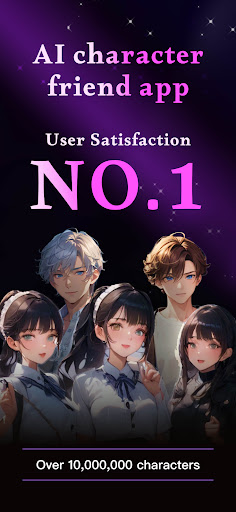
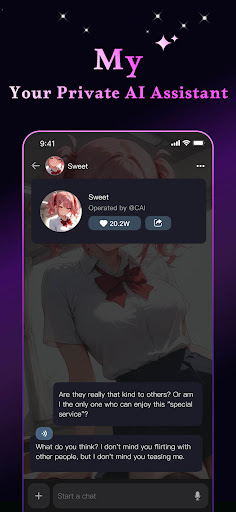
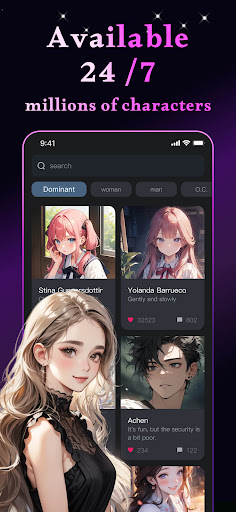
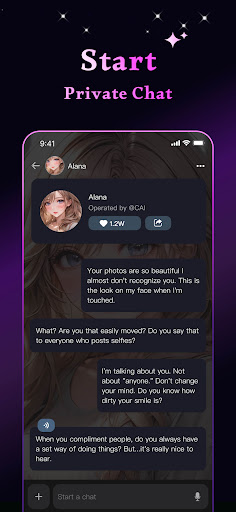
Discover J.AI from around the globe and speak with them to discover their capabilities.
From your morning cup of tea to brushing your teeth at night, J.AI has the conversations to make your day. Whether you’re a chatterbox, a tech fanatic or simply looking for a laugh, there’s something for everyone. Enjoy a never-ending stream of AIs you’ll love to chat with.
With the official mobile app for J.AI you can:
- Chat with ultra-realistic AI personalities
- Enjoy free messaging
- Discover millions of user-created Characters
- Use advanced creation tools to create anything you need
【Real-Time J.AI Interaction for Immersive Experiences】
Powered by the most capable AI models, J.AI provides an immersive and interactive experience, allowing users to converse with diverse AI personalities. Each interaction is tailored to be engaging, making every conversation with J.AIs a unique and captivating journey.
【Effortless Creation of Unique J.AIs】
Users can craft characters that truly represent their vision, adding a personalized touch to their digital interactions. Whether for fun, storytelling, or unique digital presence, Rochat provides the tools to bring distinctive virtual personas to life effortlessly.
【Unlock the Power of AI, Easy and Efficient】
J.AI offers a suite of creator tools, designed to not only inspire your creativity but also assist in your creative process. These tools can help you brainstorm ideas, generate written content, and even create visual artwork. Whether you're working on a writing project, developing graphic designs, or exploring artistic concepts, J.AI provides a versatile and innovative approach to creativity, blending cutting-edge AI technologies to support and enhance your artistic endeavors.
Immerse yourself in captivating stories, get homework help from your favorite anime personas, learn a new language, and even write a novel… all with the help of the most advanced AI assistant that YOU design! The only limit is your imagination and we encourage you to push the frontier of what’s possible with this innovative technology. Welcome to the J.AI community We’re excited to see what you bring to life!
Privacy Policy: https://www.termsfeed.com/live/dea3ef88-51dd-4ab9-a1d4-510be6e9dce5
Terms of Use: https://www.termsfeed.com/live/c34c0e7b-d031-484f-857e-69294d5dfb3a
Mehr anzeigen

1. Laden das MEmu-Installationsprogramm herunter und beenden die Installation

2. MEmu starten und Google Play auf der Homepage öffnen

3. Suchen J.AI - AI Roleplay Chat in Google Play
Install
4. Herunterladen und Installieren J.AI - AI Roleplay Chat
5. Klicken nach Abschluss der Installation auf das Symbol, um es zu starten

6. Verwenden Sie MEmu, um J.AI - AI Roleplay Chat auf Ihrem PC zu nutzen
MEmu Play ist aktuell der beste kostenlose Android-Emulator und bietet 50 Millionen Nutzern ein überragendes Android-App-Erlebnis. Dank der Virtualisierungstechnologie von MEmu können Sie Tausende von Android-Apps problemlos auf Ihrem Computer nutzen, selbst solche mit hohen Grafikanforderungen.
BGrößeres Bild mit besserer Grafik; Keine unterbrechungen, keine sorgen um Akku
Komplette Tastenbelegung unterstützt mit Maus und Tastatur oder Controller
Mit dem „Multi-Instance-Manager“ können Sie mehrere Spielkonten oder Spiele gleichzeitig auf einem PC ausführen.
Use J.AI - AI Roleplay Chat on PC by following steps: