PDF Reader - Edit PDF File
Aggiornata
Versione corrente
1.0.4
Offerta da

Non devi più preoccuparti dei sovraccarichi durante l'utilizzo di PDF Reader - Edit PDF File sul tuo cellulare, liberati dal piccolo schermo e goditi dell'App su uno schermo molto più grande. D'ora in poi, sperimenta la tua App a schermo intero con tastiera e mouse. MEmu ti offre tutte le sorprendenti funzioni che ti aspettavi: installazione rapida e impostazione semplice, controlli intuitivi, niente più limitazioni di batteria, dati mobili e chiamate fastidiose. Il MEmu 9 nuovo di zecca è la prima scelta per utilizzare PDF Reader - Edit PDF File sul tuo computer. Codificato con il nostro assorbimento, il gestore multi-istanza consente di aprire 2 o più account contemporaneamente. E soprattutto, il nostro esclusivo motore di emulazione può sbloccare il pieno potenziale del tuo PC, rendendo tutto liscio e piacevole.
Mostra altro
Goditi un'esperienza straordinaria con PDF Reader - Edit PDF File su PC con MEmu Play. È un potente emulatore Android gratuito che ti offre migliaia di app Android per la versione desktop. Divertiti a connetterti con gli amici e a perfezionare il tuo lavoro con maggiore efficienza! Handle everyday PDF tasks more easily with practical tools with PDF Reader - Edit PDF File app.
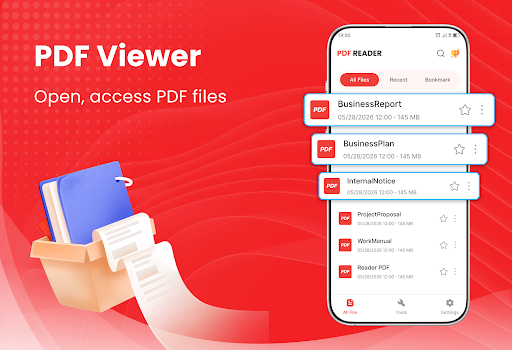
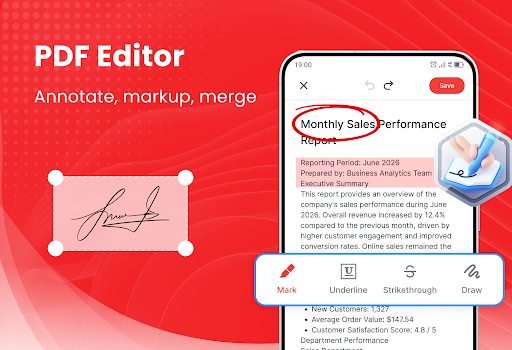
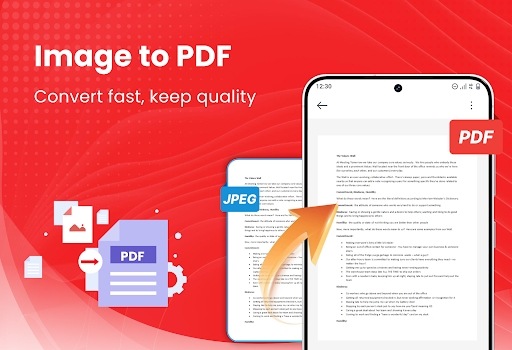
Handle everyday PDF tasks more easily with practical tools with PDF Reader - Edit PDF File app. Enjoy smooth document reading, highlight text or handwritten notes, scan paper files into PDFs, and many other features of PDF tools. Download this app now!
Main Features
Smooth and comfortable document viewing
Add annotations, comments, and handwritten marks
Fast PDF Scanner
Merge multiple PDFs into one
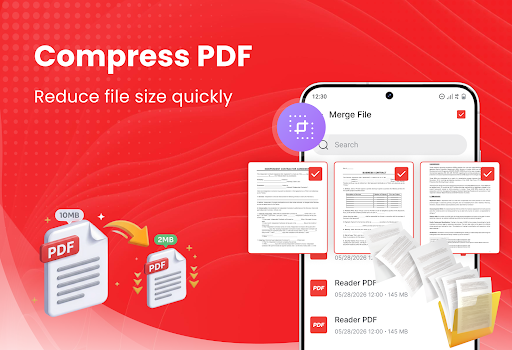
Compress PDF to reduce large files
Connect to the printer to print PDF instantly
PDF Reader and PDF Viewer
• Open PDF files quickly
• View study materials and work documents smoothly
• Have a comfortable PDF reading experience
PDF Editor
• Highlight PDF text
• Add notes, underline useful information
• Draw or add marks
• Review and edit PDF files easily
Scan PDF Files
• Scan paper documents with your phone camera
• Convert receipts, forms, and notes into PDFs
• Digitize certificates and contracts
• Save scanned documents for later use
• Share PDF scans through supported apps
Image to PDF
• Convert photos into PDF files
• Select images directly from your gallery
• Combine multiple images into one PDF
• Create PDFs from receipts, notes, and certificates
• Organize images in the correct order
Merge PDF Files
• Combine multiple PDF files into one document
• Merge reports, assignments, and scanned pages
• Arrange PDF files in your preferred order
• Keep related documents together
• Create one complete PDF for easier sharing
Compress PDF Files
• Reduce large PDF file sizes
• Save more storage space on your phone
• Prepare PDFs for email and messaging apps
• Make documents faster to upload and share
• Keep PDF files easier to manage
Bookmark PDF Files
• Save important PDF files to your Favorites
• Access frequently used documents more quickly
• Easy to find your PDFs
• Remove files from Favorites whenever needed
Print PDF Documents
• Connect to a supported printer
• Print PDF files directly from your phone
• Print reports, forms, and invoices
• Prepare physical copies of contracts and tickets
• Print study materials whenever needed
Manage PDF Files
• Sort PDFs by date or file size
• Search PDF files by name
• Rename documents easily
• Delete files you no longer need
• Share PDF files through other apps
This app not only provides fast and smooth PDF viewing but also makes everyday document tasks more convenient. Students and office users can read study materials, check work documents, edit PDF files, and scan paper documents directly from their phones.
Thank you for choosing our app. We hope it helps you manage PDF documents more easily and save time throughout your day.
Mostra altro

1. Scarica il programma di installazione di MEmu e completa l'installazione

2. Avvia il Memu e apri il Google Play sulla homepage

3. Cerca PDF Reader - Edit PDF File in Google Play
Install
4. Scarica e installa PDF Reader - Edit PDF File
5. Al termine dell'installazione, fai clic sull'icona per avviar

6. Divertiti giocando a PDF Reader - Edit PDF File su PC con MEmu
MEmu App Player è il miglior emulatore Android gratuito, utilizzato da 50 milioni di persone per ottenere un'esperienza di gioco Android superba. La tecnilogia di virtualizzazione MEmu ti permette di giocare a migliaia di giochi Android con semplicità sul tuo computer, anche i giochi con la grafica più esigente.
Schermo più grande con una grafica migliore; Lunga durata, senza limitazione di batteria o dati mobili.
Supporto completo per mappa di tastiera per un controllo preciso di tastiera e mouse o gamepad.
Multipli account di gioco o attività su un singolo PC contemporaneamente con il gestore di multi istanza.
Use PDF Reader - Edit PDF File on PC by following steps: