PDF Reader - Edit PDF File
Zaktualizowano
Aktualna wersja
1.0.2
Sprzedawca

Przestań martwić się nadmiernymi opłatami podczas korzystania z PDF Reader - Edit PDF File na telefonie komórkowym, uwolnij się od małego ekranu i ciesz się korzystaniem z aplikacji na znacznie większym wyświetlaczu. Od teraz korzystaj z aplikacji na pełnym ekranie za pomocą klawiatury i myszy. MEmu oferuje wszystkie zaskakujące funkcje, których się spodziewałeś: szybką instalację i łatwą konfigurację, intuicyjne sterowanie, koniec z ograniczeniami baterii, danych mobilnych i niepokojących połączeń. Zupełnie nowy MEmu 9 to najlepszy wybór do używania PDF Reader - Edit PDF File na twoim komputerze. Zakodowany przez naszą absorpcję, menedżer wielu instancji umożliwia otwarcie 2 lub więcej kont w tym samym czasie. A co najważniejsze, nasz ekskluzywny emulator może uwolnić pełny potencjał twojego komputera, sprawić, że wszystko będzie płynne i przyjemne.
Pokaż więcej
Ciesz się wspaniałym doświadczeniem podczas grania w PDF Reader - Edit PDF File na komputerze z aplikacją MEMU App Player. Jest to potężny darmowy emulator Androida Umożliwia korzystanie z tysięcy aplikacji Androida. Handle everyday PDF tasks more easily with practical tools with PDF Reader - Edit PDF File app.
Handle everyday PDF tasks more easily with practical tools with PDF Reader - Edit PDF File app. Enjoy smooth document reading, highlight text or handwritten notes, scan paper files into PDFs, and many other features of PDF tools. Download this app now!
Main Features
Smooth and comfortable document viewing
Add annotations, comments, and handwritten marks
Fast PDF Scanner
Merge multiple PDFs into one
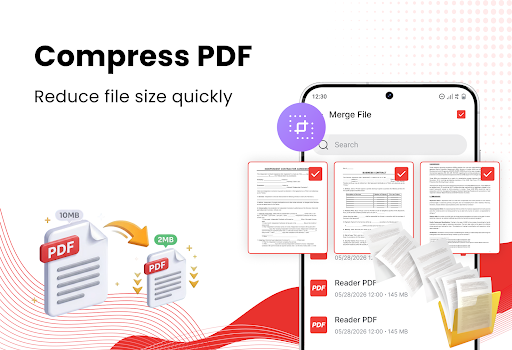
Compress PDF to reduce large files
Connect to the printer to print PDF instantly
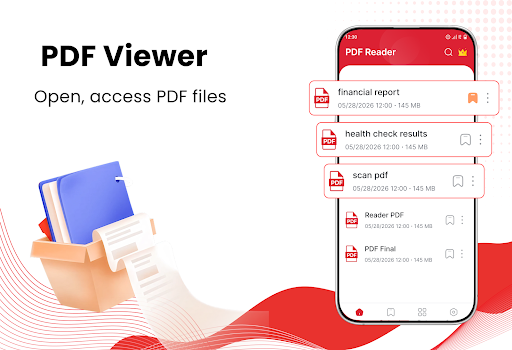
PDF Reader and PDF Viewer
• Open PDF files quickly
• View study materials and work documents smoothly
• Have a comfortable PDF reading experience
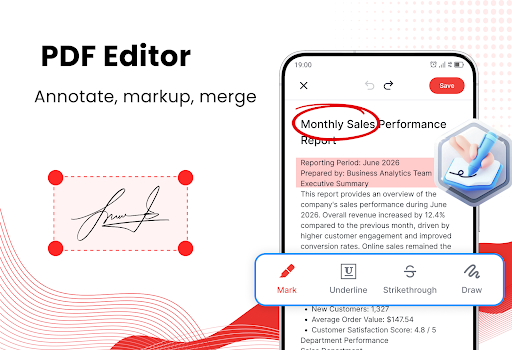
PDF Editor
• Highlight PDF text
• Add notes, underline useful information
• Draw or add marks
• Review and edit PDF files easily
Scan PDF Files
• Scan paper documents with your phone camera
• Convert receipts, forms, and notes into PDFs
• Digitize certificates and contracts
• Save scanned documents for later use
• Share PDF scans through supported apps
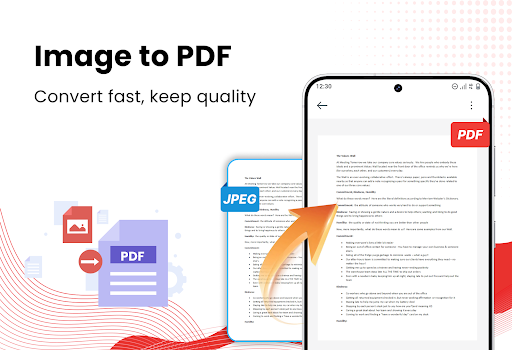
Image to PDF
• Convert photos into PDF files
• Select images directly from your gallery
• Combine multiple images into one PDF
• Create PDFs from receipts, notes, and certificates
• Organize images in the correct order
Merge PDF Files
• Combine multiple PDF files into one document
• Merge reports, assignments, and scanned pages
• Arrange PDF files in your preferred order
• Keep related documents together
• Create one complete PDF for easier sharing
Compress PDF Files
• Reduce large PDF file sizes
• Save more storage space on your phone
• Prepare PDFs for email and messaging apps
• Make documents faster to upload and share
• Keep PDF files easier to manage
Bookmark PDF Files
• Save important PDF files to your Favorites
• Access frequently used documents more quickly
• Easy to find your PDFs
• Remove files from Favorites whenever needed
Print PDF Documents
• Connect to a supported printer
• Print PDF files directly from your phone
• Print reports, forms, and invoices
• Prepare physical copies of contracts and tickets
• Print study materials whenever needed
Manage PDF Files
• Sort PDFs by date or file size
• Search PDF files by name
• Rename documents easily
• Delete files you no longer need
• Share PDF files through other apps
This app not only provides fast and smooth PDF viewing but also makes everyday document tasks more convenient. Students and office users can read study materials, check work documents, edit PDF files, and scan paper documents directly from their phones.
Thank you for choosing our app. We hope it helps you manage PDF documents more easily and save time throughout your day.
Pokaż więcej

1. Pobierz instalator MEmu i zakończ instalację

2. Uruchom MEmu, a następnie otwórz Google Play na pulpicie

3. Wyszukaj PDF Reader - Edit PDF File w Google Play
Install
4. Pobierz i zainstaluj PDF Reader - Edit PDF File
5. Po zakończeniu instalacji kliknij ikonę, aby rozpocząć

6. Użyj MEmu, aby doświadczyć PDF Reader - Edit PDF File na swoim komputerze
MEmu Play to najlepszy emulator Androida, z którego korzysta ponad 100 milionów użytkowników, ciesząc się wyjątkowym doświadczeniem aplikacji na Androida. Technologia wirtualizacji MEmu pozwala na płynne uruchamianie tysięcy aplikacji Androida na komputerze, nawet tych najbardziej wymagających.
Większy ekran z lepszą grafiką; Długi czas, bez ograniczeń baterii lub danych mobilnych.
Pełna obsługa mapowania klawiszy dla precyzyjnego sterowania klawiaturą i myszą lub gamepadem.
Wiele kont gier lub zadań na jednym komputerze jednocześnie z menedżerem wielu instancji.
Use PDF Reader - Edit PDF File on PC by following steps: