SportzX TV - Live Football
Aggiornata
Versione corrente
Offerta da

Non devi più preoccuparti dei sovraccarichi durante l'utilizzo di SportzX TV - Live Football sul tuo cellulare, liberati dal piccolo schermo e goditi dell'App su uno schermo molto più grande. D'ora in poi, sperimenta la tua App a schermo intero con tastiera e mouse. MEmu ti offre tutte le sorprendenti funzioni che ti aspettavi: installazione rapida e impostazione semplice, controlli intuitivi, niente più limitazioni di batteria, dati mobili e chiamate fastidiose. Il MEmu 9 nuovo di zecca è la prima scelta per utilizzare SportzX TV - Live Football sul tuo computer. Codificato con il nostro assorbimento, il gestore multi-istanza consente di aprire 2 o più account contemporaneamente. E soprattutto, il nostro esclusivo motore di emulazione può sbloccare il pieno potenziale del tuo PC, rendendo tutto liscio e piacevole.
Mostra altro
Goditi un'esperienza straordinaria con SportzX TV - Live Football su PC con MEmu Play. È un potente emulatore Android gratuito che ti offre migliaia di app Android per la versione desktop. Divertiti a connetterti con gli amici e a perfezionare il tuo lavoro con maggiore efficienza! SportzX TV brings live football scores, league standings, detailed match statistics and team information together in one fast, easy-to-use app.
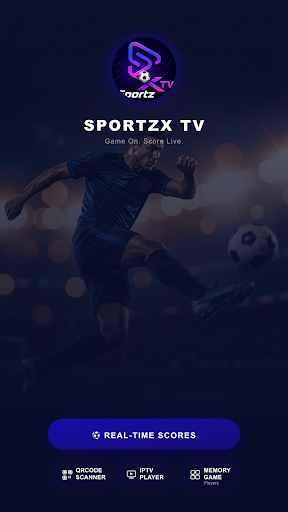
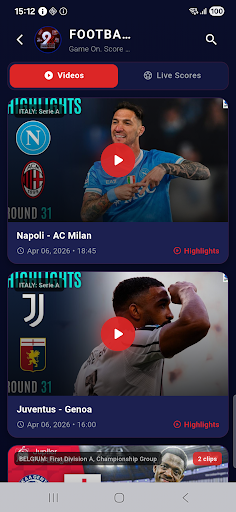
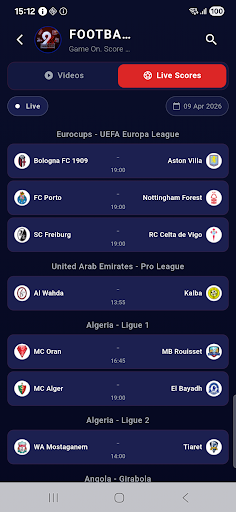
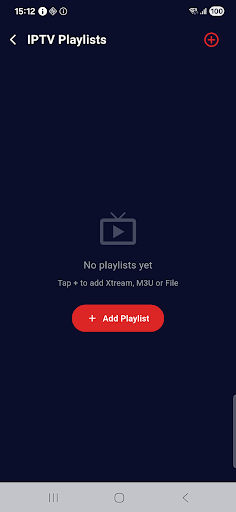
SportzX TV brings live football scores, league standings, detailed match statistics and team information together in one fast, easy-to-use app. Follow every match in real time, open full stats for any game, explore squads and player profiles, and check league tables — all from your phone.
MAIN FEATURES
Live Scores
Follow today's matches with real-time score updates, live match status and full-time results.
Match Statistics
Open any match for a complete breakdown: possession, shots, shots on target, blocked and missed shots, corners, fouls, offsides, passes, pass accuracy and saves.
Match Events
Goals, own goals, cards and substitutions listed as they happen.
Lineups & Player Ratings
See the starting eleven before kickoff, plus player ratings during and after the game.
Standings & Leagues
Browse league tables, fixtures and top scorers for the competitions you follow.
Team Profiles
Full squad by position — goalkeepers, defenders, midfielders and attackers — plus upcoming fixtures, transfers in and out, injured players, coach and stadium details.
⭐ Player Profiles
Detailed player pages with season stats (appearances, goals), transfer history, trophies, nationality, height, weight, preferred foot and market value.
Highlights
Watch available match highlight videos and recaps.
Media Player
Built-in player with playlist support for your own media links.
QR Scanner
Add your own playlists or links quickly by scanning a QR code.
Memory Game
A small built-in game to pass the time before kickoff.
Clean & Lightweight
Fast navigation, a dark interface and low memory usage — smooth on any phone.
Note: SportzX TV is a football information app. It does not host, stream or provide any copyrighted content.
Mostra altro

1. Scarica il programma di installazione di MEmu e completa l'installazione

2. Avvia il Memu e apri il Google Play sulla homepage

3. Cerca SportzX TV - Live Football in Google Play
Install
4. Scarica e installa SportzX TV - Live Football
5. Al termine dell'installazione, fai clic sull'icona per avviar

6. Divertiti giocando a SportzX TV - Live Football su PC con MEmu
MEmu App Player è il miglior emulatore Android gratuito, utilizzato da 50 milioni di persone per ottenere un'esperienza di gioco Android superba. La tecnilogia di virtualizzazione MEmu ti permette di giocare a migliaia di giochi Android con semplicità sul tuo computer, anche i giochi con la grafica più esigente.
Schermo più grande con una grafica migliore; Lunga durata, senza limitazione di batteria o dati mobili.
Supporto completo per mappa di tastiera per un controllo preciso di tastiera e mouse o gamepad.
Multipli account di gioco o attività su un singolo PC contemporaneamente con il gestore di multi istanza.
Use SportzX TV - Live Football on PC by following steps: