
SportzX TV - Live Football
Aktualisiert
Aktuelle Version
Angeboten von

Machen Sie sich keine Sorgen mehr über überhöhte Gebühren, wenn Sie SportzX TV - Live Football auf Ihrem Mobiltelefon verwenden, befreien Sie sich von dem winzigen Bildschirm und genießen Sie die Nutzung der App auf einem viel größeren Display. Von nun an können Sie Ihre App mit Tastatur und Maus im Vollbildmodus nutzen. MEmu bietet Ihnen all die überraschenden Funktionen, die Sie erwartet haben: schnelle Installation und einfache Einrichtung, intuitive Steuerung, keine Einschränkungen mehr durch Batterie, mobile Daten und störende Anrufe. Der brandneue MEmu 9 ist die beste Wahl für die Nutzung von SportzX TV - Live Football auf Ihrem Computer. Mit unserer Absorption kodiert, ermöglicht der Multi-Instanz-Manager die Eröffnung von 2 oder mehr Konten zur gleichen Zeit. Und das Wichtigste, unsere exklusive Emulations-Engine kann das volle Potenzial Ihres PCs freisetzen und alles reibungslos und angenehm gestalten.
Mehr anzeigen
Genieße SportzX TV - Live Football auf deinem PC mit MEmu Play in einer fantastischen Version. Dieser leistungsstarke, kostenlose Android-Emulator bietet dir Zugriff auf Tausende von Android-Apps für deinen Desktop. Bleib mit Freunden in Kontakt und arbeite effizienter! SportzX TV brings live football scores, league standings, detailed match statistics and team information together in one fast, easy-to-use app.
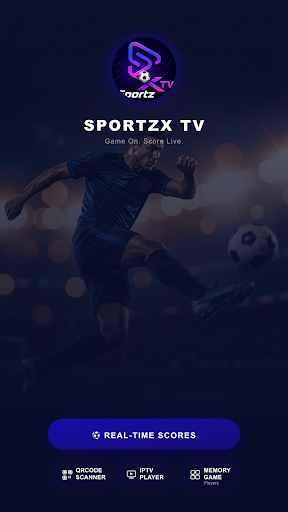
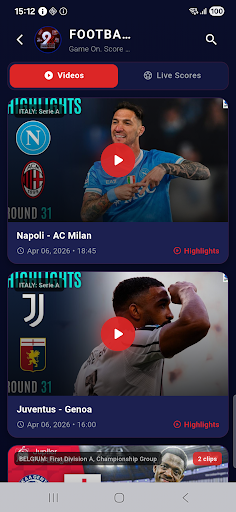
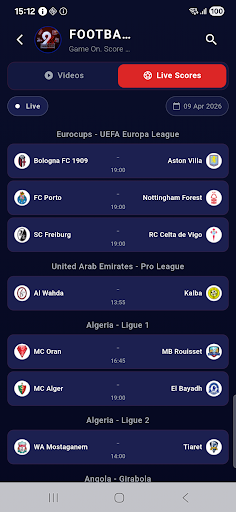
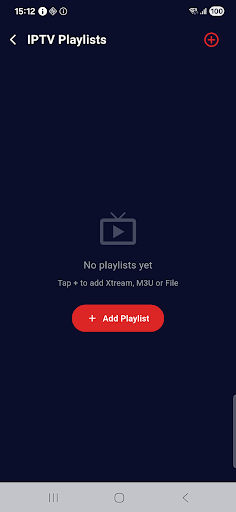
SportzX TV brings live football scores, league standings, detailed match statistics and team information together in one fast, easy-to-use app. Follow every match in real time, open full stats for any game, explore squads and player profiles, and check league tables — all from your phone.
MAIN FEATURES
Live Scores
Follow today's matches with real-time score updates, live match status and full-time results.
Match Statistics
Open any match for a complete breakdown: possession, shots, shots on target, blocked and missed shots, corners, fouls, offsides, passes, pass accuracy and saves.
Match Events
Goals, own goals, cards and substitutions listed as they happen.
Lineups & Player Ratings
See the starting eleven before kickoff, plus player ratings during and after the game.
Standings & Leagues
Browse league tables, fixtures and top scorers for the competitions you follow.
Team Profiles
Full squad by position — goalkeepers, defenders, midfielders and attackers — plus upcoming fixtures, transfers in and out, injured players, coach and stadium details.
⭐ Player Profiles
Detailed player pages with season stats (appearances, goals), transfer history, trophies, nationality, height, weight, preferred foot and market value.
Highlights
Watch available match highlight videos and recaps.
Media Player
Built-in player with playlist support for your own media links.
QR Scanner
Add your own playlists or links quickly by scanning a QR code.
Memory Game
A small built-in game to pass the time before kickoff.
Clean & Lightweight
Fast navigation, a dark interface and low memory usage — smooth on any phone.
Note: SportzX TV is a football information app. It does not host, stream or provide any copyrighted content.
Mehr anzeigen

1. Laden das MEmu-Installationsprogramm herunter und beenden die Installation

2. MEmu starten und Google Play auf der Homepage öffnen

3. Suchen SportzX TV - Live Football in Google Play
Install
4. Herunterladen und Installieren SportzX TV - Live Football
5. Klicken nach Abschluss der Installation auf das Symbol, um es zu starten

6. Verwenden Sie MEmu, um SportzX TV - Live Football auf Ihrem PC zu nutzen
MEmu Play ist aktuell der beste kostenlose Android-Emulator und bietet 50 Millionen Nutzern ein überragendes Android-App-Erlebnis. Dank der Virtualisierungstechnologie von MEmu können Sie Tausende von Android-Apps problemlos auf Ihrem Computer nutzen, selbst solche mit hohen Grafikanforderungen.
BGrößeres Bild mit besserer Grafik; Keine unterbrechungen, keine sorgen um Akku
Komplette Tastenbelegung unterstützt mit Maus und Tastatur oder Controller
Mit dem „Multi-Instance-Manager“ können Sie mehrere Spielkonten oder Spiele gleichzeitig auf einem PC ausführen.
Use SportzX TV - Live Football on PC by following steps: