
Yomovies
Aggiornata
Versione corrente
Offerta da

Vista tutta la passione dimostrata nel giocare a Yomovies, le tue mani non dovrebbero essere limitate al minuscolo schermo di un telefono. Gioca come un professionista e ottieni il pieno controllo del gioco con tastiera e mouse. MEmu ti offre tutto ciò che ti aspetti. Scarica e gioca a Yomovies su PC. Gioca quanto vuoi, niente più limitazioni di batteria, dati mobili e chiamate inquietanti. Il nuovissimo MEmu 9 è la scelta migliore per giocare a Yomovies su PC. Realizzato sulla base della nostra esperienza, lo squisito sistema di mappatura dei tasti preimpostati rende Yomovies un vero e proprio gioco per PC. MEmu è un gestore multi-instanza che permette di giocare con 2 o più account sullo stesso dispositivo. E la cosa più importante, il nostro esclusivo motore di emulazione può liberare tutto il potenziale del tuo PC, rendendo tutto fluido.
Mostra altro
Scarica Yomovies su PC con MEmu Android Emulator. Divertiti giocando sul grande schermo. Yomovies app free is designed for user who want to watch or download movies online.
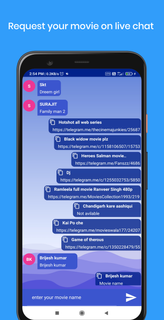

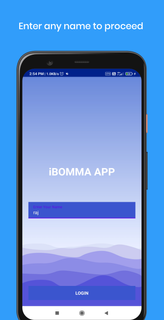
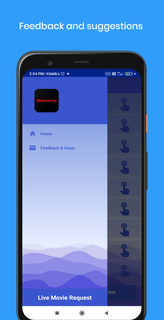
Yomovies app free is designed for user who want to watch or download movies online.yomovies will gives you an exclusive access to live movie request for FREE.Nowadays finding a telugu movie on website or any other app is so difficult and we also waste our most of time to find where we can watch telugu movies. So don't worry here we come up with the solution of your problem i.e. LIVE MOVIE REQUEST on yomovies app free live chat.This is the best feature in this yomovies app free.Yomovies offers to request your latest, old movies and web-series for free.When you search movies on the web you will get too many posts where finding an exact movie on those post is much difficult, so here we help you to get your movie direct online watching or downloading link on the yomovie download app live chat is very easy.yomovies will provide all Telugu, Tamil, Hindi and English movies. If you are looking to download any movie for free then you are at right placeSimple open yomovies app live chat page, and request your movies. You will get your movies link to download or watch online.Have you tried everywhere to get your movie and still searching that's why we come up with yomovies live movie request.Ask for your movie via yomovies live chat, you will get your movie link easily.How to get my movies on YOMOVIES APP FREE: -(very simple)1. Click on live movie request.2. This will open yomovies download app live chat page.3. Type your movie name and send.4. You will get your film link open and watch or download.Why yomovies app:-1. We will help you to get your movies.2. On live chat you can get your movie link very easily.3. You can save your your time to finding movie on any other places simple request on live and sit back till get your movie links.4. We also added list of movies year wise.5. You will get your latest movies on yomovies first page.We hope you will like this application yomovies if yes then please send us your comments. We would love to hear from you.
Mostra altro

1. Scarica il programma di installazione di MEmu e completa l'installazione

2. Avvia il Memu e apri il Google Play sulla homepage

3. Cerca Yomovies in Google Play
Install
4. Scarica e installa Yomovies
5. Al termine dell'installazione, fai clic sull'icona per avviar

6. Divertiti giocando a Yomovies su PC con MEmu
MEmu App Player è il miglior emulatore Android gratuito, utilizzato da 50 milioni di persone per ottenere un'esperienza di gioco Android superba. La tecnilogia di virtualizzazione MEmu ti permette di giocare a migliaia di giochi Android con semplicità sul tuo computer, anche i giochi con la grafica più esigente.
Schermo più grande con una grafica migliore; Lunga durata, senza limitazione di batteria o dati mobili.
Supporto completo per mappa di tastiera per un controllo preciso di tastiera e mouse o gamepad.
Multipli account di gioco o attività su un singolo PC contemporaneamente con il gestore di multi istanza.
Play Yomovies on PC by following steps: