Advanced HeroQuest DunGen
更新日
現在のバージョン
1.5.3
提供元

スマホ不要!プロ選手のようにキーボードとマウスで操作しよう。MEmuエミュはあなたにすべての期待を与える。電池が切れてしまうとか画面が小さいとかの問題を心配する必要がなくて、存分Advanced HeroQuest DunGenを楽しんでください。新しいMEmuエミュ7はPCでAdvanced HeroQuest DunGenをプレイするのに最適!完璧なキーマッピングシステムにより、まるでパソコンゲームみたい。マルチインスタンスで複数のゲームやアプリを同時に実行!唯一無二な仮想化エンジンがパソコンの可能性を最大限になる。遊べるだけでなく、より楽しめる!
もっと見る
Advanced HeroQuest DunGenをPCでダウンロード!大画面でより楽しむ。電源が落ちてしまうとか通信料が足りないとかの問題を心配する必要がなく、PCの大画面でより快適にゲームを楽しましょう! An app for Advanced HeroQuest (AHQ) that automatically rolls D12s and consults the Passage and Room generation tables as well as opening a door in a room or finding treasure.
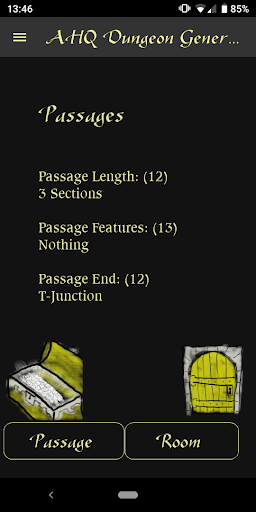
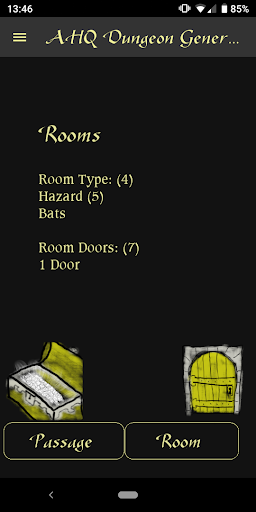
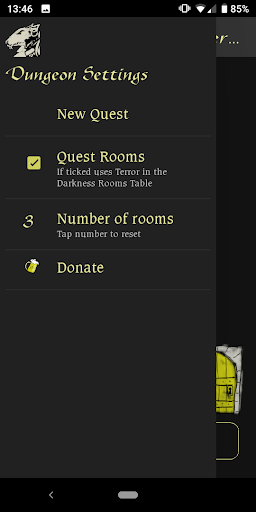
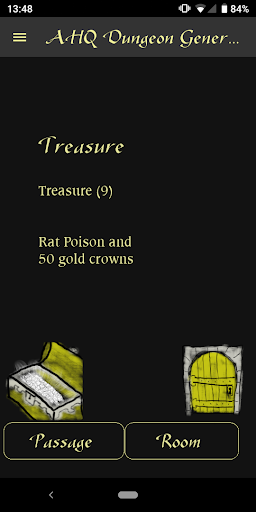
An app for Advanced HeroQuest (AHQ) that automatically rolls D12s and consults the Passage and Room generation tables as well as opening a door in a room or finding treasure. This greatly speeds up play time as when you get to a T-junction you no longer need to do 6-8 rolls and table look-ups, just click the Passages button instead.
By default this uses the Terror in the Dark rules for finding Quest Rooms (none until at least 3 rooms found, then gets more likely with the more rooms you explore). This can be turned off.
I'm hoping to add the Monster Generation Tables and Adventure Generation table from the Terror in the Dark rulebook too. None of this requires the Terror in the Dark box.
Fonts come from yeoldeinn.com
Source code available here:
https://github.com/LaochraQuest/AHQDunGen
もっと見る

1. MEmuインストーラーをダウンロードしてセットアップを完了する

2. MEmuを起動し、デスクトップでのPlayストアを開く

3. PlayストアでAdvanced HeroQuest DunGenを検索する
Install
4. Advanced HeroQuest DunGenをダウンロードしてインストールする
5. インストールが完了したら、アイコンをクリックしてスタート

6. MEmuを使用してPCでAdvanced HeroQuest DunGenを楽しむ
MEmu App Playerは最高の無料で提供されるAndroidエミュレータで、5,000万人がすでに優れたAndroidゲーム体験を楽しんでいます。 MEmuの仮想化技術は、あなたのPCで何千ものAndroidゲームを快適にプレイすることを可能にします。
大画面でより精細;無限の待機、電池とドラフィックの極限を超え
キーボード・マウス・コントローラーを全力でサポート、より快適
マルチインスタンスで複数のゲームを同時に実行
Play Advanced HeroQuest DunGen on PC by following steps: