
Sid Eternal
更新日
現在のバージョン
1.2.1
提供元

スマホ不要!プロ選手のようにキーボードとマウスで操作しよう。MEmuエミュはあなたにすべての期待を与える。電池が切れてしまうとか画面が小さいとかの問題を心配する必要がなくて、存分Sid Eternalを楽しんでください。新しいMEmuエミュ7はPCでSid Eternalをプレイするのに最適!完璧なキーマッピングシステムにより、まるでパソコンゲームみたい。マルチインスタンスで複数のゲームやアプリを同時に実行!唯一無二な仮想化エンジンがパソコンの可能性を最大限になる。遊べるだけでなく、より楽しめる!
もっと見る
Sid EternalをPCでダウンロード!大画面でより楽しむ。電源が落ちてしまうとか通信料が足りないとかの問題を心配する必要がなく、PCの大画面でより快適にゲームを楽しましょう! 1.

1. About Sidian
Cards can be obtained by defeating the enemy 'Irregular' that appears during class and exploration. These cards are the base unit of Sid Eternal called 'Sidian(s)', and players can collect more than 1,000 Sidians. There are five rarities of Sidian, from 1★(normal) to 5★(S.Rare), and level of card can be upgraded by fusing Sidian of the same card. Also, level of Sidian skill can be upgraded by using materials.
2.About Contents
- Dungeon
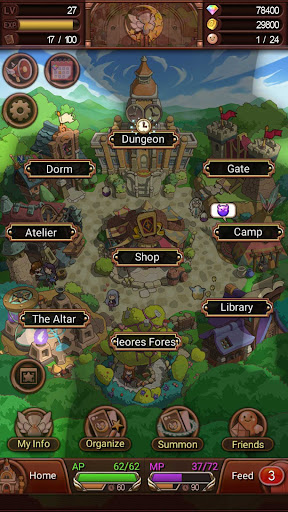
■ There are Magic Dungeon and Production Dungeon as the main classes of Sid Eternal. Rewards vary with each class. Sidian and production materials can be obtained by joining a class and winning a battle.
- Dorm
■ Your own Sidians can be grown up by fusing Sidian and leveling up Sidian skill, and be managed.
- Exploration
■ Select Sidians collected and Send them to Exploration. Through Exploration, players can obtain various items and materials, and go through the charming story only for Sid Eternal
- Atelier
■ Items such as Eternal can be crafted by using materials and items obtained from Production Dungeon and Exploration
- Library
■ Players can check out details on Sidian, unique story, and mission.
- Circles
■ Players can either create a circle or join an existing one by getting an invitation or requesting to join the Circle. Circle members can get more rewards, and conquer raid with other circle members.
- Heroes Forest
■ Summon special Sidians by confessing your love by love letter to them. Special Sidians appear only in the Heroes Forest, and players can summon them to organize a more powerful team for battles.
- Shop
■ Shop is the place where to purchase items or summon Sidians.
もっと見る

1. MEmuインストーラーをダウンロードしてセットアップを完了する

2. MEmuを起動し、デスクトップでのPlayストアを開く

3. PlayストアでSid Eternalを検索する
Install
4. Sid Eternalをダウンロードしてインストールする
5. インストールが完了したら、アイコンをクリックしてスタート

6. MEmuを使用してPCでSid Eternalを楽しむ
MEmu App Playerは最高の無料で提供されるAndroidエミュレータで、5,000万人がすでに優れたAndroidゲーム体験を楽しんでいます。 MEmuの仮想化技術は、あなたのPCで何千ものAndroidゲームを快適にプレイすることを可能にします。
大画面でより精細;無限の待機、電池とドラフィックの極限を超え
キーボード・マウス・コントローラーを全力でサポート、より快適
マルチインスタンスで複数のゲームを同時に実行
Play Sid Eternal on PC by following steps: