Whoa Onet Linked
更新日
現在のバージョン
2.0.4
提供元

スマホ不要!プロ選手のようにキーボードとマウスで操作しよう。MEmuエミュはあなたにすべての期待を与える。電池が切れてしまうとか画面が小さいとかの問題を心配する必要がなくて、存分Whoa Onet Linkedを楽しんでください。新しいMEmuエミュ7はPCでWhoa Onet Linkedをプレイするのに最適!完璧なキーマッピングシステムにより、まるでパソコンゲームみたい。マルチインスタンスで複数のゲームやアプリを同時に実行!唯一無二な仮想化エンジンがパソコンの可能性を最大限になる。遊べるだけでなく、より楽しめる!
もっと見る
Whoa Onet LinkedをPCでダウンロード!大画面でより楽しむ。電源が落ちてしまうとか通信料が足りないとかの問題を心配する必要がなく、PCの大画面でより快適にゲームを楽しましょう! Challenge your mind with Whoa Onet Linked, a fun and engaging puzzle game that combines relaxation with brain exercise!
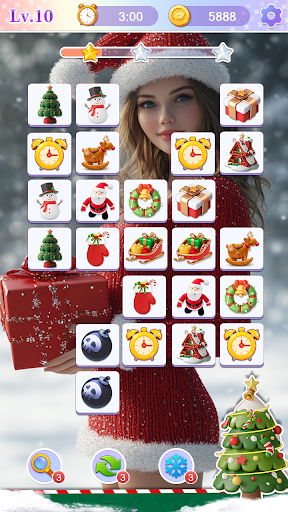
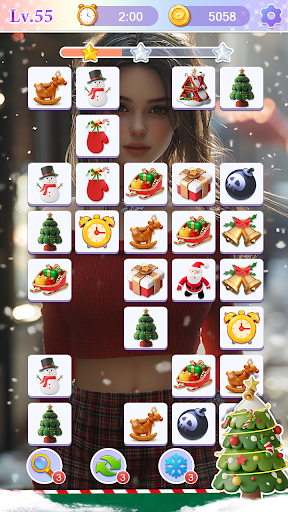
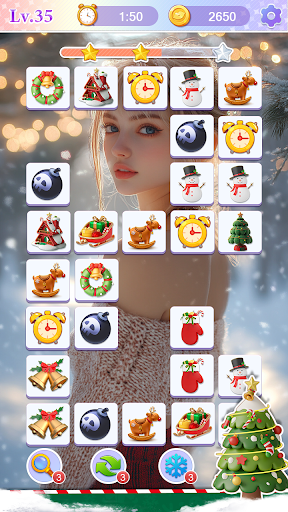
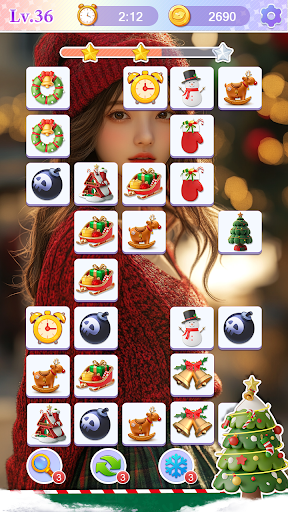
Challenge your mind with Whoa Onet Linked, a fun and engaging puzzle game that combines relaxation with brain exercise! Test your spatial thinking as you quickly analyze tile positions and match identical patterns. The goal is simple—connect pairs of matching tiles to clear the board and unlock stunning images!
How to Play:
1. Match adjacent tiles with the same pattern to remove them.
2. Connect identical tiles without any other tiles blocking the path. The connection can’t exceed three straight lines.
3. Use four helpful tools: Hints for guidance, Shuffle to rearrange tiles, Snowflake to freeze time, and Lightning to clear random tiles.
Features:
1. Relaxing yet challenging gameplay
2. Boost your brain power and spatial reasoning
3. Simple and easy to play for all ages
4. Unlock and save beautiful images
5. Four handy tools to help you along the way
Download Whoa Onet Linked today and start your puzzle adventure!
もっと見る

1. MEmuインストーラーをダウンロードしてセットアップを完了する

2. MEmuを起動し、デスクトップでのPlayストアを開く

3. PlayストアでWhoa Onet Linkedを検索する
Install
4. Whoa Onet Linkedをダウンロードしてインストールする
5. インストールが完了したら、アイコンをクリックしてスタート

6. MEmuを使用してPCでWhoa Onet Linkedを楽しむ
MEmu App Playerは最高の無料で提供されるAndroidエミュレータで、5,000万人がすでに優れたAndroidゲーム体験を楽しんでいます。 MEmuの仮想化技術は、あなたのPCで何千ものAndroidゲームを快適にプレイすることを可能にします。
大画面でより精細;無限の待機、電池とドラフィックの極限を超え
キーボード・マウス・コントローラーを全力でサポート、より快適
マルチインスタンスで複数のゲームを同時に実行
Play Whoa Onet Linked on PC by following steps: