
All Football Highlights
更新日
現在のバージョン
1.3.6
提供元

スマートフォンは不要!パソコンと同じようにキーボードとマウスで操作できます。MEmu Playは、あなたが待ち望んでいたすべての楽しみをお届けします。バッテリー残量や小さな画面を気にすることなく、All Football Highlightsをご利用ください。最新のMEmu 9は、All Football HighlightsをPCで体験するのに最適です!完璧なキーマッピングシステムにより、PCのようなスムーズな操作性を実現します。マルチインスタンス機能により、複数のアプリケーションを同時に実行できます。独自の仮想化エンジンがPCのパフォーマンスを最大限に引き出します。アプリを使用するだけでなく、高品質な体験を得ることができます。
もっと見る
All Football HighlightsをPCでダウンロード!大画面でより楽しむ。電源が落ちてしまうとか通信料が足りないとかの問題を心配する必要がなく、PCの大画面でより快適にゲームを楽しましょう! Experience the exhilarating world of football/soccer highlights, goals, and Livescores!

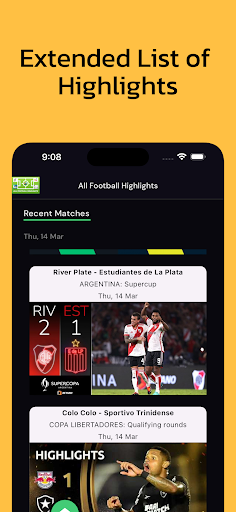

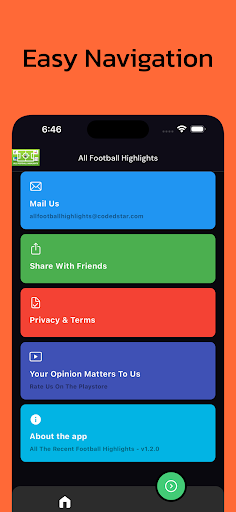
Experience the exhilarating world of football/soccer highlights, goals, and Livescores! Delve into a vast library of full match highlights and goals from diverse leagues and tournaments worldwide. With a simple tap, indulge in high-quality videos that encapsulate the intensity and drama of the beautiful game. Stay updated with live scores, team stats, and detailed season or tournament information. Whether you're a passionate supporter or a casual observer, immerse yourself in the excitement of football/soccer with our extensive array of highlights and goals.
Live Scores and Live Streaming of Games: Stay up-to-date with real-time scores and enjoy live streaming of matches directly within the app.
Full-Screen Viewing: Immerse yourself in the action with full-screen viewing, providing a more engaging experience.
Match Statistics: Access detailed match statistics to track performance and analyze gameplay like never before.
もっと見る

1. MEmuインストーラーをダウンロードしてセットアップを完了する

2. MEmuを起動し、デスクトップでのPlayストアを開く

3. PlayストアでAll Football Highlightsを検索する
Install
4. All Football Highlightsをダウンロードしてインストールする
5. インストールが完了したら、アイコンをクリックしてスタート

6. MEmuを使ってパソコンでAll Football Highlightsを体験する
MEmu Playは現在、最高の無料Androidエミュレーターであり、5,000万人のユーザーが優れたAndroidアプリ体験を楽しんでいます。MEmuの仮想化テクノロジーにより、数千ものAndroidアプリをコンピューターでスムーズに実行できます。
大画面でより精細;無限の待機、電池とドラフィックの極限を超え
キーボード・マウス・コントローラーを全力でサポート、より快適
マルチインスタンスで複数のゲームを同時に実行
Use All Football Highlights on PC by following steps: