bKash
更新日
現在のバージョン
6.4.0
提供元

スマートフォンは不要!パソコンと同じようにキーボードとマウスで操作できます。MEmu Playは、あなたが待ち望んでいたすべての楽しみをお届けします。バッテリー残量や小さな画面を気にすることなく、bKashをご利用ください。最新のMEmu 9は、bKashをPCで体験するのに最適です!完璧なキーマッピングシステムにより、PCのようなスムーズな操作性を実現します。マルチインスタンス機能により、複数のアプリケーションを同時に実行できます。独自の仮想化エンジンがPCのパフォーマンスを最大限に引き出します。アプリを使用するだけでなく、高品質な体験を得ることができます。
もっと見る
bKashをPCでダウンロード!大画面でより楽しむ。電源が落ちてしまうとか通信料が足りないとかの問題を心配する必要がなく、PCの大画面でより快適にゲームを楽しましょう! Introducing bKash App, with an elegant look, and exciting features, to make your life simpler and easier.
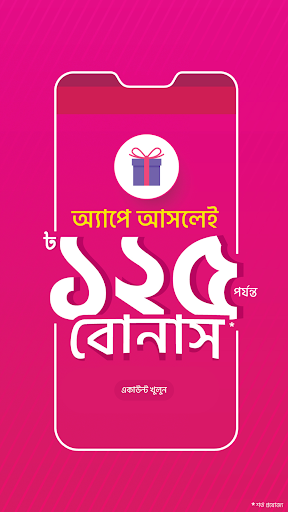
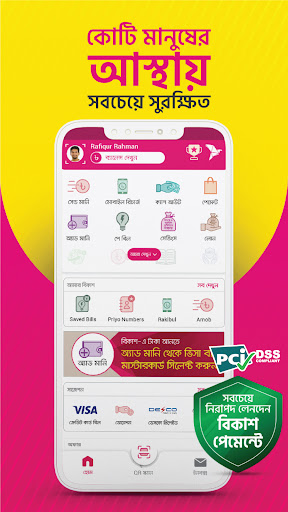
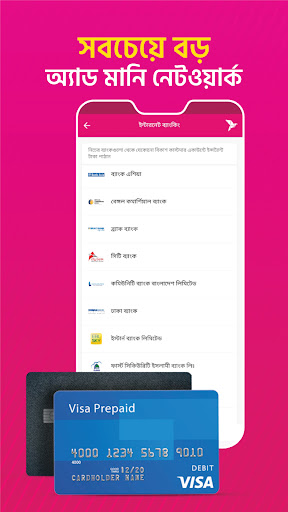
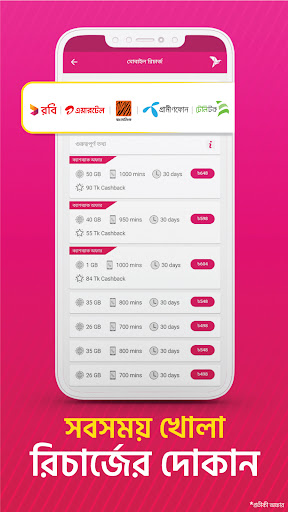
Introducing bKash App, with an elegant look, and exciting features, to make your life simpler and easier. Register a bKash account right from the app in a few minutes, add money from your bank account or card, and get going. Recharge mobile balance, scan QR to pay at your favorite stores, pay utility and other bills from home, send money to people, and get different lifestyle services, all in a highly secure mobile money app. Discover the best bKash offers near you, get suggestions from bKash on what services you can explore next, and use shortcuts for your most frequent transactions in bKash App.
FAST ACCOUNT REGISTRATION
No bKash account? No worry! You can now explore bKash App, its services, features, and offers without an account. After you are done exploring, you can register a new bKash account in a few minutes right from bKash App, using your National ID.
ADD MONEY FROM BANK ACCOUNT & CARD
Now you have an account, but you need money in it, right? Transfer funds instantly from your bank account or card, to any bKash account using the Add Money service.
SUPER FAST QR TRANSACTIONS
Use the Scan QR button in the home screen at stores and shops for Payment, at Agent points for Cash Out or with other bKash users for Send Money – faster and error-free.
OFFERS NEAR YOU
Get the best bKash offers at your nearest payment points, all in one place under the Offers section in your home screen.
TRANSACTION SHORTCUTS
In the My bKash section, use shortcuts for your most frequent transactions to make them faster.
SUGGESTIONS FOR YOU
Find suggestions from bKash on what other services, Merchants , billers, and other partners you can try out.
INBOX – TRANSACTIONS & PROMOTIONS
Access notifications on your latest bKash transactions and promotional offers, from the Inbox button at the bottom of your home screen.
MOBILE RECHARGE
Recharge mobile balance or pay postpaid mobile bills for all major mobile network operators very quickly using amount shortcuts:
• Robi
• Airtel
• Banglalink
• Grameenphone
• Teletalk
Let bKash App take care of latest offers and best deals of your mobile operator. View and purchase recharge-based Internet, Voice and Bundle offers of different mobile operators in Mobile Recharge.
PAY YOUR BILLS
Make payments for your monthly utility bills such as electricity, gas, internet, and other services, right from the comfort of your home.
GET DIFFERENT LIFESTYLE SERVICES
Want a one-stop-shop for your lifestyle needs? Let bKash app be your companion for food delivery, online shopping, bus, train, launch and air tickets, movie tickets, hotel booking for traveling, and many more.
HIGHLY SECURE MOBILE BANKING
We take the security of your bKash account very seriously. We send you an OTP to verify your bKash account during first log-in. bKash App also asks for your PIN during both log-in, and transactions.
EASE OF ACCESS
Use the app in either Bangla or English, and change between the two whenever you want.
STATEMENT
Exert greater control over your mobile wallet by accessing your detailed transaction history, and a monthly transaction summary.
CHECK LIMIT
Know how much more you can transact by having a real-time view of your transaction limits.
ONE-TAP BALANCE CHECK
Checking your balance is just a tap away. We also help protect your data by hiding the balance after a few seconds.
GREATER TRANSPARENCY & CONTROL
Have greater visibility over your bKash transactions – while entering the amount, you will see your available balance, auto-calculated service charge, and projected new balance – all before completing the transaction.
もっと見る

1. MEmuインストーラーをダウンロードしてセットアップを完了する

2. MEmuを起動し、デスクトップでのPlayストアを開く

3. PlayストアでbKashを検索する
Install
4. bKashをダウンロードしてインストールする
5. インストールが完了したら、アイコンをクリックしてスタート

6. MEmuを使ってパソコンでbKashを体験する
MEmu Playは現在、最高の無料Androidエミュレーターであり、5,000万人のユーザーが優れたAndroidアプリ体験を楽しんでいます。MEmuの仮想化テクノロジーにより、数千ものAndroidアプリをコンピューターでスムーズに実行できます。
大画面でより精細;無限の待機、電池とドラフィックの極限を超え
キーボード・マウス・コントローラーを全力でサポート、より快適
マルチインスタンスで複数のゲームを同時に実行
Use bKash on PC by following steps: