CB Pay
更新日
現在のバージョン
1.31.0
提供元

スマートフォンは不要!パソコンと同じようにキーボードとマウスで操作できます。MEmu Playは、あなたが待ち望んでいたすべての楽しみをお届けします。バッテリー残量や小さな画面を気にすることなく、CB Payをご利用ください。最新のMEmu 9は、CB PayをPCで体験するのに最適です!完璧なキーマッピングシステムにより、PCのようなスムーズな操作性を実現します。マルチインスタンス機能により、複数のアプリケーションを同時に実行できます。独自の仮想化エンジンがPCのパフォーマンスを最大限に引き出します。アプリを使用するだけでなく、高品質な体験を得ることができます。
もっと見る
CB PayをPCでダウンロード!大画面でより楽しむ。電源が落ちてしまうとか通信料が足りないとかの問題を心配する必要がなく、PCの大画面でより快適にゲームを楽しましょう! CB Bank PCL is one of the largest private banks in Myanmar.
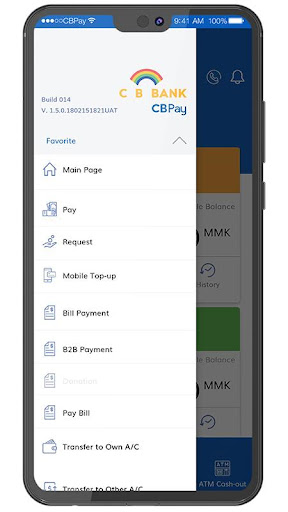
CB Bank PCL is one of the largest private banks in Myanmar. CB Bank was established on 21st August 1992 with the permission of the Central Bank of Myanmar under the law of Financial Institutions of Myanmar and the Central Bank of Myanmar.
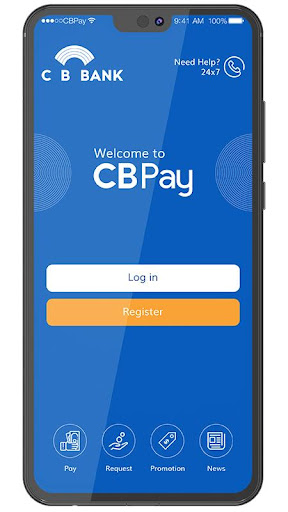
CB bank always strives to offer enjoyable experiences for the customers with the best solution and most reliable financial services. With such objectives towards improving technology and innovation in the rapidly changing landscape of banking and financial services, we have launched the CB Pay – mobile banking app which is a solution to delight our valued customers. CB Pay not only facilitates banking at your fingertips but also eases your lifestyle.
CB Pay is a mobile banking service which is available to use in all mobile phone devices. Customers can download CB Pay app to their mobile phones and do self-registration for their wallet account. If customers already have ATM card, they can register with their ATM card number so that CB pay will automatically link with his ATM card account.
CB Pay Features
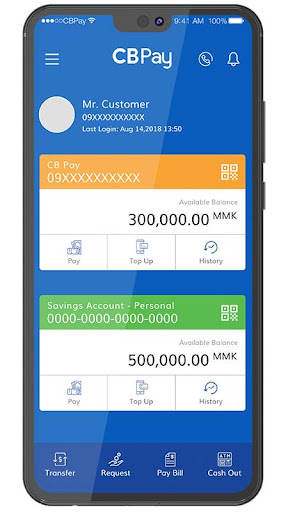
- Transfer money to all CB Bank customers with ATM card number, Account number, Phone number (CB pay number) or even with NRIC number for those who do not have bank account/ATM or CB pay wallet account.
- Pay or Request money with dynamic QR code within CB pay users.
- Make payment with static QR code at stores, restaurants or taxi drivers.
- Check the default account’s balance at sneak peak
- Top-up mobile (MPT, MecTel, Telenor, Ooredoo)
- Enjoy services like ATM card application, loan application or cheque book requests.
- Pay your bills such as electricity bill, 4-TV bill or insurance.
- Top-up Master/Visa cards and repay credit card
- Find your nearest CB Bank ATMs/CRM, branches, Exchange Counters, CB agents and Merchants locations on-the-go.
- Scheduling your payment for specific purpose and dates.
- Find up-to-date exchange rate
もっと見る

1. MEmuインストーラーをダウンロードしてセットアップを完了する

2. MEmuを起動し、デスクトップでのPlayストアを開く

3. PlayストアでCB Payを検索する
Install
4. CB Payをダウンロードしてインストールする
5. インストールが完了したら、アイコンをクリックしてスタート

6. MEmuを使ってパソコンでCB Payを体験する
MEmu Playは現在、最高の無料Androidエミュレーターであり、5,000万人のユーザーが優れたAndroidアプリ体験を楽しんでいます。MEmuの仮想化テクノロジーにより、数千ものAndroidアプリをコンピューターでスムーズに実行できます。
大画面でより精細;無限の待機、電池とドラフィックの極限を超え
キーボード・マウス・コントローラーを全力でサポート、より快適
マルチインスタンスで複数のゲームを同時に実行
Use CB Pay on PC by following steps: