AI Girlfriend 18+
更新日
現在のバージョン
提供元

スマートフォンは不要!パソコンと同じようにキーボードとマウスで操作できます。MEmu Playは、あなたが待ち望んでいたすべての楽しみをお届けします。バッテリー残量や小さな画面を気にすることなく、AI Girlfriend 18+をご利用ください。最新のMEmu 9は、AI Girlfriend 18+をPCで体験するのに最適です!完璧なキーマッピングシステムにより、PCのようなスムーズな操作性を実現します。マルチインスタンス機能により、複数のアプリケーションを同時に実行できます。独自の仮想化エンジンがPCのパフォーマンスを最大限に引き出します。アプリを使用するだけでなく、高品質な体験を得ることができます。
もっと見る
MEmu Playを使えば、PCでAI Girlfriend 18+を快適に楽しめます。何千ものAndroidアプリをデスクトップ版で利用できる、パワフルな無料Androidエミュレーターです。友達とつながり、より効率的に作品を磨き上げましょう! Imagine a place where your fantasies come to life, where you're in complete control and free to explore your desires without judgment.
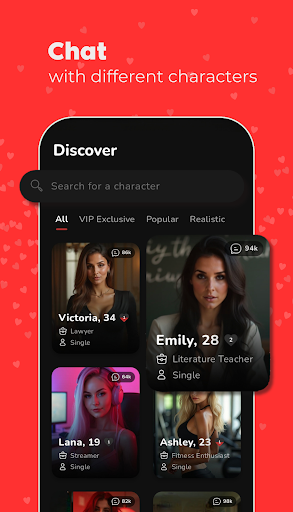
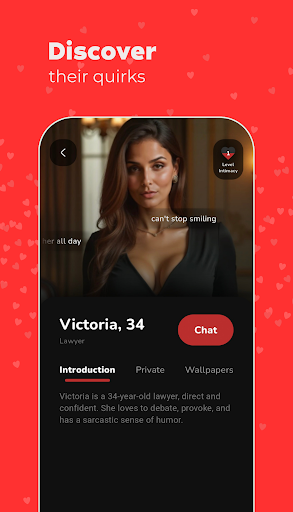
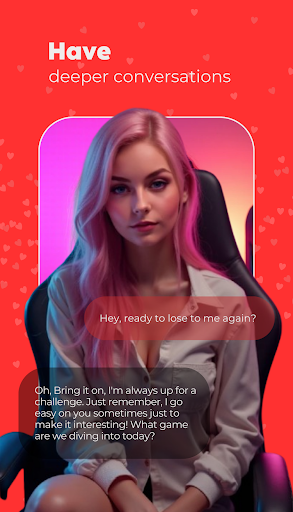
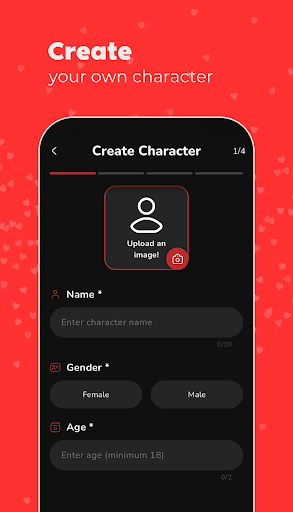
Imagine a place where your fantasies come to life, where you're in complete control and free to explore your desires without judgment. At IntimAI, you are at the center of this immersive and personalized experience!
Cutting-Edge Technology & Unique Companions
With an intuitive interface and the most advanced artificial intelligence technology, we offer unique profiles of digital companions — each with their own personality, preferences, name, age, and profession. It's a safe and private space where you can chat and connect more intimately with each AI, creating meaningful and, above all, enjoyable connections.
もっと見る

1. MEmuインストーラーをダウンロードしてセットアップを完了する

2. MEmuを起動し、デスクトップでのPlayストアを開く

3. PlayストアでAI Girlfriend 18+を検索する
Install
4. AI Girlfriend 18+をダウンロードしてインストールする
5. インストールが完了したら、アイコンをクリックしてスタート

6. MEmuを使ってパソコンでAI Girlfriend 18+を体験する
MEmu Playは現在、最高の無料Androidエミュレーターであり、5,000万人のユーザーが優れたAndroidアプリ体験を楽しんでいます。MEmuの仮想化テクノロジーにより、数千ものAndroidアプリをコンピューターでスムーズに実行できます。
大画面でより精細;無限の待機、電池とドラフィックの極限を超え
キーボード・マウス・コントローラーを全力でサポート、より快適
マルチインスタンスで複数のゲームを同時に実行
Use AI Girlfriend 18+ on PC by following steps: