
Papaya Live-Live Stream,Show
更新日
現在のバージョン
2.34.18
提供元

スマートフォンは不要!パソコンと同じようにキーボードとマウスで操作できます。MEmu Playは、あなたが待ち望んでいたすべての楽しみをお届けします。バッテリー残量や小さな画面を気にすることなく、Papaya Live-Live Stream,Showをご利用ください。最新のMEmu 9は、Papaya Live-Live Stream,ShowをPCで体験するのに最適です!完璧なキーマッピングシステムにより、PCのようなスムーズな操作性を実現します。マルチインスタンス機能により、複数のアプリケーションを同時に実行できます。独自の仮想化エンジンがPCのパフォーマンスを最大限に引き出します。アプリを使用するだけでなく、高品質な体験を得ることができます。
もっと見る
Papaya Live-Live Stream,ShowをPCでダウンロード!大画面でより楽しむ。電源が落ちてしまうとか通信料が足りないとかの問題を心配する必要がなく、PCの大画面でより快適にゲームを楽しましょう! Papaya Live is one of the most popular social chat applications in Southeast Asia.

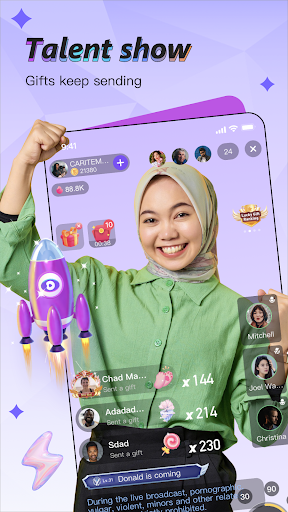

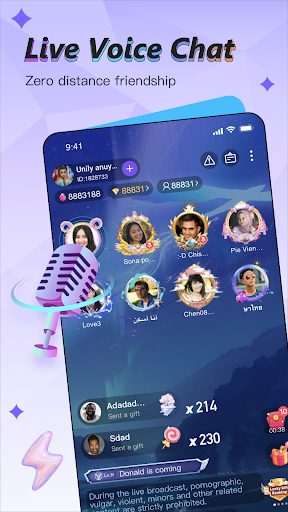
Papaya Live is one of the most popular social chat applications in Southeast Asia. It allows you to chat with new friends all over the world in real time. At the same time, you can watch live broadcasts of beauties from all over the world to make your social chat experience easier, meet interesting new friends from all over the world, and express your likes by receiving and sending virtual gifts.
Papaya Live is committed to connecting the world so that everyone can share their beautiful moments and inspire the social life of young users around the world.
Live broadcast
--We are an open platform with 24 hours of uninterrupted entertainment, watching anytime, anywhere. As an anchor, you can sing, dance, chat and interact with users, show your talents, and become friends with other like-minded anchors; as a user, you can watch your favorite anchors, become their fans, and communicate with them.
Entertainment community
--Papaya Live is a community based on mutual respect among users, have fun, spend pleasant and relaxing time. With many beautiful people by your side, you will never be bored and you will be able to make many sincere friends.
Security and privacy
--You can directly video chat with your favorite anchor one-on-one, enjoy the close interaction with the anchor face to face, and chat happily every second. For your safety, video chat will provide you with more privacy protection, and other users cannot access your video and voice chat records.
Virtual props
--All kinds of exquisite gifts, you can buy some gifts to support your favorite anchor, so as to attract the attention of everyone in the live broadcast, and improve your own level and get a high level. There are also VIP exclusive privileges and status symbols, and entry vehicles and avatar frames can be purchased to stand out from the crowd.
More exciting content, all in Papaya Live, come and download it! ~
Please pay attention to the latest information and feedback:
Facebook: https://www.facebook.com/papaya.enr/
Instagram: https://www.instagram.com/papaya_ent/
Official contact email: papayalive2020@gmail.com
Official WhatsApp: +852 56135886
If you want to become our anchor agent and bring more content experience to users:
Institution settled email: 54438745wangbao@gmail.com
Institutions settled in WhatsApp: +852 54438745
Your feedback helps us improve Papaya Live.
any question? Please contact us through the above contact information, thank you.
もっと見る

1. MEmuインストーラーをダウンロードしてセットアップを完了する

2. MEmuを起動し、デスクトップでのPlayストアを開く

3. PlayストアでPapaya Live-Live Stream,Showを検索する
Install
4. Papaya Live-Live Stream,Showをダウンロードしてインストールする
5. インストールが完了したら、アイコンをクリックしてスタート

6. MEmuを使ってパソコンでPapaya Live-Live Stream,Showを体験する
MEmu Playは現在、最高の無料Androidエミュレーターであり、5,000万人のユーザーが優れたAndroidアプリ体験を楽しんでいます。MEmuの仮想化テクノロジーにより、数千ものAndroidアプリをコンピューターでスムーズに実行できます。
大画面でより精細;無限の待機、電池とドラフィックの極限を超え
キーボード・マウス・コントローラーを全力でサポート、より快適
マルチインスタンスで複数のゲームを同時に実行
Use Papaya Live-Live Stream,Show on PC by following steps: