DeeptoPlay - OTT of Deepto TV
更新日
現在のバージョン
2.2.11
提供元

スマートフォンは不要!パソコンと同じようにキーボードとマウスで操作できます。MEmu Playは、あなたが待ち望んでいたすべての楽しみをお届けします。バッテリー残量や小さな画面を気にすることなく、DeeptoPlay - OTT of Deepto TVをご利用ください。最新のMEmu 9は、DeeptoPlay - OTT of Deepto TVをPCで体験するのに最適です!完璧なキーマッピングシステムにより、PCのようなスムーズな操作性を実現します。マルチインスタンス機能により、複数のアプリケーションを同時に実行できます。独自の仮想化エンジンがPCのパフォーマンスを最大限に引き出します。アプリを使用するだけでなく、高品質な体験を得ることができます。
もっと見る
MEmu Playを使えば、PCでDeeptoPlay - OTT of Deepto TVを快適に楽しめます。何千ものAndroidアプリをデスクトップ版で利用できる、パワフルな無料Androidエミュレーターです。友達とつながり、より効率的に作品を磨き上げましょう! DeeptoPlay に登録して、Deepto TV & 広告なしのコンテンツの前に楽しみましょう!
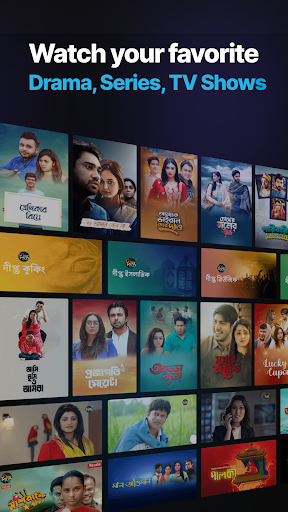
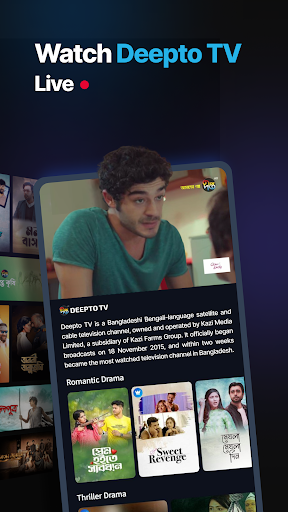
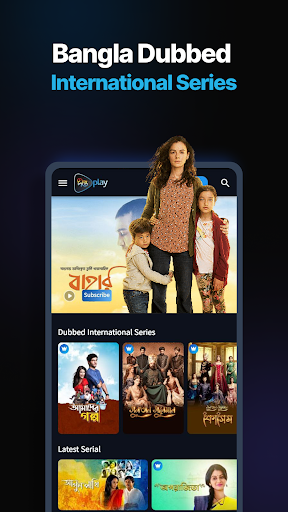
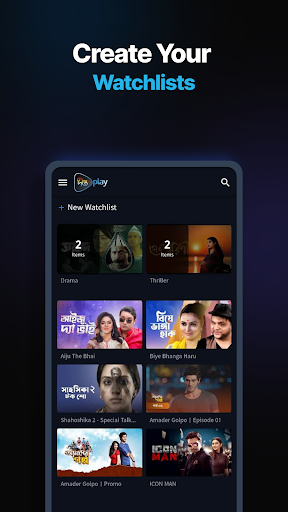
DeeptoPlay に登録して、Deepto TV & 広告なしのコンテンツの前に楽しみましょう!
新しく改善された DeeptoPlay アプリを使用すると、心ゆくまでスムーズかつ超高速でストリーミングできます!
DeeptoPlay に参加する理由:
• バングラ映画と映画
•バングラメガシリアルとドラマ
• Deepto TV のテレビ放送の前に、お気に入りの Deepto TV 番組の最新エピソードを視聴
• お気に入りの Deepto Originals とシリーズを視聴する
• スマート検索
• パーソナライズされたおすすめ
• シームレスなビデオ再生
Deepto TV Shows: お気に入りの番組をいつでもどこでも無料で視聴できます!
メガ シリアル: DeeptoPlay には最大数のメガ シリアルが用意されています。
DeeptoPlay のベスト オブ インターナショナル シリーズ: 世界中の最高の番組をご覧ください。ここで素晴らしいトルコ語、韓国語、スペイン語のショーをご覧ください。
ミュージック ショー: ミュージカル ショーのすばらしいライブラリで、最新の音楽を楽しみましょう。
免責事項: 一部のコンテンツの利用可能性は、個々の国または地域のコンテンツの権利に基づいて異なる場合があります。
私たちをご覧ください:https://www.deeptoplay.com/
詳細については、利用規約を参照してください: https://www.deeptoplay.com/page/terms-of-use
プライバシー ポリシーの詳細については、https://www.deeptoplay.com/page/privacy-policy をご覧ください。
もっと見る

1. MEmuインストーラーをダウンロードしてセットアップを完了する

2. MEmuを起動し、デスクトップでのPlayストアを開く

3. PlayストアでDeeptoPlay - OTT of Deepto TVを検索する
Install
4. DeeptoPlay - OTT of Deepto TVをダウンロードしてインストールする
5. インストールが完了したら、アイコンをクリックしてスタート

6. MEmuを使ってパソコンでDeeptoPlay - OTT of Deepto TVを体験する
MEmu Playは現在、最高の無料Androidエミュレーターであり、5,000万人のユーザーが優れたAndroidアプリ体験を楽しんでいます。MEmuの仮想化テクノロジーにより、数千ものAndroidアプリをコンピューターでスムーズに実行できます。
大画面でより精細;無限の待機、電池とドラフィックの極限を超え
キーボード・マウス・コントローラーを全力でサポート、より快適
マルチインスタンスで複数のゲームを同時に実行
Use DeeptoPlay - OTT of Deepto TV on PC by following steps: