FalconCast TV
更新日
現在のバージョン
1.2
提供元

スマートフォンは不要!パソコンと同じようにキーボードとマウスで操作できます。MEmu Playは、あなたが待ち望んでいたすべての楽しみをお届けします。バッテリー残量や小さな画面を気にすることなく、FalconCast TVをご利用ください。最新のMEmu 9は、FalconCast TVをPCで体験するのに最適です!完璧なキーマッピングシステムにより、PCのようなスムーズな操作性を実現します。マルチインスタンス機能により、複数のアプリケーションを同時に実行できます。独自の仮想化エンジンがPCのパフォーマンスを最大限に引き出します。アプリを使用するだけでなく、高品質な体験を得ることができます。
もっと見る
MEmu Playを使えば、PCでFalconCast TVを快適に楽しめます。何千ものAndroidアプリをデスクトップ版で利用できる、パワフルな無料Androidエミュレーターです。友達とつながり、より効率的に作品を磨き上げましょう! FalconCast is an intuitive m3u playlist player that helps you organize and enjoy your media streams in one clean, easy-to-use place.
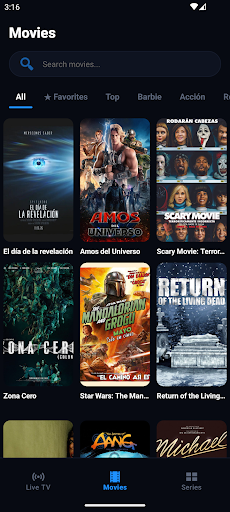
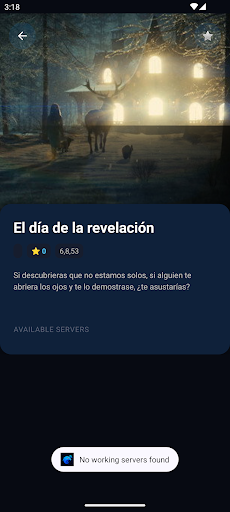
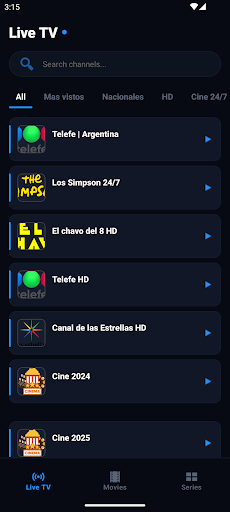
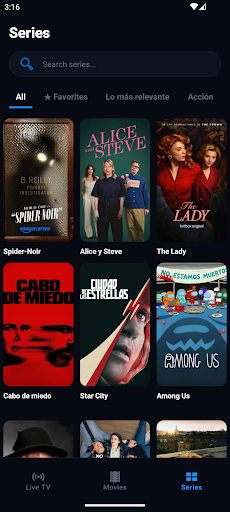
FalconCast is an intuitive m3u playlist player that helps you organize and enjoy your media streams in one clean, easy-to-use place. Import your existing m3u files, sort your content, and start watching or listening with a streamlined interface focused on clarity and control.
Easily import playlists
Add m3u files to FalconCast from your device storage or supported locations. The app reads your playlist entries and presents them in a structured list so you can get to your favorite streams quickly without manual setup every time.
Clean, simple player
Focus on your content with a minimal player designed for smooth playback. Switch between items in your playlist, adjust basic playback controls, and manage your viewing or listening sessions without distractions.
Organize your content
Group related items, rename entries, and keep your playlists tidy so large m3u collections stay manageable. The goal of FalconCast is to make it easier to navigate long lists and find the streams you care about most.
Multi-playlist support
Keep multiple m3u playlists available and switch between them when needed. This lets you separate content types into their own lists, keeping things better organized and easier to manage inside FalconCast.
FalconCast is intended for users who already have m3u files and want a practical way to play and organize them in a single application, with straightforward controls and an interface focused on clarity.
If you are looking for an app to handle existing m3u playlists, help keep them structured, and make switching between entries simple, this player is designed to support that everyday use case without unnecessary complexity.
By using FalconCast, you remain in control of your own playlists and how you access them within the app.
もっと見る

1. MEmuインストーラーをダウンロードしてセットアップを完了する

2. MEmuを起動し、デスクトップでのPlayストアを開く

3. PlayストアでFalconCast TVを検索する
Install
4. FalconCast TVをダウンロードしてインストールする
5. インストールが完了したら、アイコンをクリックしてスタート

6. MEmuを使ってパソコンでFalconCast TVを体験する
MEmu Playは現在、最高の無料Androidエミュレーターであり、5,000万人のユーザーが優れたAndroidアプリ体験を楽しんでいます。MEmuの仮想化テクノロジーにより、数千ものAndroidアプリをコンピューターでスムーズに実行できます。
大画面でより精細;無限の待機、電池とドラフィックの極限を超え
キーボード・マウス・コントローラーを全力でサポート、より快適
マルチインスタンスで複数のゲームを同時に実行
Use FalconCast TV on PC by following steps: