HomeUP
更新日
現在のバージョン
3.19.1
提供元

スマートフォンは不要!パソコンと同じようにキーボードとマウスで操作できます。MEmu Playは、あなたが待ち望んでいたすべての楽しみをお届けします。バッテリー残量や小さな画面を気にすることなく、HomeUPをご利用ください。最新のMEmu 9は、HomeUPをPCで体験するのに最適です!完璧なキーマッピングシステムにより、PCのようなスムーズな操作性を実現します。マルチインスタンス機能により、複数のアプリケーションを同時に実行できます。独自の仮想化エンジンがPCのパフォーマンスを最大限に引き出します。アプリを使用するだけでなく、高品質な体験を得ることができます。
もっと見る
HomeUPをPCでダウンロード!大画面でより楽しむ。電源が落ちてしまうとか通信料が足りないとかの問題を心配する必要がなく、PCの大画面でより快適にゲームを楽しましょう! Discover the power of our loyalty app!

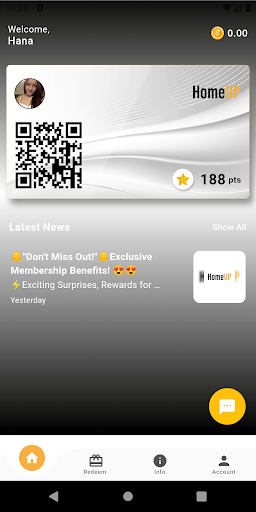

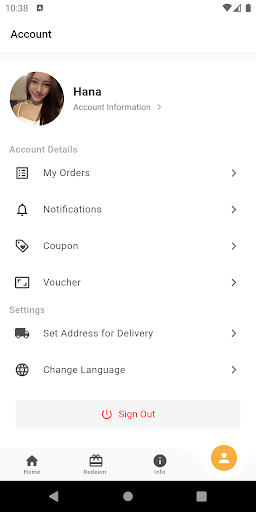
Discover the power of our loyalty app! As a valued customer, downloading our app unlocks a world of benefits just for you. Here's why you should get it:
ELEVATE YOUR PRIVILEGE
Every cent you spend with us counts towards your privilege level. As you accumulate points through your purchases, you'll progress to higher levels of privilege, unlocking exciting rewards and VIP perks. Enjoy personalized experiences, priority access, and special treatment that sets you apart.
UNLOCK EXCLUSIVE DISCOUNTS
With our coupons, you gain access to special discounts and offers that are exclusive to app users. Save money on your favourite products and services, and keep an eye out for mysterious coupons that bring even more surprises and savings your way.
SEAMLESS CONVENIENCE
Say goodbye to traditional loyalty cards and paper coupons. Our app puts everything at your fingertips. Easily track your points, view your rewards, and redeem them hassle-free. Our user-friendly interface ensures a seamless and enjoyable experience every time.
STAY INFORMED
Be the first to know about the latest news, product launches, and promotions. Our app keeps you updated with real-time notifications, ensuring you never miss out on exciting opportunities and limited-time offers.
EXCLUSIVE VIP BENEFITS
As a loyal member, you'll gain access to exclusive VIP benefits and perks. Enjoy priority customer support, early access to new products or services, exclusive event invitations, and much more. Be treated like a VIP wherever you go and indulge in a world of special privileges.
Your loyalty deserves to be rewarded, and we're here to make it happen.
もっと見る

1. MEmuインストーラーをダウンロードしてセットアップを完了する

2. MEmuを起動し、デスクトップでのPlayストアを開く

3. PlayストアでHomeUPを検索する
Install
4. HomeUPをダウンロードしてインストールする
5. インストールが完了したら、アイコンをクリックしてスタート

6. MEmuを使ってパソコンでHomeUPを体験する
MEmu Playは現在、最高の無料Androidエミュレーターであり、5,000万人のユーザーが優れたAndroidアプリ体験を楽しんでいます。MEmuの仮想化テクノロジーにより、数千ものAndroidアプリをコンピューターでスムーズに実行できます。
大画面でより精細;無限の待機、電池とドラフィックの極限を超え
キーボード・マウス・コントローラーを全力でサポート、より快適
マルチインスタンスで複数のゲームを同時に実行
Use HomeUP on PC by following steps: