HP Support Assistant
更新日
現在のバージョン
3.1.0
提供元

スマートフォンは不要!パソコンと同じようにキーボードとマウスで操作できます。MEmu Playは、あなたが待ち望んでいたすべての楽しみをお届けします。バッテリー残量や小さな画面を気にすることなく、HP Support Assistantをご利用ください。最新のMEmu 9は、HP Support AssistantをPCで体験するのに最適です!完璧なキーマッピングシステムにより、PCのようなスムーズな操作性を実現します。マルチインスタンス機能により、複数のアプリケーションを同時に実行できます。独自の仮想化エンジンがPCのパフォーマンスを最大限に引き出します。アプリを使用するだけでなく、高品質な体験を得ることができます。
もっと見る
MEmu Playを使えば、PCでHP Support Assistantを快適に楽しめます。何千ものAndroidアプリをデスクトップ版で利用できる、パワフルな無料Androidエミュレーターです。友達とつながり、より効率的に作品を磨き上げましょう! Get the most out of your HP PCs and printers using HP Support Assistant Mobile.
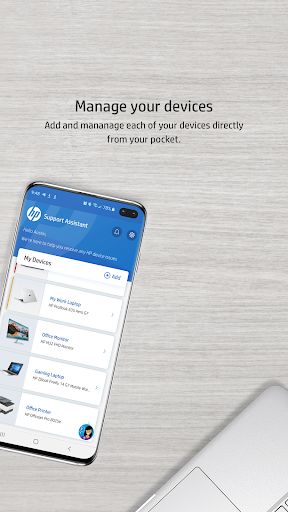
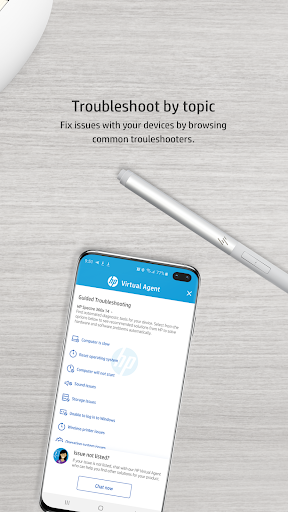
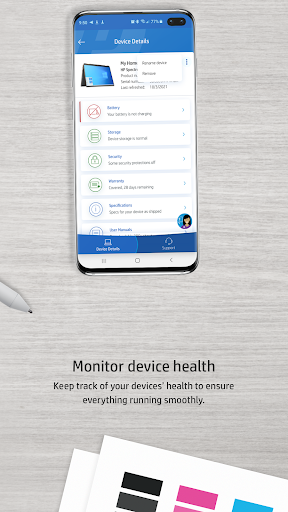
Get the most out of your HP PCs and printers using HP Support Assistant Mobile. With HP Support Assistant Mobile, it’s easy to maintain your PCs and printers and resolve problems with support notifications, device status, and guided assistance. HP Support Assistant Mobile makes it easier than ever to own and use your PCs and printers.
Key Features:
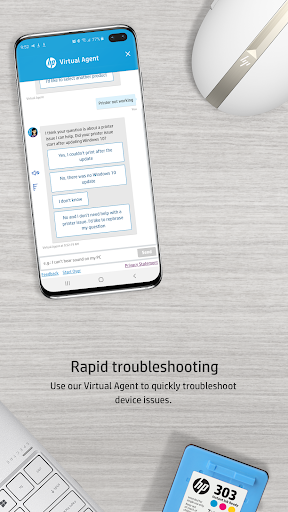
• Need help? Use our guided troubleshooters or the new Virtual Agent* to solve common problems like a slow computer or audio issues.
• When a little more hands-on help is required, choose from a variety of contact options in the Support section including the new Service Center Locator*.
• Monitor device details ranging from the ink levels on your printer to the battery, storage, and security health of your PCs.
• Need more ink or a new hard drive? Get links to order replacement parts and receive shipment updates* in the app.
* Available in selected countries
* Not recommended for tablets
もっと見る

1. MEmuインストーラーをダウンロードしてセットアップを完了する

2. MEmuを起動し、デスクトップでのPlayストアを開く

3. PlayストアでHP Support Assistantを検索する
Install
4. HP Support Assistantをダウンロードしてインストールする
5. インストールが完了したら、アイコンをクリックしてスタート

6. MEmuを使ってパソコンでHP Support Assistantを体験する
MEmu Playは現在、最高の無料Androidエミュレーターであり、5,000万人のユーザーが優れたAndroidアプリ体験を楽しんでいます。MEmuの仮想化テクノロジーにより、数千ものAndroidアプリをコンピューターでスムーズに実行できます。
大画面でより精細;無限の待機、電池とドラフィックの極限を超え
キーボード・マウス・コントローラーを全力でサポート、より快適
マルチインスタンスで複数のゲームを同時に実行
Use HP Support Assistant on PC by following steps: