
JuiceSSH - SSH Client
更新日
現在のバージョン
3.2.2
提供元

スマートフォンは不要!パソコンと同じようにキーボードとマウスで操作できます。MEmu Playは、あなたが待ち望んでいたすべての楽しみをお届けします。バッテリー残量や小さな画面を気にすることなく、JuiceSSH - SSH Clientをご利用ください。最新のMEmu 9は、JuiceSSH - SSH ClientをPCで体験するのに最適です!完璧なキーマッピングシステムにより、PCのようなスムーズな操作性を実現します。マルチインスタンス機能により、複数のアプリケーションを同時に実行できます。独自の仮想化エンジンがPCのパフォーマンスを最大限に引き出します。アプリを使用するだけでなく、高品質な体験を得ることができます。
もっと見る
JuiceSSH - SSH ClientをPCでダウンロード!大画面でより楽しむ。電源が落ちてしまうとか通信料が足りないとかの問題を心配する必要がなく、PCの大画面でより快適にゲームを楽しましょう! SSH, ローカルシェル, Mosh, Telnet をサポートした全部入りのAndroid用クライアント。
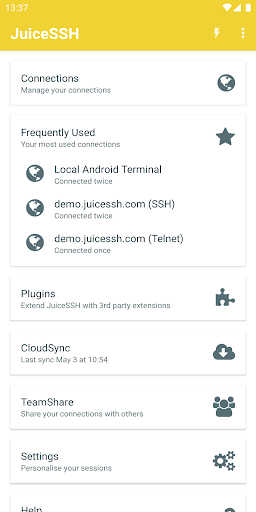
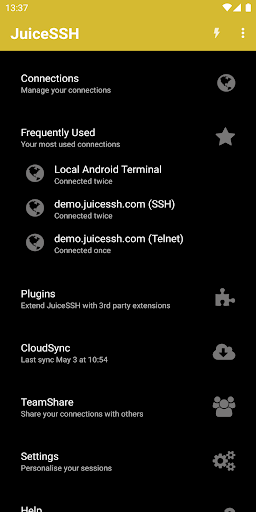
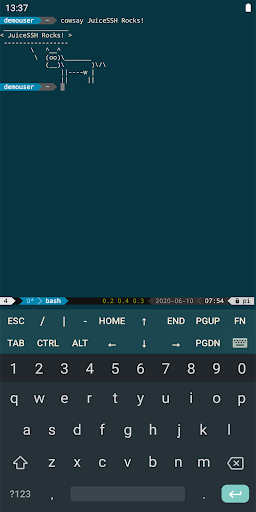
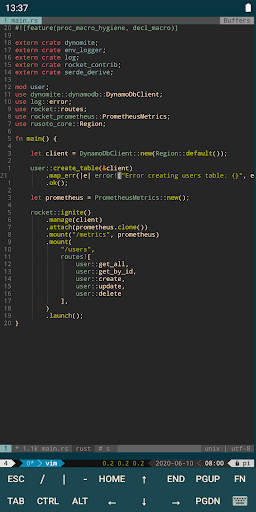
SSH, ローカルシェル, Mosh, Telnet をサポートした全部入りのAndroid用クライアント。
機能:
- フルカラーのターミナルや SSH クライアント
- 通常、入力が困難な特殊文字のポップアップキーボード
- ボリュームキーで即座にフォントサイズを変更
- 外部キーボードのサポート
- Gestures for irssi, weechat, tmux and screen
- コミュニティやサードパーティーによるプラグイン
- Mosh の公式サポート (http://mosh.mit.edu)
- Telnet をサポート
- Android のローカルターミナルをサポート
- Dark, Light, 80's hacker, Molokai, Solarized Dark and Solarized Light terminal color themes
For an overview of solarized color scheme and why it rocks for terminal usage check out http://ethanschoonover.com/solarized
- URL をクリックしてブラウザーで開く
- セッション内でコピー&ペースト
- Save / Share SSH transcripts to Dropbox/Evernote/Email & SD card
- UTF-8 文字セットをサポート
- 接続をグループで簡単に管理
- 複数のSSHセッションをバックグラウンドで接続したままに
- Seamlessly connect 'via' other SSH connections with one click
- Immediate access when you open the app to your frequently used connections
- IPv6 をサポート
- パスワードと OpenSSH のプライベートキーをサポート (ECDSA, RSA and DSA)
- RSA key ジェネレーター (encryption supported)
- SSH key agent forwarding
- 二段階認証をサポート (例: Google Authenticator)
- Identities (users/password/keys) are abstracted from connections. Instead of updating every connection when you change your password - just update the identity and any connections linked to it will use the new password/key.
- zlib compression to improve SSH sessions on high latency connections
プロ版の機能 (アプリ内購入オプション):
- Quick and easy port forwards that can be connected to via the app or widget and can automatically open in a browser if required.
- Integrate with Amazon AWS / EC2, synchronise connections and automatically group servers based on their class or security groups.
- セキュリティを保って複数のデバイス間ですべてを同期
- すべての接続と設定を AES-256 で暗号化して自動バックアップ
- A beautiful widget for fast access to either your frequently used connections, or a specific group (Android 3.0+).
- Team collaboration. Share your groups of connections with team members and start working together instead of separately.
- Handy snippets library for quick access to your frequently used commands
- Security lock to automatically protect JuiceSSH after a period of inactivity
For a detailed overview of this applications permissions and how each one is used in our ssh client please see https://juicessh.com/permissions
もっと見る

1. MEmuインストーラーをダウンロードしてセットアップを完了する

2. MEmuを起動し、デスクトップでのPlayストアを開く

3. PlayストアでJuiceSSH - SSH Clientを検索する
Install
4. JuiceSSH - SSH Clientをダウンロードしてインストールする
5. インストールが完了したら、アイコンをクリックしてスタート

6. MEmuを使ってパソコンでJuiceSSH - SSH Clientを体験する
MEmu Playは現在、最高の無料Androidエミュレーターであり、5,000万人のユーザーが優れたAndroidアプリ体験を楽しんでいます。MEmuの仮想化テクノロジーにより、数千ものAndroidアプリをコンピューターでスムーズに実行できます。
大画面でより精細;無限の待機、電池とドラフィックの極限を超え
キーボード・マウス・コントローラーを全力でサポート、より快適
マルチインスタンスで複数のゲームを同時に実行
Use JuiceSSH - SSH Client on PC by following steps: