Lawnchair Legacy
更新日
現在のバージョン
1575452190
提供元

スマートフォンは不要!パソコンと同じようにキーボードとマウスで操作できます。MEmu Playは、あなたが待ち望んでいたすべての楽しみをお届けします。バッテリー残量や小さな画面を気にすることなく、Lawnchair Legacyをご利用ください。最新のMEmu 9は、Lawnchair LegacyをPCで体験するのに最適です!完璧なキーマッピングシステムにより、PCのようなスムーズな操作性を実現します。マルチインスタンス機能により、複数のアプリケーションを同時に実行できます。独自の仮想化エンジンがPCのパフォーマンスを最大限に引き出します。アプリを使用するだけでなく、高品質な体験を得ることができます。
もっと見る
Lawnchair LegacyをPCでダウンロード!大画面でより楽しむ。電源が落ちてしまうとか通信料が足りないとかの問題を心配する必要がなく、PCの大画面でより快適にゲームを楽しましょう! Lawnchair Legacy is an older, feature-complete version of Lawnchair based on Launcher3 from Android 9.
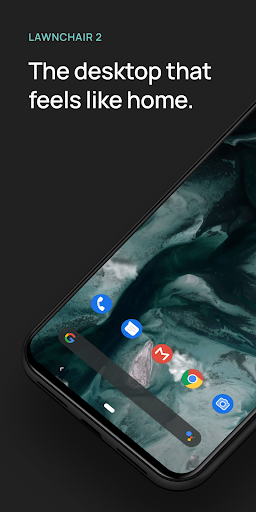
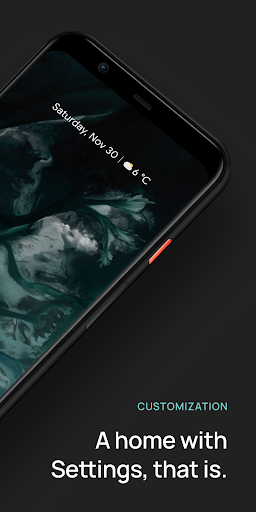
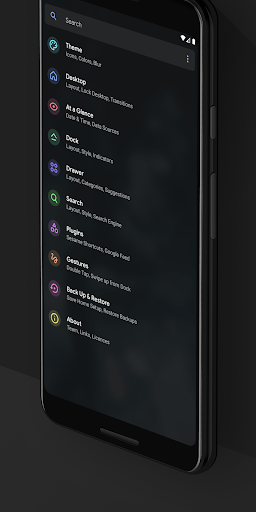
Lawnchair Legacy is an older, feature-complete version of Lawnchair based on Launcher3 from Android 9.
This version is in maintenance mode only, so only critical updates relating to Play Store and security will be made.
Key Features
— Support for Adaptive Icons.
— Flexible Desktop, Dock, and Drawer.
— Drawer Categories (Tabs & Folders).
— Integration with Android Recents.¹
— Automatic Dark Mode.
— Contextual data in At a Glance.
— Notification Dots.
— Integration with Google Feed and Homefeeder.²
Get Support
— twitter.com/lawnchairapp.
— t.me/lccommunity.
1. Requires QuickSwitch (t.me/QuickstepSwitcherReleases). Works on Android 9.
2. Requires Lawnfeed (lawnchair.app/lawnfeed) and Homefeeder (t.me/homefeeder) respectively.
Note: this release doesn’t officially support Android 10.
Lawnchair uses the AccessibilityService permission for optional support of making certain system functions more accessible, such as with desktop gestures, like turning the screen off. Lawnchair will automatically prompt you to enable this if it is necessary for your configuration; for many cases it is not! No data is collected from the AccessibilityService; it is merely used to invoke system actions.
Lawnchair uses the Device Administrator permission to lock the screen when a selected gesture is detected. This is optional and disabled by default.
もっと見る

1. MEmuインストーラーをダウンロードしてセットアップを完了する

2. MEmuを起動し、デスクトップでのPlayストアを開く

3. PlayストアでLawnchair Legacyを検索する
Install
4. Lawnchair Legacyをダウンロードしてインストールする
5. インストールが完了したら、アイコンをクリックしてスタート

6. MEmuを使ってパソコンでLawnchair Legacyを体験する
MEmu Playは現在、最高の無料Androidエミュレーターであり、5,000万人のユーザーが優れたAndroidアプリ体験を楽しんでいます。MEmuの仮想化テクノロジーにより、数千ものAndroidアプリをコンピューターでスムーズに実行できます。
大画面でより精細;無限の待機、電池とドラフィックの極限を超え
キーボード・マウス・コントローラーを全力でサポート、より快適
マルチインスタンスで複数のゲームを同時に実行
Use Lawnchair Legacy on PC by following steps: