Lemur Browser - extensions
更新日
現在のバージョン
2.7.2.019
提供元

スマートフォンは不要!パソコンと同じようにキーボードとマウスで操作できます。MEmu Playは、あなたが待ち望んでいたすべての楽しみをお届けします。バッテリー残量や小さな画面を気にすることなく、Lemur Browser - extensionsをご利用ください。最新のMEmu 9は、Lemur Browser - extensionsをPCで体験するのに最適です!完璧なキーマッピングシステムにより、PCのようなスムーズな操作性を実現します。マルチインスタンス機能により、複数のアプリケーションを同時に実行できます。独自の仮想化エンジンがPCのパフォーマンスを最大限に引き出します。アプリを使用するだけでなく、高品質な体験を得ることができます。
もっと見る
Lemur Browser - extensionsをPCでダウンロード!大画面でより楽しむ。電源が落ちてしまうとか通信料が足りないとかの問題を心配する必要がなく、PCの大画面でより快適にゲームを楽しましょう! Lemur Browser is a browser that support Google extensions and edge extensions.
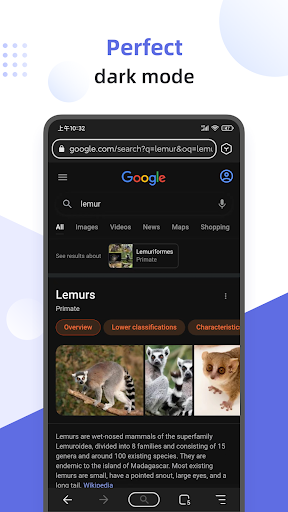
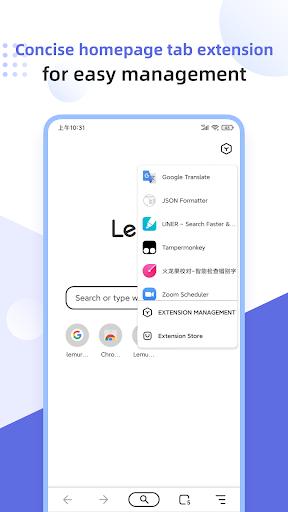
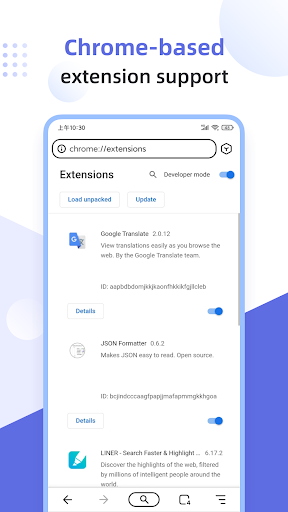
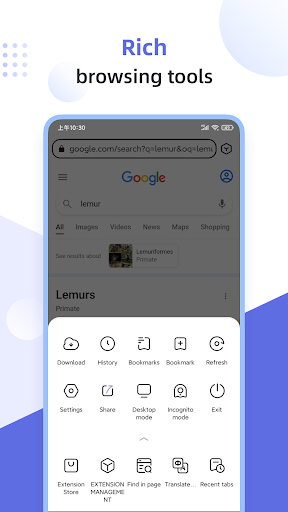
Lemur Browser is a browser that support Google extensions and edge extensions. and it also support Tampermonkey.
It can bring users a pure browsing experience. The browser is based on a new Chromium high-speed kernel engine and a variety of extensions make your browser full of personality, making it possible to customize the browser! Users can easily browse information, read news, watch videos and listen to music. Based on the Blink rendering engine and V8 engine of Google Chrome, it inherits the excellent architecture of Chromium, so you will quickly adapt to the Lemur Browser.
Support extensions, such as Tampermonkey extension, Clean Master from Google, Google Translation, Grammar Checker extension, Adguard Adblocker, Adblock, Dark Reader, Bitwarden, Global Speed, and so on.
Browser within extensions store. It support Chrome Web Store and Microsoft Edge Development.
Browser with extensions management, which can easily uninstall and stop using extensions.
Support local extensions. It support local import of crx extensions.
Search engine management. Baidu is the default search engine and users can quickly switch among Google, Sougou, Shenma, Being, 360haosou, Yandex, DuckDuckGo and custom search.
High-definition wallpaper. You can quickly change the wallpaper of homepage. The browser contains many kinds of wallpapers such as ocean, landscape, animals, anime, sport, etc. These wallpapers are all from Unsplash wallpapers. You can also custom upload your own wallpapers.
Homepage management. You can quickly add icons to your homepage from built-in library of well-designed icons. Custom icons can also be added to the homepage.
QR code scanning function. Support local QR code import and recognition, generate QR code for any webpage and share it with others.
Convenient tag management. Icons are tiled on the home page and can be managed in groups, making the home page clear at a glance.
Nearly perfect dark mode. Users can enjoy the ultimate darkness.
Privacy Mode. Turn on the privacy mode, you can turn into a private browser with one click.
Thank you for downloading and using Lemur Browser. If you meet any problems such as bugs, crashes or needs during use, you can give feedback and discuss in Rabbit Nest. You can also visit the Lemur Browser official website (https://www.lemurbrowser.com/) to learn more.
もっと見る

1. MEmuインストーラーをダウンロードしてセットアップを完了する

2. MEmuを起動し、デスクトップでのPlayストアを開く

3. PlayストアでLemur Browser - extensionsを検索する
Install
4. Lemur Browser - extensionsをダウンロードしてインストールする
5. インストールが完了したら、アイコンをクリックしてスタート

6. MEmuを使ってパソコンでLemur Browser - extensionsを体験する
MEmu Playは現在、最高の無料Androidエミュレーターであり、5,000万人のユーザーが優れたAndroidアプリ体験を楽しんでいます。MEmuの仮想化テクノロジーにより、数千ものAndroidアプリをコンピューターでスムーズに実行できます。
大画面でより精細;無限の待機、電池とドラフィックの極限を超え
キーボード・マウス・コントローラーを全力でサポート、より快適
マルチインスタンスで複数のゲームを同時に実行
Use Lemur Browser - extensions on PC by following steps: