Live2DViewerEX
更新日
現在のバージョン
24.7.0901
提供元

スマートフォンは不要!パソコンと同じようにキーボードとマウスで操作できます。MEmu Playは、あなたが待ち望んでいたすべての楽しみをお届けします。バッテリー残量や小さな画面を気にすることなく、Live2DViewerEXをご利用ください。最新のMEmu 9は、Live2DViewerEXをPCで体験するのに最適です!完璧なキーマッピングシステムにより、PCのようなスムーズな操作性を実現します。マルチインスタンス機能により、複数のアプリケーションを同時に実行できます。独自の仮想化エンジンがPCのパフォーマンスを最大限に引き出します。アプリを使用するだけでなく、高品質な体験を得ることができます。
もっと見る
Live2DViewerEXをPCでダウンロード!大画面でより楽しむ。電源が落ちてしまうとか通信料が足りないとかの問題を心配する必要がなく、PCの大画面でより快適にゲームを楽しましょう! ■Before you install please note: .

■Before you install please note:
- This is the mobile version of the app on Steam, you need to buy it on Steam or watch ads to get points for downloading models.
■Steam store page
https://store.steampowered.com/app/616720/Live2DViewerEX/
■Features:
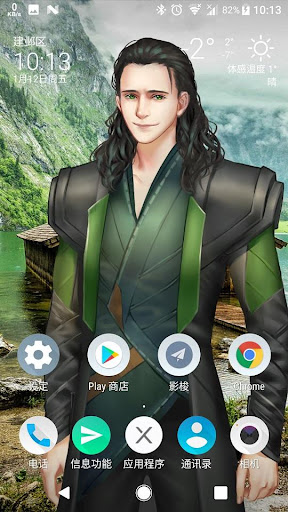
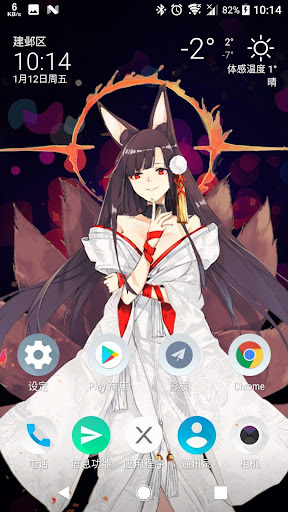
- Set Live2D Live Wallpaper
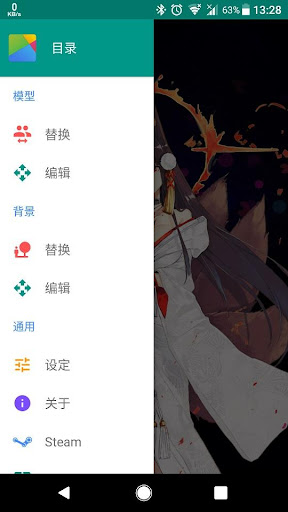
- Load Live2D model including Steam Workshop model, LPK model and Json model
- Custom model position, size and rotation, custom text bubble display
- Set images and videos as background, support panoramic images and videos
- Snapshot: save and load wallpaper configuration
- Double models display
- Slideshow for background and scene
- Touch Effect
- Clock Widget
- Built-in Workshop
- Supports Cubism SDK 3 / 4
- Ultra-rich interactive features and unlimited model expansion
■Note:
- Live Wallpaper consumes more battery when the screen is turned on for a long period of time (it is paused when the screen is off). It is not recommended to play for a long time.
- Please read carefully the pop-up dialog box in the application
- Since it is currently in beta, memory and other resource consumption need to be optimized
- Supported languages: English, Simplified Chinese, Traditional Chinese, Japanese
- Microphone permission is for controling some models
もっと見る

1. MEmuインストーラーをダウンロードしてセットアップを完了する

2. MEmuを起動し、デスクトップでのPlayストアを開く

3. PlayストアでLive2DViewerEXを検索する
Install
4. Live2DViewerEXをダウンロードしてインストールする
5. インストールが完了したら、アイコンをクリックしてスタート

6. MEmuを使ってパソコンでLive2DViewerEXを体験する
MEmu Playは現在、最高の無料Androidエミュレーターであり、5,000万人のユーザーが優れたAndroidアプリ体験を楽しんでいます。MEmuの仮想化テクノロジーにより、数千ものAndroidアプリをコンピューターでスムーズに実行できます。
大画面でより精細;無限の待機、電池とドラフィックの極限を超え
キーボード・マウス・コントローラーを全力でサポート、より快適
マルチインスタンスで複数のゲームを同時に実行
Use Live2DViewerEX on PC by following steps: