McDonald's
更新日
現在のバージョン
2
提供元

スマートフォンは不要!パソコンと同じようにキーボードとマウスで操作できます。MEmu Playは、あなたが待ち望んでいたすべての楽しみをお届けします。バッテリー残量や小さな画面を気にすることなく、McDonald'sをご利用ください。最新のMEmu 9は、McDonald'sをPCで体験するのに最適です!完璧なキーマッピングシステムにより、PCのようなスムーズな操作性を実現します。マルチインスタンス機能により、複数のアプリケーションを同時に実行できます。独自の仮想化エンジンがPCのパフォーマンスを最大限に引き出します。アプリを使用するだけでなく、高品質な体験を得ることができます。
もっと見る
McDonald'sをPCでダウンロード!大画面でより楽しむ。電源が落ちてしまうとか通信料が足りないとかの問題を心配する必要がなく、PCの大画面でより快適にゲームを楽しましょう! 今すぐアプリを入手して MyMcDonald's Rewards に参加し、お気に入りのマクドナルドで無料のポイントを獲得しましょう。
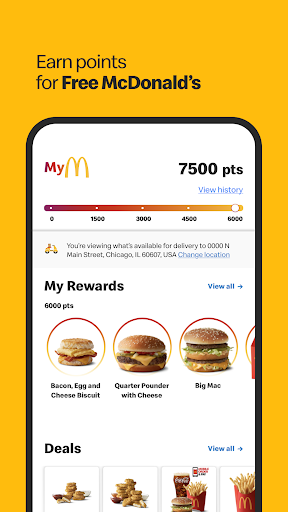
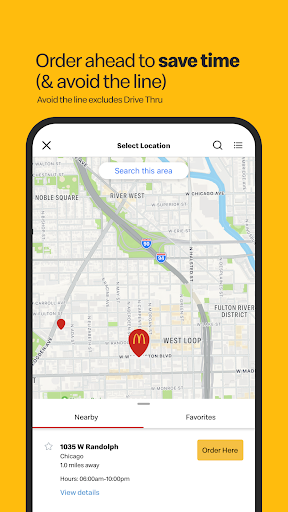
今すぐアプリを入手して MyMcDonald's Rewards に参加し、お気に入りのマクドナルドで無料のポイントを獲得しましょう。さらに、アプリで事前注文することで限定セールを入手し、時間を節約できます。*
モバイルオーダー&ペイ
モバイル オーダー アンド ペイでお気に入りをすぐに手に入れましょう。注文して受け取りオプションを選択してください。*
MyMcDonald's リワード
アプリで MyMcDonald's Rewards に参加すると、購入するたびにポイントを獲得し、無料のマクドナルドと引き換えることができます。*
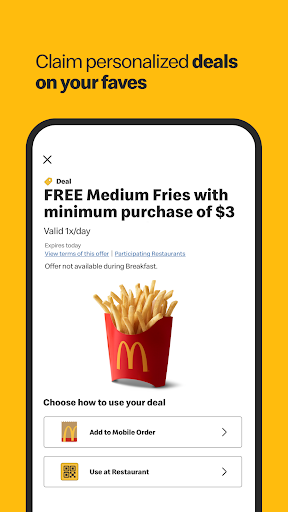
限定セールとアプリのオファー
非接触型のモバイル オーダー & ペイ* と便利なドライブスルーまたはカーブサイド ピックアップを利用して、アプリでマクドナルドのお気に入り商品の限定セールを入手しましょう。
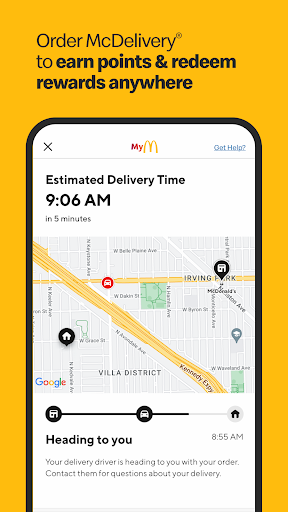
マックデリバリー
アプリ内のマックデリバリーを使用して、お気に入りの商品を配達し、MyMcDonald’s Rewards ポイントを獲得し、注文を追跡しましょう。
お気に入りを保存する
ピクルスはないの?問題ない。お気に入りをカスタマイズして保存すると、次回の訪問時にすぐに再注文できます。
レストラン検索
地図を開いて最寄りのマクドナルド、営業時間、レストラン情報を見つけます。
今すぐマクドナルド アプリをダウンロードして、限定セールや MyMcDonald’s Rewards などへのアクセスをお楽しみください。
※マックデリバリーの価格はレストランよりも高い場合があります。ダウンロードと登録が必要です。データ料金が適用される場合があります。マクドナルド アプリは現在スマートウォッチと互換性がありません。利用規約および詳細については、https://www.mcdonalds.com/us/en-us/terms-and-conditions.html をご確認ください。 © 2023 マクドナルド
もっと見る

1. MEmuインストーラーをダウンロードしてセットアップを完了する

2. MEmuを起動し、デスクトップでのPlayストアを開く

3. PlayストアでMcDonald'sを検索する
Install
4. McDonald'sをダウンロードしてインストールする
5. インストールが完了したら、アイコンをクリックしてスタート

6. MEmuを使ってパソコンでMcDonald'sを体験する
MEmu Playは現在、最高の無料Androidエミュレーターであり、5,000万人のユーザーが優れたAndroidアプリ体験を楽しんでいます。MEmuの仮想化テクノロジーにより、数千ものAndroidアプリをコンピューターでスムーズに実行できます。
大画面でより精細;無限の待機、電池とドラフィックの極限を超え
キーボード・マウス・コントローラーを全力でサポート、より快適
マルチインスタンスで複数のゲームを同時に実行
Use McDonald's on PC by following steps: