Movie box smooth & ultra
更新日
現在のバージョン
提供元

スマートフォンは不要!パソコンと同じようにキーボードとマウスで操作できます。MEmu Playは、あなたが待ち望んでいたすべての楽しみをお届けします。バッテリー残量や小さな画面を気にすることなく、Movie box smooth & ultraをご利用ください。最新のMEmu 9は、Movie box smooth & ultraをPCで体験するのに最適です!完璧なキーマッピングシステムにより、PCのようなスムーズな操作性を実現します。マルチインスタンス機能により、複数のアプリケーションを同時に実行できます。独自の仮想化エンジンがPCのパフォーマンスを最大限に引き出します。アプリを使用するだけでなく、高品質な体験を得ることができます。
もっと見る
MEmu Playを使えば、PCでMovie box smooth & ultraを快適に楽しめます。何千ものAndroidアプリをデスクトップ版で利用できる、パワフルな無料Androidエミュレーターです。友達とつながり、より効率的に作品を磨き上げましょう! Enjoy a simple and smooth video entertainment experience with Movie Box.
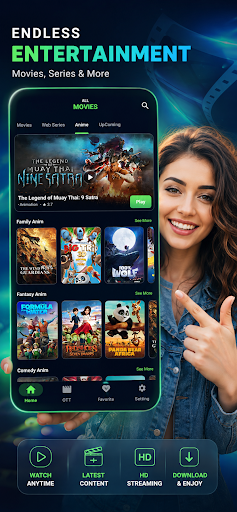
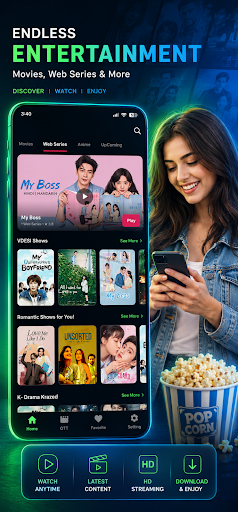
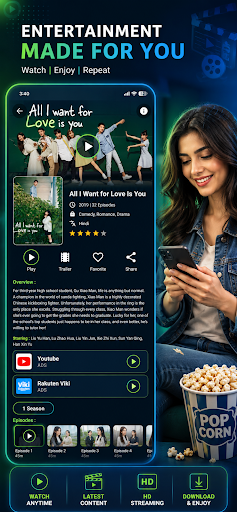
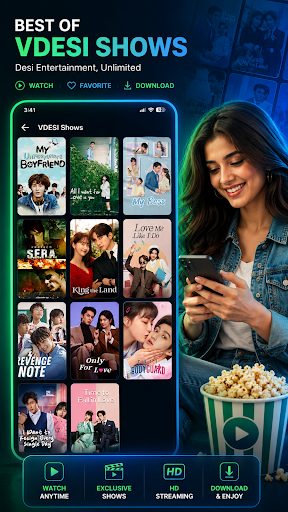
Enjoy a simple and smooth video entertainment experience with Movie Box. Discover an easy-to-use app designed for people who love watching and exploring video content in one convenient place.
Enjoy Video Entertainment
• Explore video content through a clean and straightforward entertainment experience designed for everyday viewing.
▶ Smooth Video Experience
• Enjoy comfortable playback with a simple interface that keeps your viewing experience easy and enjoyable.
Simple & Clean Design
• Navigate the app with ease. This app is designed with a clean layout so you can spend less time searching through menus and more time enjoying your entertainment.
Made for Everyday Viewing
• Whether you're relaxing at home or taking a quick entertainment break, This App provides a convenient way to enjoy video content.
Fast & Easy to Use
• Open the app, explore available content, and enjoy a straightforward entertainment experience without unnecessary complexity.
Why Choose?
• Simple and intuitive interface
• Smooth video playback experience
• Easy content discovery
• Designed for everyday entertainment
• Clean and user-friendly experience
• Convenient video entertainment in one app
Note:
• Movie Box is an independent video entertainment application and is not affiliated, endorsed by, or sponsored by any movie studio, streaming service, or other third-party brand.
• The app does not claim ownership of third-party content. Any third-party names, trademarks, logos, or content belong to their respective owners.
Download and enjoy a simple new way to explore video entertainment.
もっと見る

1. MEmuインストーラーをダウンロードしてセットアップを完了する

2. MEmuを起動し、デスクトップでのPlayストアを開く

3. PlayストアでMovie box smooth & ultraを検索する
Install
4. Movie box smooth & ultraをダウンロードしてインストールする
5. インストールが完了したら、アイコンをクリックしてスタート

6. MEmuを使ってパソコンでMovie box smooth & ultraを体験する
MEmu Playは現在、最高の無料Androidエミュレーターであり、5,000万人のユーザーが優れたAndroidアプリ体験を楽しんでいます。MEmuの仮想化テクノロジーにより、数千ものAndroidアプリをコンピューターでスムーズに実行できます。
大画面でより精細;無限の待機、電池とドラフィックの極限を超え
キーボード・マウス・コントローラーを全力でサポート、より快適
マルチインスタンスで複数のゲームを同時に実行
Use Movie box smooth & ultra on PC by following steps: