MyBL (My Banglalink)
更新日
現在のバージョン
11.17.0
提供元

スマートフォンは不要!パソコンと同じようにキーボードとマウスで操作できます。MEmu Playは、あなたが待ち望んでいたすべての楽しみをお届けします。バッテリー残量や小さな画面を気にすることなく、MyBL (My Banglalink)をご利用ください。最新のMEmu 9は、MyBL (My Banglalink)をPCで体験するのに最適です!完璧なキーマッピングシステムにより、PCのようなスムーズな操作性を実現します。マルチインスタンス機能により、複数のアプリケーションを同時に実行できます。独自の仮想化エンジンがPCのパフォーマンスを最大限に引き出します。アプリを使用するだけでなく、高品質な体験を得ることができます。
もっと見る
MyBL (My Banglalink)をPCでダウンロード!大画面でより楽しむ。電源が落ちてしまうとか通信料が足りないとかの問題を心配する必要がなく、PCの大画面でより快適にゲームを楽しましょう! With all the self-services of Banglalink at your fingertips, we are bringing MyBL as a Super App (Beta) for your enhanced digital lifestyle needs!
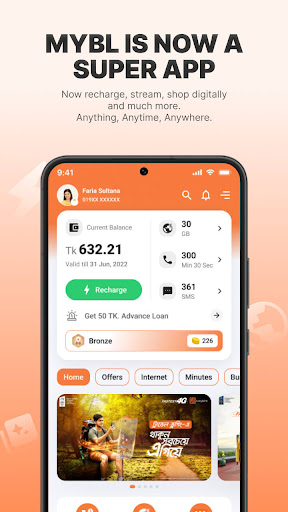
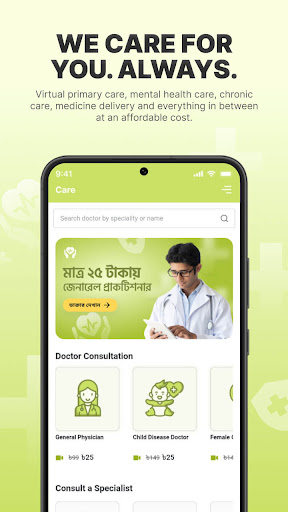
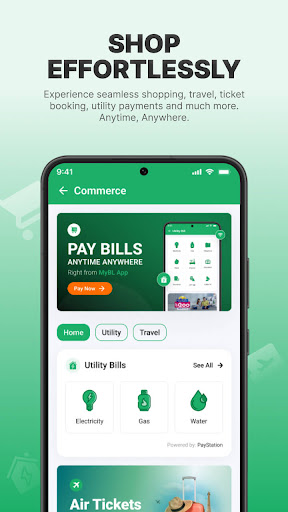
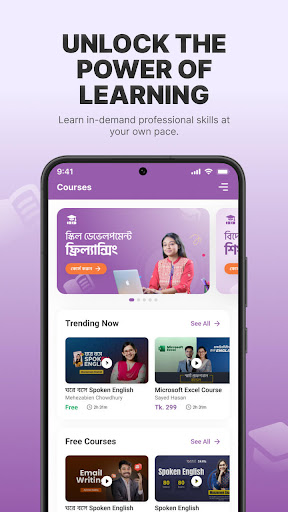
With all the self-services of Banglalink at your fingertips, we are bringing MyBL as a Super App (Beta) for your enhanced digital lifestyle needs! Entertainment, Learning, Utility bill, Ticketing, Health care and many more services along with essential services like checking your Balance, Dues, Usage history, Latest offers and much more are now available in the palm of your hand. Just log in to MyBL Super App and explore new possibilities!
Features:
* New user-friendly interface: With a more organized new interface, customers can easily find all the offers and services at one place.
Self-services: Customers will be able to buy all the Minute/Internet/Mixed/SMS bundles from the revamped MyBL Super App. They can also avail the following services whenever needed:
* Buy Amar offer more conveniently
* Recharge balance
* Take emergency balance
* Check balance
* Purchase internet pack
* Check latest offers
* Check usage history
* View USSD code list
* Manage FNF list
Digital Services:
Customers have more to have in the MyBL Super app now in Digital services section.
* Content: Exclusive music and radio to listen and exciting games to play
* Commerce: Pay your utility bills and plan your travel with our ticketing services
* Courses: Learn skills through online courses anytime, anywhere
* Care: Consult doctors and get medicine delivered at home
* Community: Earn more coins by taking part in quizzes, spin wheel and many more
Improved Accessibility
* Use the App even when you run out of internet
* No need to remember your password to login each time, just use OTP to login!
If you have any queries regarding MyBL Super App, please contact our Banglalink support team: info@banglalink.net
もっと見る

1. MEmuインストーラーをダウンロードしてセットアップを完了する

2. MEmuを起動し、デスクトップでのPlayストアを開く

3. PlayストアでMyBL (My Banglalink)を検索する
Install
4. MyBL (My Banglalink)をダウンロードしてインストールする
5. インストールが完了したら、アイコンをクリックしてスタート

6. MEmuを使ってパソコンでMyBL (My Banglalink)を体験する
MEmu Playは現在、最高の無料Androidエミュレーターであり、5,000万人のユーザーが優れたAndroidアプリ体験を楽しんでいます。MEmuの仮想化テクノロジーにより、数千ものAndroidアプリをコンピューターでスムーズに実行できます。
大画面でより精細;無限の待機、電池とドラフィックの極限を超え
キーボード・マウス・コントローラーを全力でサポート、より快適
マルチインスタンスで複数のゲームを同時に実行
Use MyBL (My Banglalink) on PC by following steps: