
Phone Call
更新日
現在のバージョン
1.19
提供元

スマートフォンは不要!パソコンと同じようにキーボードとマウスで操作できます。MEmu Playは、あなたが待ち望んでいたすべての楽しみをお届けします。バッテリー残量や小さな画面を気にすることなく、Phone Callをご利用ください。最新のMEmu 9は、Phone CallをPCで体験するのに最適です!完璧なキーマッピングシステムにより、PCのようなスムーズな操作性を実現します。マルチインスタンス機能により、複数のアプリケーションを同時に実行できます。独自の仮想化エンジンがPCのパフォーマンスを最大限に引き出します。アプリを使用するだけでなく、高品質な体験を得ることができます。
もっと見る
MEmu Playを使えば、PCでPhone Callを快適に楽しめます。何千ものAndroidアプリをデスクトップ版で利用できる、パワフルな無料Androidエミュレーターです。友達とつながり、より効率的に作品を磨き上げましょう! Phone Call – Organize, View & Take Action on Your Calls Instantly!
Phone Call – Organize, View & Take Action on Your Calls Instantly!
Phone Calls is a simple, smart, and efficient app designed to help you view your call history with ease. Whether you need to check missed calls, outgoing calls, or call details, this app provides a clean and organized interface for quick access.
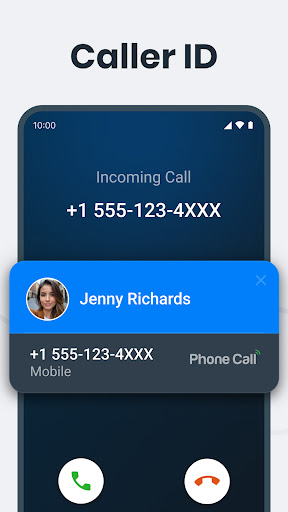
Our built-in Caller ID feature includes an After-Call Screen that displays caller information and lets you instantly respond via call, SMS, or other messaging apps.
Key Features
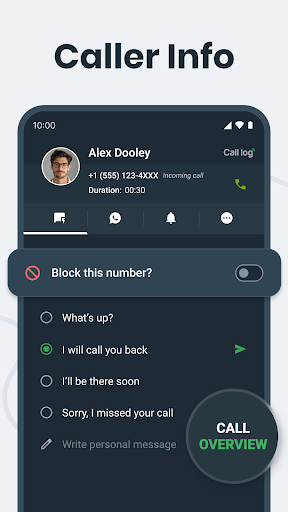
After-Call Screen - Take instant actions after every call, including quick replies, messaging, reminders, saving contacts, or blocking unwanted callers.
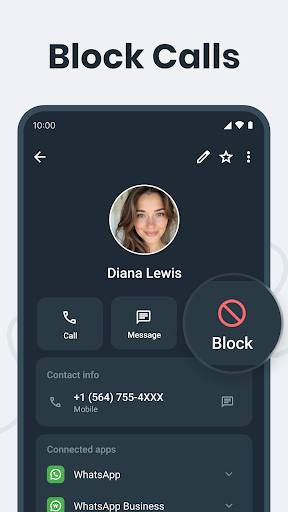
Block/Unblock Contacts – Easily block unwanted numbers and unblock them whenever needed.
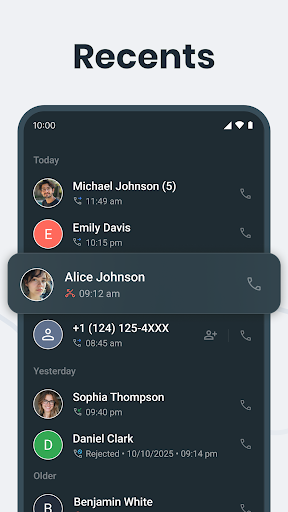
View Complete Call History – Access your entire call log, including missed, received, and outgoing calls.
Call Details & Duration – Get detailed insights on each call.
Smart Search – Quickly find contacts by name in your contact list.
Favorites Section – Mark important contacts for instant access.
One-Tap Call Back – Call directly from your call log.
Lightweight & Fast – Enjoy a smooth, lag-free experience.
Privacy-Focused – Your call data stays secure and private at all times.
Permissions & Privacy
The app only accesses call logs to provide call management and after-call screen features.
We never store, share, or misuse call log data without the user's consent. It is used only to enhance the user experience and is fully Google Play policy compliant.
100% Google Play Policy Compliant – No tracking, no analytics, no unauthorized data usage.
Why does the app need READ_CALL_LOG permission?
Caller ID & After-Call Actions - To display recent call details and support features like block/unblock, quick replies, instant call-back, messaging, and saving unknown numbers right after a call.
Call Log Management - To show your full call history, including incoming, outgoing, and missed calls
Smart Call Insights – To detect and highlight frequently contacted numbers for quicker access.
Download Phone Call App today and take full control of your recent call history — all in one powerful, privacy-first app!
もっと見る

1. MEmuインストーラーをダウンロードしてセットアップを完了する

2. MEmuを起動し、デスクトップでのPlayストアを開く

3. PlayストアでPhone Callを検索する
Install
4. Phone Callをダウンロードしてインストールする
5. インストールが完了したら、アイコンをクリックしてスタート

6. MEmuを使ってパソコンでPhone Callを体験する
MEmu Playは現在、最高の無料Androidエミュレーターであり、5,000万人のユーザーが優れたAndroidアプリ体験を楽しんでいます。MEmuの仮想化テクノロジーにより、数千ものAndroidアプリをコンピューターでスムーズに実行できます。
大画面でより精細;無限の待機、電池とドラフィックの極限を超え
キーボード・マウス・コントローラーを全力でサポート、より快適
マルチインスタンスで複数のゲームを同時に実行
Use Phone Call on PC by following steps: